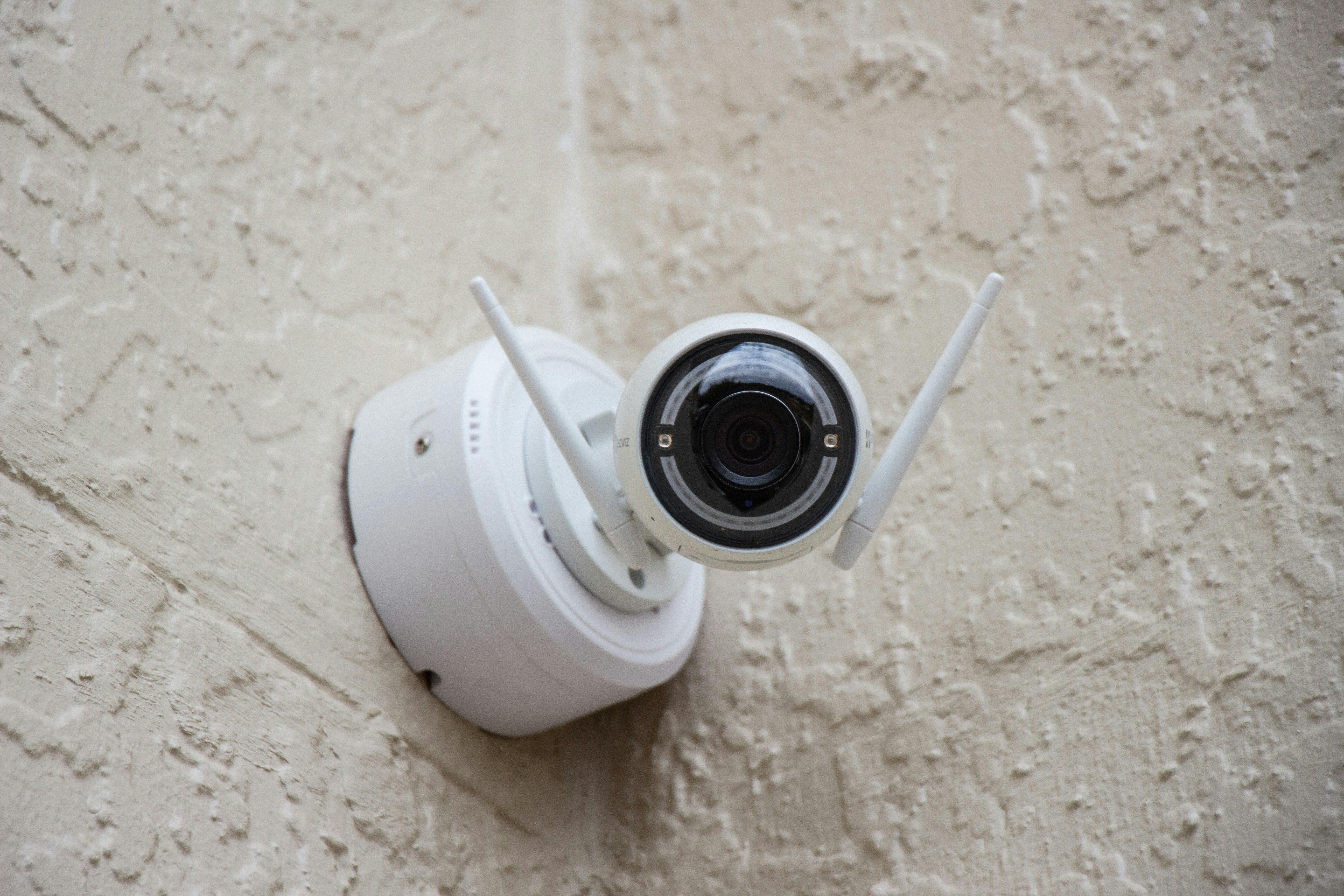
Wired (PoE) systems are still the most reliable way to protect a home or small business: one Ethernet run per camera, local recording on an NVR, and no monthly fees. These five picks balance image quality, uptime, and real-world setup.
Also Read: 8 Best Reolink Cameras (Buyer’s Guide)
| System | Highlights | Price* | Best for |
|---|---|---|---|
| Reolink RLK8-800D4 (4× 4K turrets + 8-ch NVR, 2TB) | 8MP PoE, smart person/vehicle/animal alerts, easy setup, great value | ~$360–$500 | Best budget 4K kit that still looks crisp |
| Amcrest NV4108E kit (4× 8MP turrets + 8-ch NVR, 2TB) | Mature apps, ONVIF-friendly, decent AI detection, good upgrade path | ~$530–$600 | Best “plug-and-go” pick for upgrading later |
| UniFi Protect build (UNVR + 4× G5 Pro/Dome) | Polished software, painless remote access, strong long-term support | ~$1,800 (UNVR $299 + 4× G5 Pro $379 ea; drives extra) | Best for prosumers & small business IT who want a slick, modular stack |
| Lorex Fusion 16-ch + 8× 4K domes (2TB) | Mixed wired/Wi-Fi expansion, deterrent lights/2-way audio options | ~$1,200 (8-cam dome bundle) | Best for large homes or multi-building coverage |
| ANNKE H800 (4× 8MP + 8-ch NVR, 2TB) | AI human/vehicle, solid night image, very sharp for the money | ~$496–$520 | Best under-$550 4K starter kit |
Buyer’s Guide: Wired Security Camera Systems
- PoE: One Ethernet cable powers the camera and sends video—cleaner installs, fewer failure points.
- NVR: The recorder that stores footage on a hard drive in your house/office (no monthly fees).
- Channels vs. PoE ports: Channels = max cameras the NVR can record; PoE ports = plug-in spots. Run out of ports? Add a PoE switch.
- PoE switch: A small network box that powers extra cameras and links back to the NVR.
- ONVIF: A compatibility standard so cameras and recorders from different brands can work together.
- Camera shapes: Turret (best all-rounder under eaves), Bullet (visible deterrent, longer views), Dome (low-profile, tamper-resistant).
- Fixed vs. Varifocal: Fixed = one view; Varifocal = true optical zoom to frame driveways/gates precisely.
- Resolution & FPS: 4K (8MP) captures more detail; 15–20 fps is usually smooth enough for security.
- Bitrate/H.265: Higher bitrate = clearer video, bigger files. H.265 squeezes file sizes smaller than H.264.
- Storage (rule of thumb): Four 4K cams on continuous record can fill 2TB in about a week; motion-only recording stretches it.
Reolink RLK8-800D4 — Best Overall
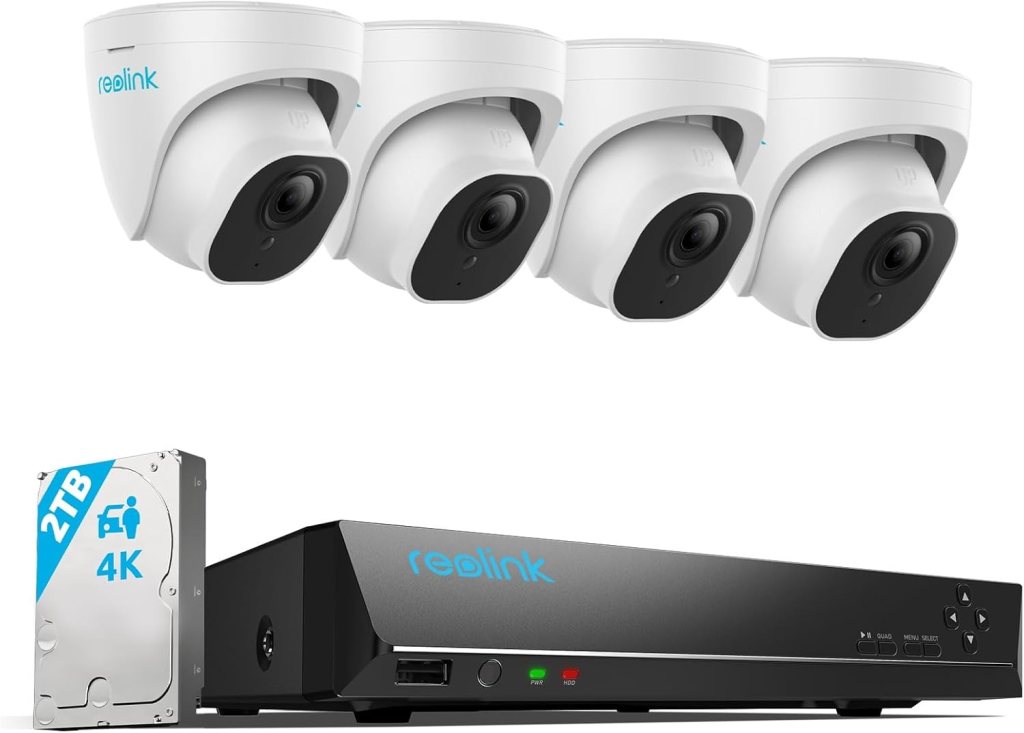
Why it’s good: Four 8MP turrets, an 8-channel PoE NVR, and a 2TB drive make this an easy weekend install that still delivers sharp nighttime faces and usable motion alerts. Smart detection covers people/vehicles/animals and you can bump storage up to 16TB later.
Setup notes: Home-run Cat-6 to the NVR’s PoE ports, name each camera in the app, then draw motion zones to cut porch-flag or tree-branch false positives.
Watch-outs: The NVR UI is straightforward, not flashy. If you crave pro-grade timeline tools, see UniFi below.
Street price: commonly mid-$400s to low-$500s depending on promos; we’ve seen it listed above $550 at specialty retailers.
Amcrest NV4108E kit — Best Value for Eventually Upgrading

Why it’s good: Solid 8-channel NVR (H.265, up to 10TB HDD) plus four 8MP turrets. Amcrest plays nicely with ONVIF, so you can mix in other brands later without drama.
Setup notes: Out of the box, some models default to lower bitrates. Bump bitrates and switch to H.265 to balance quality and storage. Amcrest’s mobile app is utilitarian but stable.
Watch-outs: Check per-channel recording limits at 4K/30; certain NV4108E SKUs top out at fewer 4K/30 streams (others run 4K at 15 fps per cam).
Street price: usually low-$500s for the 4-cam/2TB bundle; 5MP versions run less.
UniFi Protect build (UNVR + 4× G5 Pro) — Best for Power Users
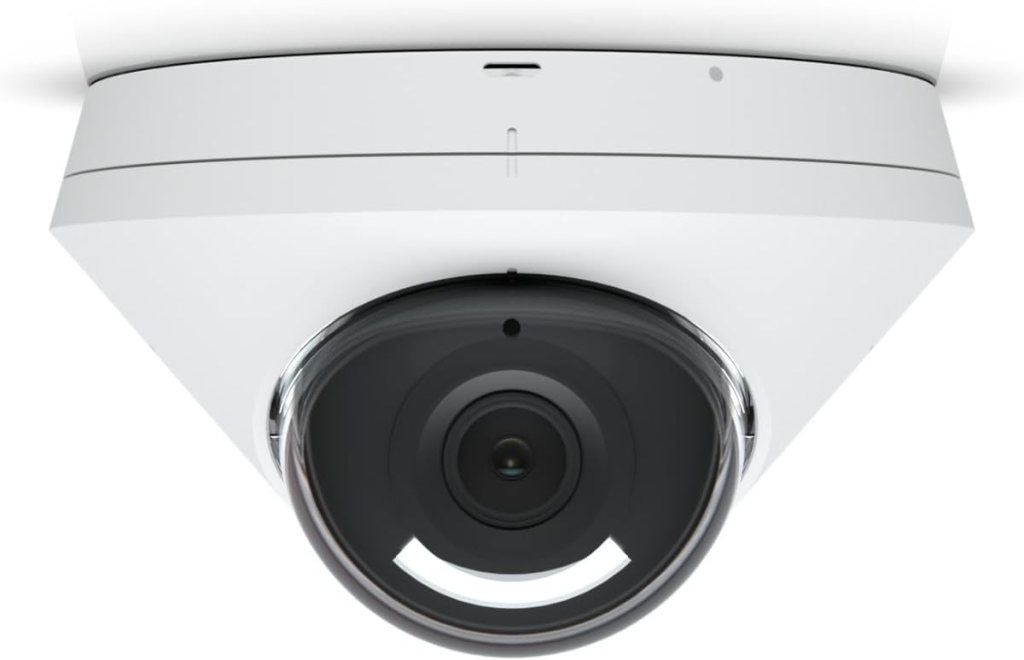
Why it’s good: You assemble the system (recorder, drives, cameras), but you get excellent software, clean remote access, and real retention control. The UNVR has four hot-swap bays; the UNVR-Pro ups that to seven and adds niceties like SFP+. Pair with G5 Pro 4K bullets (30 fps, 3× optical zoom).
Setup notes: Pop in surveillance-grade HDDs, claim devices in the UniFi app, create zones and smart detections. Scaling later is painless—add cameras or another UNVR-Pro.
Watch-outs: Not a boxed kit, so drives are an extra line item and you’ll likely want a dedicated PoE switch.
Street price: UNVR ~$299; G5 Pro cameras ~$379 each; total depends on drive size and count.
Lorex Fusion 16-Channel Dome Kit — Best for Large Properties
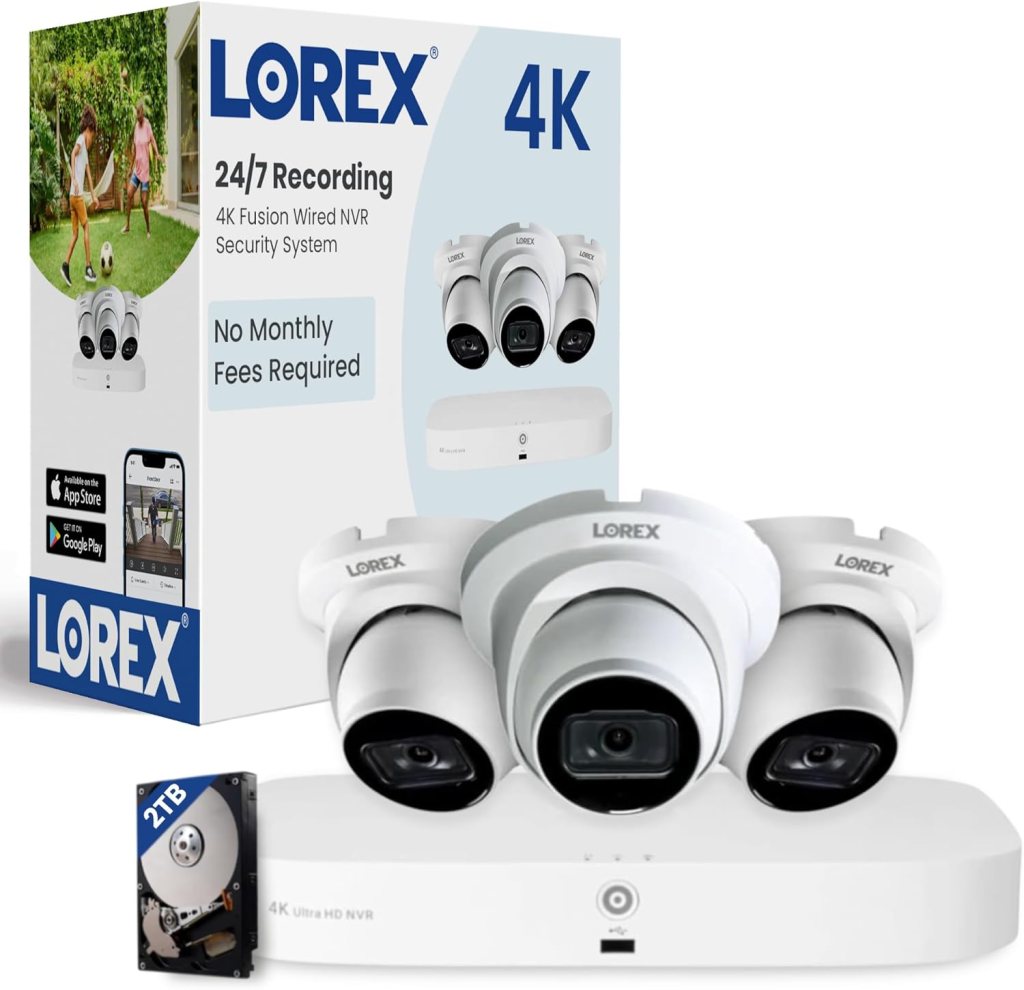
Why it’s good: A single NVR with room for 16 channels and bundled 4K domes gives you wide coverage and growth headroom. Fusion units can also bring select Wi-Fi cams into the same timeline if you need a quick add in a hard-to-wire spot. Typical kits include a 2–4TB drive.
Setup notes: Use domes indoors or in low-reach areas where you want a cleaner look and less tampering. For long runs to barns or gates, budget for exterior-rated Cat-6 and weatherproof boxes.
Watch-outs: Bigger chassis, more cable pulls. Double-check exactly which cameras (dome vs bullet, deterrent lights or not) are in the bundle you pick.
Street price: varies widely by bundle; around $600-$1000
ANNKE H800 (8-ch, 4× 8MP) — Best Budget 4K Starter

Why it’s good: No-nonsense kit with 8MP cameras, AI human/vehicle detection, and H.265+ to stretch your drive. Plenty of bundle options if you want turrets, bullets, or vandal-resistant domes.
Setup notes: ANNKE’s newer H800 bundles often ship with mics enabled and “color night” on; tune IR/dual-light behavior per location so you’re not blasting a driveway at 2 a.m.
Watch-outs: App polish trails the leaders and documentation can be sparse, but the value is hard to argue with.
Street price: frequent promos around ~$360–$570 depending on HDD size and camera mix.
How to pick a wired (PoE) system without overthinking it
Start with the cable plan. Count the drops you can reasonably run and where the NVR will live. If you’re over 8 cameras—or you’ll add outbuildings—jump straight to a 16-channel NVR.
Choose the right camera shape for each spot.
- Turrets: best under eaves/porches (reduced glare).
- Bullets: visible deterrent and great for longer sight lines.
- Domes: tidy indoors and more tamper-resistant.
Storage math, quick and dirty. Four 4K cams recording on motion will fill 2TB surprisingly fast. If you want 24/7 retention or more channels, plan on 6–12TB and use H.265/H.265+ where available. (UNVR/UNVR-Pro give you RAID options for redundancy.)
Smart detection beats “all motion.” Look for person/vehicle filters and draw zones so trees, headlights, or pets don’t ping your phone all night. Reolink and ANNKE include basic AI filters; UniFi adds finer control in software.
Mind the PoE budget. Varifocals, spotlights, and PTZs pull more power. If you outgrow the NVR’s eight PoE ports, add a PoE switch and uplink it—easy with UniFi; doable with others.
Security basics. Change default passwords, enable 2FA if offered, and keep firmware updated. If you work with regulated clients, verify NDAA/part-number requirements before you buy.
Installation tips that actually save time
- Pull solid-copper Cat-6, label both ends, and leave a service loop at each camera.
- Use junction boxes under soffit-mounted cams to hide connections and keep water out.
- If you’re adding more than 6–8 lines, land them in a small patch panel next to the NVR for cleaner service.
- Aim and focus at night, not noon—IR flare and reflections only show up after dark.
- Schedule a monthly health check: disk SMART status, camera uptime, and a quick scrub through the timeline.
Methodology (how we choose)
We weight image quality and night performance most heavily, then reliability, storage/retention, motion AI, install experience, and long-term ownership. We verify core specs, channel limits, and typical street pricing against manufacturer listings and current retailer pages.
FAQs
Do I really need a wired (PoE) system instead of Wi-Fi cameras?
If reliability and continuous recording matter, yes. PoE sends power and data over one cable, so you avoid flaky Wi-Fi, battery swaps, and throttled cloud clips. You also keep full-quality footage on your own recorder.
What’s the difference between an NVR and “cloud recording”?
An NVR (Network Video Recorder) stores video locally on hard drives—no monthly fee, and you keep full bitrate video. Cloud systems compress more and depend on your internet. For evidence, local NVR footage is usually cleaner and easier to access quickly.
How many “channels” do I need?
Count the cameras you want now, then add 30–50% for growth. If you think you’ll land at 6–8, buy a 16-channel NVR so you don’t replace your recorder later.
Can I mix brands of cameras and NVRs?
Often, yes—look for ONVIF support on both sides. Basic streaming/recording works well across brands. Advanced features (AI filters, fancy timelines) are best within one ecosystem.
Do I have to connect the NVR to the internet?
No. Everything can run on your local network. Internet is only required for remote viewing, time sync, and firmware updates. If you want the safest setup, use local-only and a VPN for remote access.
How much storage do I need?
Quick sketch:
- One 4K camera at ~8 Mb/s ≈ ~86 GB/day on continuous record.
- Four 4K cams ≈ ~344 GB/day.
A 2TB drive covers roughly 5–6 days continuous for four cameras. Motion-only recording stretches retention dramatically.
Is H.265 really better than H.264?
Yes. Same quality at lower bitrates, which means longer retention on the same drive. Turn it on where available.
What frame rate should I use?
15–20 fps is plenty for security and halves file size vs 30 fps. Keep 30 fps only for special angles (cash drawer, entry turnstile, license plates with fast motion).
Fixed lens or varifocal?
Use fixed 2.8 mm–4 mm for porches and wide entries. Choose varifocal for long driveways, gates, or anywhere you need to “zoom in” optically without losing detail.
Turret vs bullet vs dome—what should I mount where?
- Turret: best all-rounder under eaves; fewer IR reflections.
- Bullet: visible deterrent, good for long views.
- Dome: tidy look, more tamper-resistant for low-reach spots and indoors.
What makes night video readable?
Strong sensors, good IR (or “color night” with supplemental light), and correct aim. Avoid pointing directly at shiny house numbers or bright windows; adjust exposure/WDR so faces don’t blow out.
Why do I get so many false alerts?
Old-school “pixel motion” triggers on trees and headlights. Enable person/vehicle detection and draw motion zones to exclude streets and swaying branches. You’ll cut false pings to a fraction.
How high should I mount cameras?
8–10 feet is a sweet spot: high enough to deter tampering, low enough for faces. For license plates, mount lower and at an angle under ~30° relative to traffic.
What cable should I use?
Solid-copper Cat5e or Cat6, not CCA (copper-clad aluminum). Maximum run is 100 m / 328 ft per segment. Use UV-rated cable outdoors and weatherproof junction boxes at the camera.
What is a PoE switch and when do I need one?
It’s a network switch that also powers cameras. Add one when you run out of PoE ports on the NVR or if you want a remote cluster (garage, gate). Make sure its total PoE budget can power all connected cams.
What’s the deal with PoE power (af / at / bt)?
- 802.3af (~15 W): most fixed-lens cams.
- 802.3at / PoE+ (~30 W): varifocal, dual-light, or spotlight cams.
- 802.3bt (60–90 W): PTZs and high-draw devices.
Add up camera draw so you don’t overload a port or switch.
Can I re-use old DVR/coax wiring?
Not directly. PoE uses Ethernet, not coax. You can convert with Ethernet-over-coax adapters, but for new work, pulling Cat5e/Cat6 is cleaner and future-proof.
Do I need RAID or multiple drives?
If downtime is unacceptable, yes. Multi-bay recorders can mirror data (RAID1) or use RAID5 so you keep recording if a drive fails. For most homes, single-drive with good backups is fine.
Should I run continuous or motion-only recording?
Continuous makes scrubbing easy and guarantees you don’t miss events. Motion saves space and is fine once your AI zones are dialed in. Many people do hybrid: continuous for key cameras, motion for the rest.
Can my internet handle remote viewing from multiple cameras?
Remote viewing uses your upload bandwidth. One 4K stream can chew several Mb/s. For phones, set sub-streams (lower resolution bitrates) for quick look-ins, and pull full-res only when reviewing incidents.
What about privacy and legal stuff?
Don’t aim into neighbors’ windows or record private areas (bathrooms, bedrooms). In many regions, audio recording requires two-party consent—check your local laws. Post signage for public-facing coverage at businesses.
How do I keep the system secure?
Change default passwords, create unique user accounts, enable 2FA if offered, and update firmware quarterly. Avoid exposing the NVR directly to the internet; use P2P with strong creds or a VPN.
Do I need a UPS (battery backup)?
Highly recommended. A small UPS keeps the NVR and PoE switch up during short outages and prevents footage corruption.
Why are my night images washed out or blurry?
Common culprits: IR reflecting off walls/eaves, smudged domes, spiders near the lens, or focus set in daylight. Clean the lens, add a small offset bracket, and re-focus at night.
What’s WDR and why does it matter?
Wide Dynamic Range balances bright and dark areas (e.g., a sunlit doorway with a dark foyer). It helps you capture clear faces instead of silhouettes.
Can I start with four cameras and add more later?
Yes—just buy an NVR with extra channels. When you need more PoE ports, add a PoE switch and uplink it to the NVR.
What’s the typical cost breakdown?
Budget kits run in the mid-hundreds for 4K/4-cam with a small drive. Pro-leaning builds with varifocal cams and multi-bay recorders land in the low-to-mid four figures before drives. Cabling and labor are the wild cards.
How often should I maintain the system?
Monthly: check SMART status on drives, skim timelines for gaps, and update firmware if there’s a security fix. Seasonally: clean lenses, tighten mounts, trim foliage.
What are the biggest beginner mistakes?
Buying too few channels, mounting too high for faces, skipping storage math, leaving default passwords, and pointing at bright lights or busy streets without zones.
Can I view cameras on my TV or smart display?
Yes—most systems offer an HDMI output on the NVR, and many support RTSP or integrations for smart displays. Keep display devices on your local network for best quality.
What if I want plate capture specifically?
Use a dedicated camera aimed low and tight at the choke point, with a higher shutter speed and IR illumination. Expect trade-offs: great plate reads can mean darker overall images at night.
Is “color night” worth it?
It helps for recognizing clothing and vehicles, but it often uses white LEDs. If that’s intrusive, stick to IR and add a low-glare floodlight on a separate motion sensor.
Will these systems work with Home Assistant or similar?
Many do via ONVIF/RTSP. You’ll get live views and basic automations reliably; advanced NVR features (smart search, AI clips) still live best inside the native app.
This post contains affiliate links. If you purchase through these links, I may earn a small commission at no extra cost to you. As an Amazon Associate, I earn from qualifying purchases and stand behind all of my recommendations.






Leave a Reply