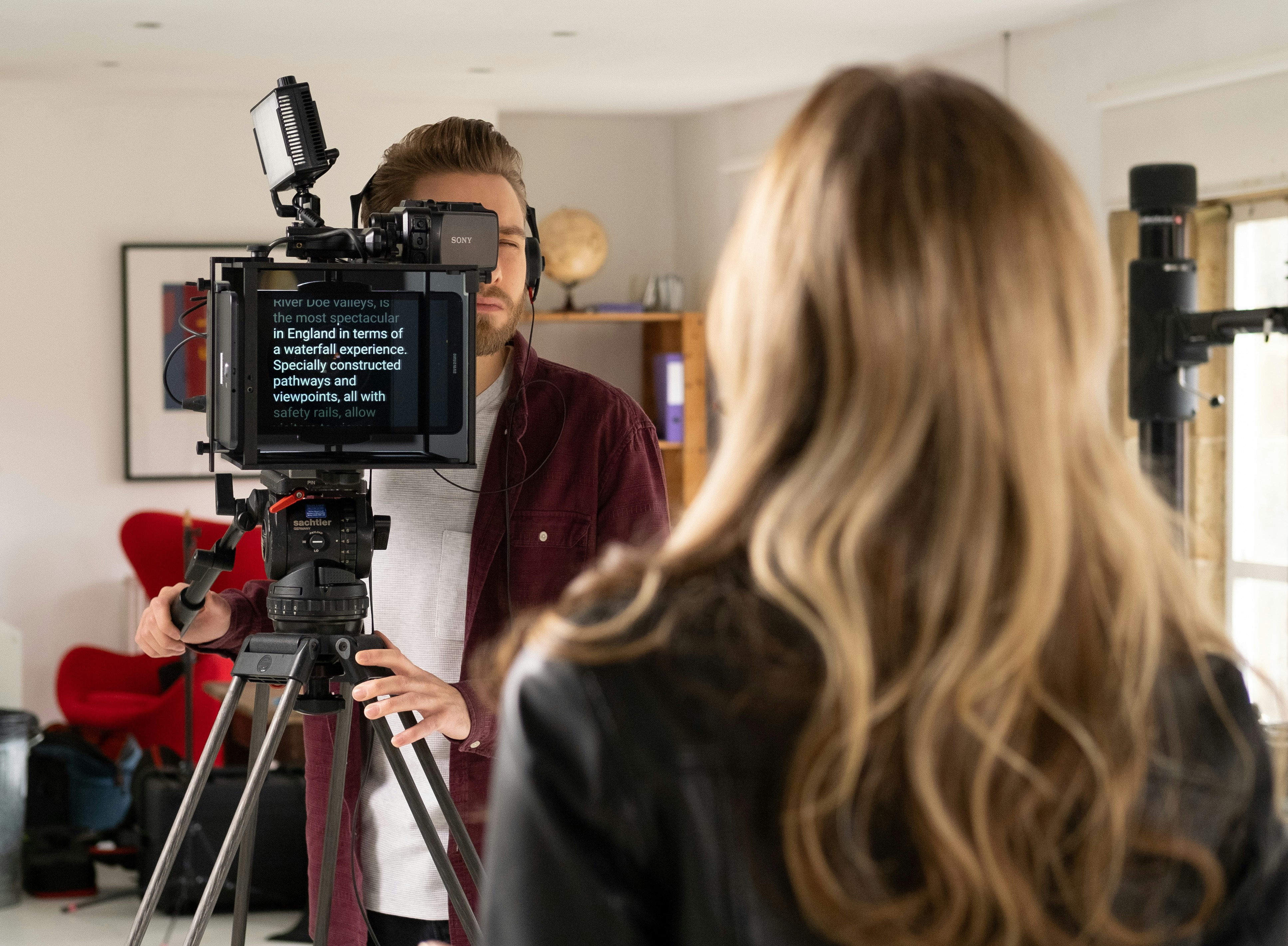
This is an expanded, field-tested guide covering DSLR/mirrorless teleprompters, iPad/tablet rigs, compact phone-driven units, and an integrated-screen option.
Every pick is readily available from major online retailers.
Quick Picks
- Best overall tablet rig: Glide Gear TMP 750 — roomy 70/30 glass, fits full-size iPads for easy, natural eye-line reads.
- Best compact travel kit: Padcaster Parrot Teleprompter V2 — clamps to your lens, uses your phone as the display, tiny footprint.
- Best large-screen studio unit: FEELWORLD TP16 (16″) — big glass for longer distances and comfortable type sizes.
- Best budget smartphone teleprompter: FEELWORLD TP2A (8″) — lightweight, adapters + remote included, great for phone or small tablet prompting.
- Best integrated-screen prompter: Elgato Prompter — built-in display via USB-C/HDMI-style workflows; doubles as a mini monitor.
1) Glide Gear TMP 750
Best overall teleprompter for iPad/tablet rigs
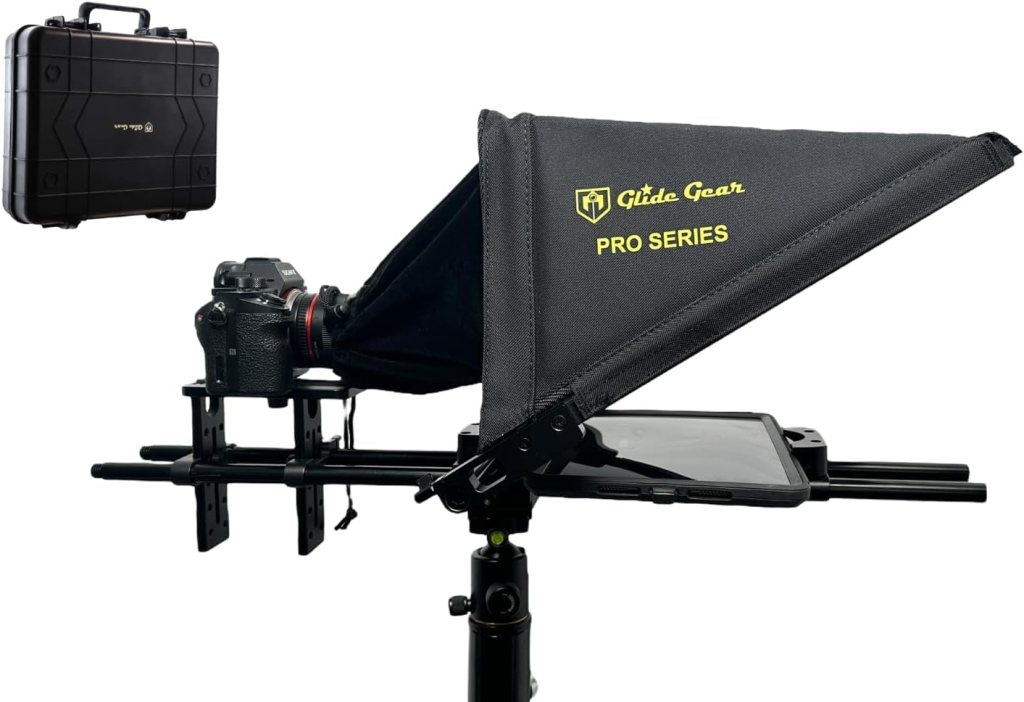
Why it’s great: The TMP 750’s 11″×12″ 70/30 beam-splitter glass keeps copy bright and readable from farther back, and it accepts everything from iPad mini to iPad Pro—ideal when you want large text without eye flicker. The adjustable camera platform makes balancing easy on most tripods.
Highlights: 70/30 glass • DSLR/mirrorless friendly • Fits full-size tablets • Adjustable camera tray.
Buy it if: You shoot courses, interviews, or corporate pieces and want a dependable “set-and-forget” rig.
Skip it if: You need pocket gear; consider Parrot V2 below.
Amazon Customer Review
So good, we bought two!
This mid-range teleprompter is not without it’s problems, but it’s a great value and extremely versatile.
PROS:
– Big glass
– Rigid hood
– Flexible camera and device mounting options
– Great accessories for mounting more tools
– Easier to balance (if you need that) than most fixed telepromptersCONS:
– The case is just bad; throw it away and pack the item is something else (it should be noted that the case *does* have pins that help lock it and keep the flimsy plastic in place…but do not use this case to pack in a production truck or ship; it will not hold up)…
2) Padcaster Parrot Teleprompter V2
Best compact/smartphone kit

Why it’s great: This palm-size unit mounts directly to your lens and mirrors scripts from your smartphone—perfect when you’re traveling light or shooting solo. Despite its size, it uses proper beam-splitter glass and ships with the bits you need to get rolling fast.
Highlights: Lens-mount clamp • Phone-driven display • Ultralight travel kit.
Buy it if: You want a true “bag-pocketable” teleprompter for YouTube, field interviews, or on-the-go reads.
Skip it if: Your talent reads from farther than ~5–7 ft; choose a tablet model.
Customer Review
I never write reviews, so this should be a testament to how much I vouch for this product.
For context, I’ve purchased 2 other iPad teleprompters on Amazon, and the Parrot is definitely my favorite from everything else I’ve tried.
Main reasons:
1) It’s compact and light. iPad eleprompters can be huge and heavy, and even the foldable ones are still large. So this tiny little guy can even fit into my travel kit.
2) Fewer moving parts. It’s just a box with a lid for the front and a lid for the back. It comes with a bunch of step-up rings. None of them were small enough for my Lumix f1/7 45mm lens (with has a lens diameter of 37mm), so I just had to buy a step-up ring on Amazon for a few bucks.
3) Works with your phone. Not only was I saving about $50-100 with Parrot’s model compared to other teleprompters, I also didn’t have to buy an iPad. It works with whatever phone you have!…
3) FEELWORLD TP16
Best large-screen studio teleprompter
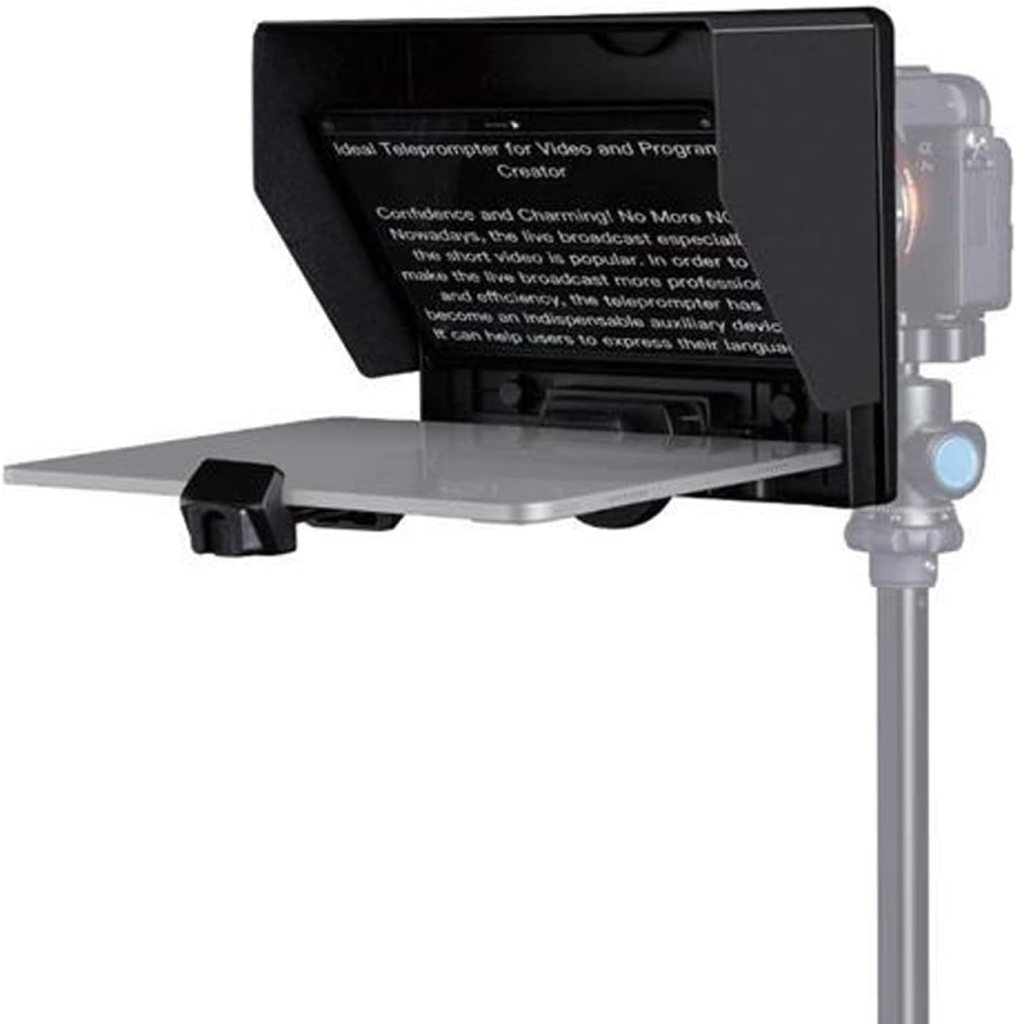
Why it’s great: The 16-inch beam-splitter glass and folding frame deliver comfortable reading at distance—perfect for corporate sets, stages, and longer scripts. Also friendlier to wider focal lengths than small hoods.
Highlights: 16″ standard beam-splitter • Wide-angle compatible • Folding design.
Buy it if: Your talent prefers big type and you shoot from 8–12 ft.
Skip it if: You’re traveling light; this is a studio-leaning tool.
4) FEELWORLD TP2A
Budget smartphone teleprompter
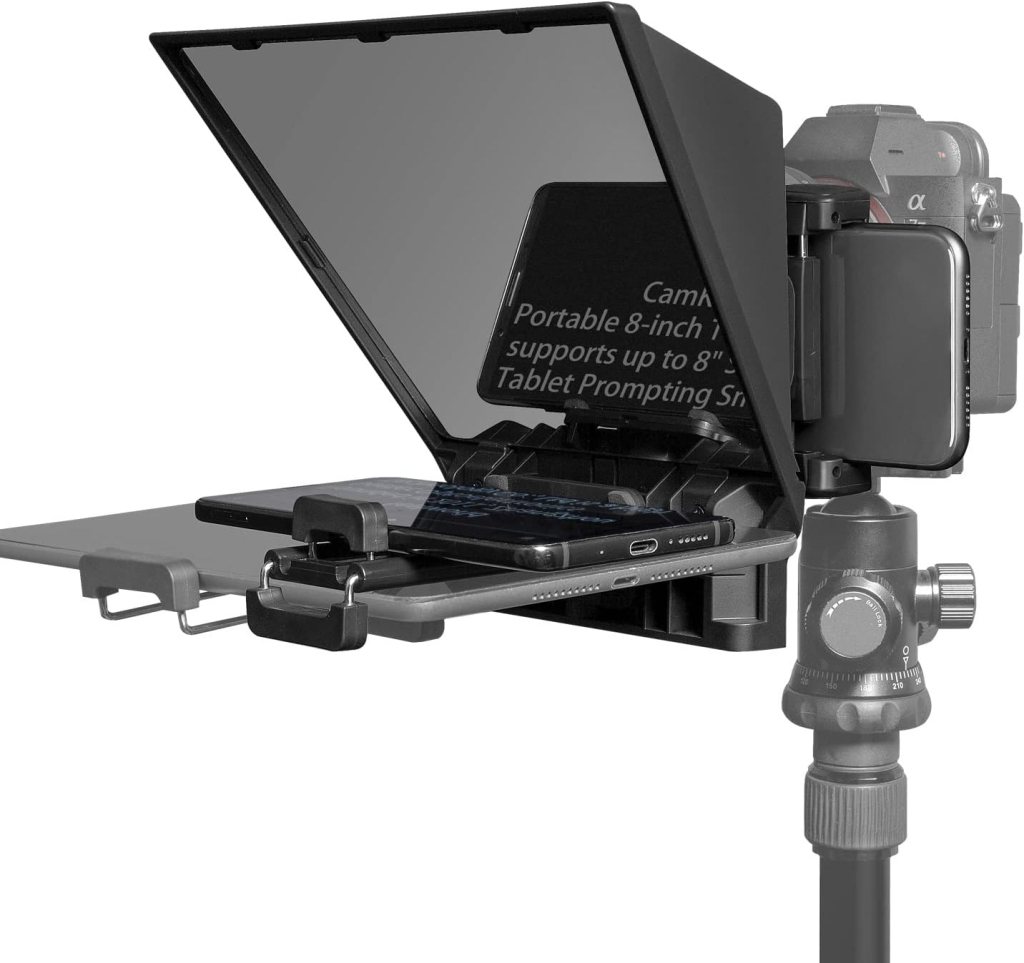
Why it’s great: A compact, lightweight teleprompter that supports phones or small tablets and includes adapter rings and a remote—excellent for creators who mostly prompt from a phone but want real mirror glass.
Highlights: Up to ~8″ device support • Adapters + remote included • DSLR/phone capable.
Buy it if: You want a simple, affordable starter that still feels “real.”
Skip it if: You need a bigger tablet for large, comfortable text.
Simple, efficient and perfect fit with an iPad smaller than 8 inches (that is, up to the iPad mini 5). Simple, but well-done software.
This version is better than the TP2 alone because it allows the use of both a reflex camera and a mobile camera. I really liked it.
5) Elgato Prompter
Best Integrated screen (great for streaming + camera)
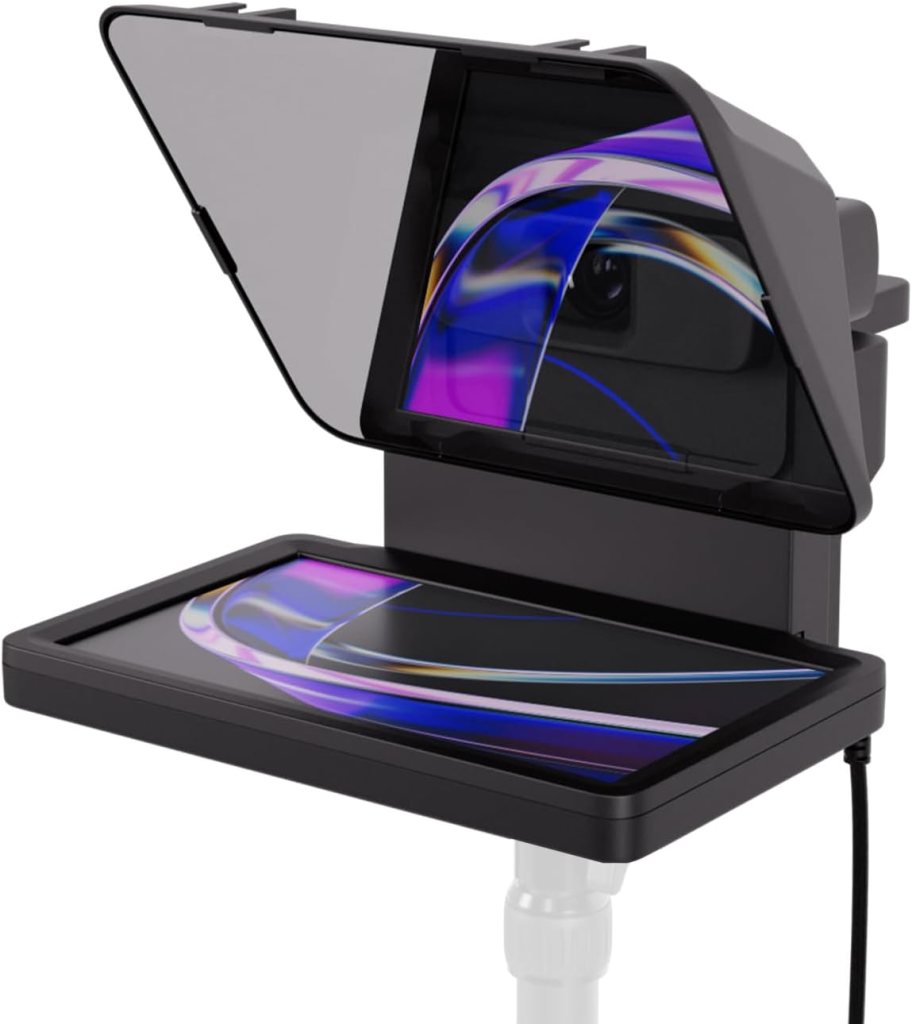
Why it’s great: Unlike tablet-based rigs, this unit has a built-in display that you drive from a computer (and certain workflows). It can function as a secondary monitor for scripts or slides and supports DSLR/webcam/smartphone mounting—useful for live webinars or studio desktops.
Highlights: Integrated screen via single-cable setup • Works with cameras & webcams • Pairs well with control surfaces.
Buy it if: You stream, present, or teach on a desk-based set and want a tidy cabling solution.
Skip it if: You need a large glass hood for multi-meter distances—choose a tablet or 16″ unit.
Customer Review
Final Verdict: A Five-Star Setup
The Elgato Prompter and Stream Deck Plus combo is hands-down one of the best investments for anyone serious about video production. Whether you’re a content creator, educator, or someone producing mid-level AV content, this setup makes staying on topic effortless, enhances production quality, and improves audience engagement. The combination of script control, seamless device integration, and multi-functional display features makes this a must-have for at-home creators.
Price Comparison Table
| Model | Price (USD) | Best for |
|---|---|---|
| Glide Gear TMP 750 | $349 | Courses, interviews, corporate reads |
| Padcaster Parrot Teleprompter V2 | $99 | Travel, solo creators, quick setups |
| NEEWER X14 (foldable series) | $219–$259 | Frequent setup/teardown, small crews |
| Desview T3 | $79–$129 | Value pick for iPad Air/11″ Pro |
| FEELWORLD TP16 (16″) | $169 | Studio/corporate sets, bigger type |
| FEELWORLD TP2A (8″) | $79.99 | Budget, phone-first prompting |
| Elgato Prompter (integrated screen) | $299.99 | Streaming, webinars, desk studios |
| Moman MT12 (12″) | $149 | Affordable “first real” teleprompter |
Buyer’s Guide: How to Pick the Right Teleprompter
1) Form Factor & Use Case
- Lens-mount minis (Parrot/TP2A): Ultra-portable, best within ~3–6 ft, great for solo travel.
- Tablet/iPad rigs (Glide Gear/Desview/Neewer/Moman): The sweet spot for readability, natural eye-line, and cost.
- Large studio units (TP16): Maximum comfort at distance, heavier and bulkier.
- Integrated-screen (Elgato): Cleaner desktop setups; ideal for streaming/webinars.
2) Glass & Brightness
Look for 70/30 (T/R) beam-splitter glass for a bright script without starving the lens. Larger glass = larger, slower-scrolling type (easier reads).
3) Device Size Limits
Check max tablet width/diagonal: some rigs cap at 11″ (Desview T3), while others handle full-size iPad Pro (TMP 750) or 16″ displays (TP16).
4) Lens Compatibility (avoid vignetting)
Small hoods can vignette with ultra-wides. Neewer publishes a minimum focal length (e.g., >28mm full-frame) on the X14, so verify your widest lens against each product’s guidance.
5) Control & Apps
Prefer kits with a Bluetooth remote + companion app for start/stop and speed on the fly (Neewer/Desview commonly bundle these).
6) Mounting & Balance
A sliding camera plate and multiple tripod threads help you center mass over the head for steadier pans and less tripod creep (common on the larger rigs).
Setup: From Box to First Read (5 Steps)
- Build & balance: Mount camera, then add tablet/phone. Shift the base/plate to keep the center of gravity over the tripod head.
- Attach device and load script: Use the maker’s app (Neewer/Desview include one) and pair the remote.
- Match eye line: Adjust height so the talent’s gaze stays level; bigger glass (TP16/TMP 750) allows longer distances.
- Dial speed & size: Start ~120–150 wpm; set font large enough to avoid eye-darting.
- Tame reflections: Angle lights to avoid hitting the glass; a slight hood tilt reduces flare.
Pro Tips for Natural Reads
- Keep it close: Closer glass = smaller eye-travel. If you must be far, use bigger glass (TP16) or full-size iPad (TMP 750).
- Chunk your copy: Short lines, natural punctuation, and speaker notes instead of dense paragraphs.
- Use the remote: Have talent nudge speed during delivery instead of fighting the scroll. (Neewer/Desview remotes make this simple.)
- Check your widest lens: If you see the hood in frame, add focal length or step up to a larger model.
Accessory Shortlist
- Weighted fluid head & solid sticks for larger rigs (TP16/TMP 750).
- 15mm rail baseplate if your lens needs support under a heavy hood.
- Lens adapter ring set (often included with phone-driven units like TP2A/Parrot).
- Bluetooth remote (bundled on many units), plus a tablet clamp if your stand needs one.
Frequently Asked Questions
Will these work with my mirrorless/DSLR?
Yes—each pick is designed for cameras (some also work with smartphones). Check the adapter rings and minimum focal length notes for your lenses.
Do I need a special app?
Most tablet/phone rigs include or recommend a free companion app and ship with a Bluetooth remote (Neewer/Desview). Integrated-screen options use desktop software or present as a secondary monitor.
What size screen is “enough”?
For reads within ~5–7 ft, phone-driven minis are fine. For 6–10 ft, an 11″ iPad in TMP 750/Desview T3 works well. Beyond that, go 16″ (TP16).
Are these good for ultra-wides?
Small hoods can vignette with <28mm full-frame on certain units (e.g., X14). Verify lens guidelines per model.
The Picks at a Glance (When to Choose Which)
- Solo creator / travel vlog: Parrot V2 or FEELWORLD TP2A (tiny, fast, phone-driven).
- Course creators / interviews: Glide Gear TMP 750 or Desview T3 (bigger text, calmer reads).
- Frequent setup/teardown: Neewer X14/X14 Pro (fold-out, remote, app).
- Studio/corporate stage: FEELWORLD TP16 (largest glass here, distance-friendly).
- Desk streaming/webinars: Elgato Prompter (integrated screen, tidy cabling).
If you share your camera + widest lens, prompting device (phone/iPad size), distance to camera, and shoot type, I’ll condense this into a 2-item shortlist with the right accessories so you can order once and roll.
This post contains affiliate links. If you purchase through these links, I may earn a small commission at no extra cost to you. As an Amazon Associate, I earn from qualifying purchases and stand behind all of my recommendations.


Leave a Reply