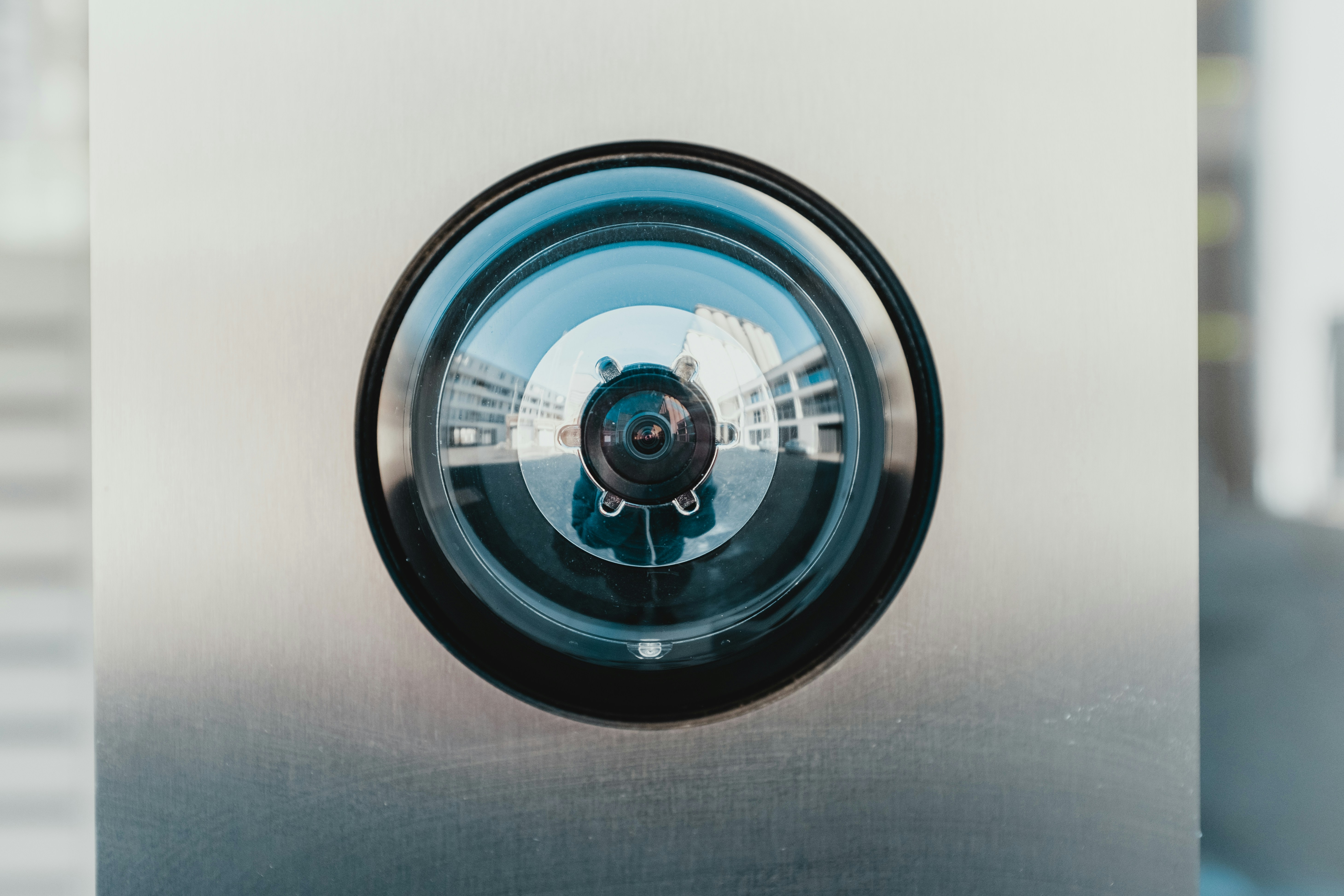
Hidden-camera scares in rentals and hotels have turned “bug sweepers” into a travel essential. The JAXTIN G66 Pro is one of the most visible all-in-one detectors right now—pitched as a pocket device that can sniff out RF signals, reveal lenses with an IR strobe, and probe for magnet-mounted GPS trackers. Is it the best pick for most people, or just loud marketing?
Quick verdict
Short answer: the G66 Pro is a solid first detector if you want one tool that does a bit of everything in a compact, affordable package. It’s well suited to travelers and short-term rental guests who will actually follow a simple scan routine.
It is not lab-grade gear, the “AI auto scan” language is more guidance than wizardry, and like any consumer sweeper it can false-alarm in RF-noisy spaces.
For corporate or forensic work, step up a tier. For peace-of-mind checks in rooms and cars, this gets you there.
What the G66 Pro is (and isn’t)
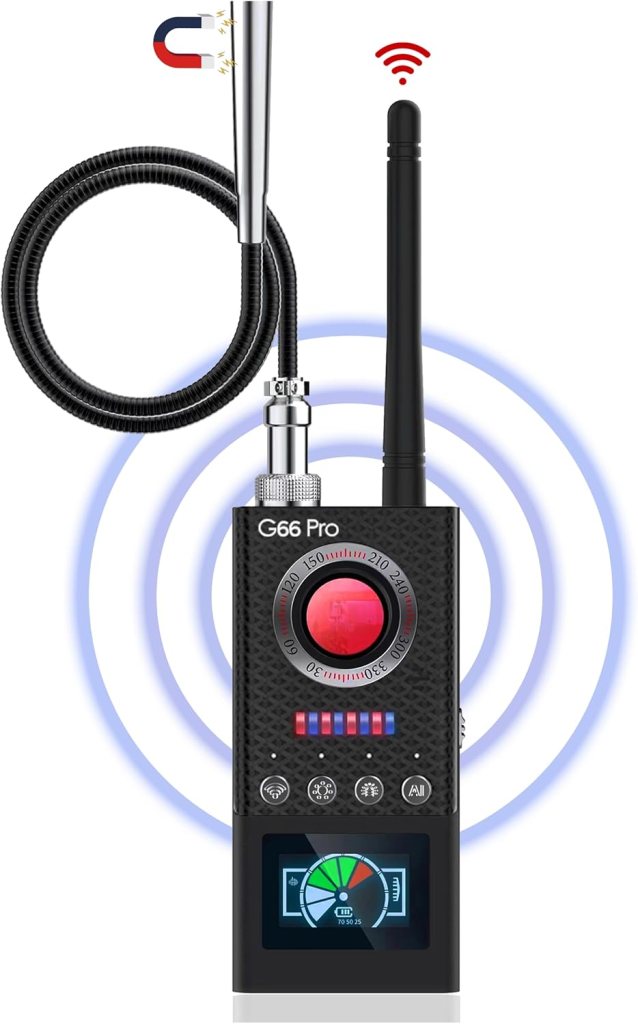
On paper, G66 Pro combines:
- RF scanning to help you track live transmitters (Wi-Fi cams, Bluetooth beacons, cellular hotspots, some analog bugs)
- An IR lens-finder that makes hidden camera optics “sparkle” when you sweep a dim room
- A magnetic probe intended for magnet-mounted GPS trackers on vehicles
- Rechargeable handheld body with sensitivity control, bar-style meters, and simple mode switching
Limitations to keep in mind:
- It won’t detect powered-off devices
- It won’t magically reveal a wired pinhole cam unless you catch the lens reflection
- It won’t see through walls; you still have to move, sweep, and confirm
How hidden-camera detectors actually work (60-second primer)
RF scanning: you’re listening for radio activity. When you walk toward an active transmitter, the meter rises. In apartments and hotels there’s a lot of background RF, so the trick is to start with low sensitivity, walk a slow loop around the perimeter, then raise sensitivity and triangulate the strongest spike.
IR lens finding: darken the room, turn on the G66’s strobing IR/LED ring, and scan slowly. A true camera lens returns a tight, persistent sparkle at the same point as you change angles. Random shiny bits will flash and disappear; a lens “pins” its spot.
Magnetic probing: some GPS trackers cling to metal with very strong magnets. A magnetic sensor helps you distinguish “ordinary car metal” from suspicious magnet mass when you sweep rails and wheel wells.
Hardware tour
Controls are straightforward: power, mode button (RF, auto scan, lens-find, magnetic), and a sensitivity dial. The display is a simple bar meter—easy to read, even in a dim room. The unit is pocketable, light enough for one-hand use, and charges over USB-C in most bundles. Expect a short whip antenna for RF and a small LED ring for lens finding; some kits include a wired probe wand for magnetic sweeps.
Specs and claims (decoded)
Marketing typically promises wideband RF coverage, multiple scan modes, long battery life, and “AI auto scan.” Here’s how to read that:
- Wideband: consumer sweepers cover common bands used by Wi-Fi cams, Bluetooth trackers, and cellular transmitters. You’re not frequency-logging; you’re homing in on signal strength.
- AI auto scan: usually a pre-tuned sensitivity pattern with icons for “Wi-Fi,” “mobile,” “bug.” Treat it as hints, not gospel.
- Battery: enough for several room sweeps or a long hotel evening. Charge before trips and you’ll be fine.
Setup and your first five-minute sweep
- Charge the unit fully.
- Put your own phone and laptop in airplane mode to reduce self-noise during the baseline.
- RF pass: with sensitivity low, walk the room perimeter and note spikes near smoke detectors, clocks, vents, picture frames, and power strips. Raise sensitivity and close in on anything suspicious.
- IR pass: lights off or dim, sweep slowly with the lens-finder. Look for one bright, persistent sparkle. Check mirrors, artwork, air vents, and any hole-poked plastic housings.
- Bathroom/bedroom pass: repeat both steps. Anything odd? Unplug, remove power, or cover and then investigate.
- Vehicle check: if relevant, use the magnetic probe along rails and wheel wells; move slowly and reduce sensitivity if the probe chatters constantly.
How I’d judge performance (practical tests)
If you want to validate your unit at home, try this:
- RF sanity checks: a streaming Wi-Fi baby cam, a Bluetooth tracker, and a phone hotspot across the room. You should be able to make the meter climb as you close distance and drop when you back away or power each device off.
- IR lens checks: a small pinhole camera behind a vent slat, then a harmless shiny screw head. The camera should “pin” its sparkle; the screw should flash and fade with angle.
- Magnetic probe: a strong fridge magnet taped to a steel bracket under the car—confirm you can find it, then confirm you can lose it by moving away or reducing sensitivity.
Field notes you can use
RF sensitivity vs. selectivity: expect chatter in apartments with multiple routers. Lower the gain, walk slowly, and compare readings at hip height versus ceiling height to separate power strips from ceiling domes.
Auto scan reality check: helpful as a starting point, but don’t rely on icons to declare “found a bug.” Use auto scan to pick a direction, then switch to manual RF and confirm with the lens-finder.
Lens-finder quality: you’ll get the best results in a darker room with the ring light aimed slightly off center. Move in an arc rather than straight-on lunges. A genuine lens dot stays put across small angle changes.
GPS/magnet probe: cars are full of brackets and hardware. Sweep slowly, reduce sensitivity if everything beeps, and focus on areas that are easy to access but out of sight (front subframe rails, rear bumper lips).
Battery and heat: keep it out of baking hot cars when parked. Detectors are small, plastic, and happier at room temperature.
Usability and build
The G66 Pro’s strength is approachability. One-hand operation, obvious feedback, and quick mode changes help non-tech users stay calm. The haptic and beeper alerts are audible but not obnoxious; you can work discreetly in a hotel room. The case is travel-friendly and the antenna isn’t so long that you feel silly walking around with it.
Privacy, legality, safety
You can scan spaces you occupy or control. Don’t pry open fixtures you don’t own, and don’t damage property while investigating. If you find something suspicious, photograph it, power it down or cover the lens, and escalate to the host, building security, or law enforcement as appropriate. Detectors reduce risk; none can guarantee that a space is device-free.
Competitors to consider
Look at alternatives in three tiers:
- Ultra-cheap clones: tempting price, inconsistent quality, narrow usefulness
- Midrange multipurpose (G66-class): the sweet spot for most travelers, combining RF, lens-finder, and basic magnetic tools
- Higher-end TSCM-leaning devices: better RF front-ends, more control, higher price, and a steeper learning curve
When comparing, prioritize adjustable sensitivity, clarity of the display/alerts, quality of the lens-finder, and overall build.
Pros and cons
Pros
- All key modes in one pocketable device
- Simple UI and fast learning curve
- Good value for travelers and renters
- Rechargeable, no-app workflow
Cons
- “AI” phrasing oversells what is basically guided sensitivity
- False positives in RF-dense environments unless you manage gain
- Not a substitute for professional sweeps in high-risk scenarios
Who should buy it (and who shouldn’t)
Buy it if you want a quick, repeatable scan routine for hotels, Airbnbs, office rentals, or occasional car checks—without fiddling with apps or carrying multiple gadgets. Skip it if you need logs, frequency analysis, or professional-grade verification; in that case, hire a pro or invest in specialty equipment.
A three-minute hotel/Airbnb sweep
Minute 1: RF baseline on low sensitivity; walk the perimeter, note any spikes, then close in.
Minute 2: IR lens pass with lights down; check mirrors, vents, picture frames, and any small electronic enclosures.
Minute 3: Bathroom and sleeping area repeat; if anything pings twice, unplug or cover it and rescan.
Troubleshooting the usual false positives
The router pins the meter: put your devices in airplane mode, walk away from the router, lower gain, then re-approach suspected spots.
Everything sparkles in the mirror: tilt the lens-finder, move closer, and look for a single, stubborn dot rather than scattered glints.
Car probe won’t shut up: reduce sensitivity, slow down, and focus on flat metal surfaces where a magnet can actually sit.
Pricing and what’s in the box
Expect the detector, charging cable, short antenna, a small IR ring or viewfinder, and a probe accessory if your bundle includes it. Prices float with promos and bundles. Prioritize kits with a case and clear instructions.
Final verdict
Is the JAXTIN G66 Pro the best hidden camera detector? For most everyday travelers: close enough to “best” that the distinction doesn’t matter. It’s portable, understandable, and covers the three detection angles that matter. If you bring realistic expectations—this is a peace-of-mind tool, not a tricorder—you’ll get real value out of it.
FAQs
Are hidden camera detectors legal to use in rentals and hotels?
Generally yes, so long as you’re scanning spaces you occupy and you don’t damage property. If you find a device, document and escalate rather than dismantling fixtures.
Will the G66 Pro find a camera that’s turned off?
No. RF scanners need active transmissions. You can still catch powered-off cameras by using the lens-finder to spot optics in a darkened room.
Can it detect wired pinhole cameras with no RF?
Only if you visually catch the lens with the IR sweep. That’s why you always do both RF and lens passes.
How do I tell a router from a spycam when both trigger RF alerts?
Manage sensitivity, walk slowly, and compare readings at different heights. Routers live near outlets and network cables; a spycam might spike near a clock, vent, or picture frame. Confirm with the lens-finder.
What does “AI auto scan” actually do?
Think of it as a pre-tuned sensitivity mode with icon hints for likely sources. It helps you start in the right ballpark; it doesn’t identify devices with certainty.
How close do I need to be for the IR lens-finder to sparkle?
A few feet in a dim room is common. Move in an arc and look for a single, stubborn point of light that stays put as you change angles.
Will it find AirTags or other Bluetooth trackers?
You can often provoke a spike when you get close, but dedicated Bluetooth-scanner apps are better at identifying specific BLE beacons. Use both if you’re concerned.
Can it locate a sleeping GPS tracker on a car?
If the tracker is magnet-mounted, the magnetic probe can still reveal it even when it’s not transmitting. Sweep likely attachment points slowly and reduce sensitivity if everything pings.
Does the frequency range really matter?
Broad coverage helps, but technique matters more. Start low sensitivity, walk the space, then home in and confirm with the lens-finder.
How do I reduce false positives in hotels and apartments?
Airplane-mode your own devices, start with low sensitivity, and rescan after turning off obvious emitters like TVs and smart speakers.
Is there a difference between G66 and G66 Pro?
Listings vary. “Pro” typically adds tweaks to alerts, displays, or accessories. Focus on modes you’ll use, build quality, and clear instructions.
How long does the battery last, and can I fly with it?
Expect multiple room sweeps per charge. It’s a small lithium pack—carry it in your hand luggage like any other rechargeable device.
What’s the best sweep order for a hotel room?
RF perimeter on low gain, then lens-finder in the dark, then targeted re-scans of anything that pinged twice.
What should I do if I find a suspicious device?
Photograph it in place, power it down or cover the lens, contact the host or building security, and file a report with local authorities if warranted.
This post contains affiliate links. If you purchase through these links, I may earn a small commission at no extra cost to you. As an Amazon Associate, I earn from qualifying purchases and stand behind all of my recommendations.



Leave a Reply