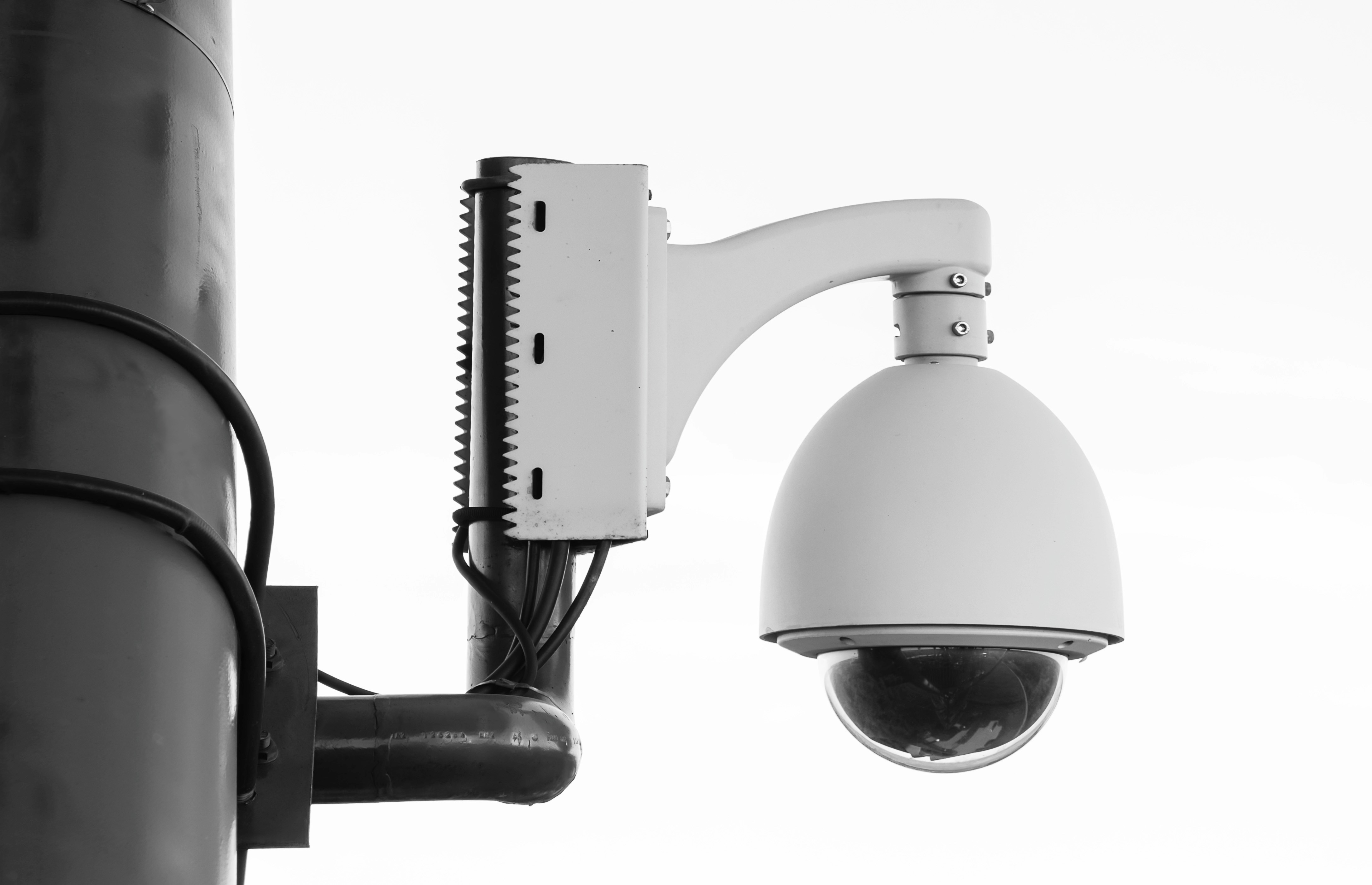
When it comes to reliable, feature-packed security cameras that don’t lock you into monthly fees, Reolink has earned a loyal following among homeowners, businesses, and DIY installers alike. From 4K PoE systems to wire-free solar options, Reolink’s lineup covers just about every scenario—whether you’re monitoring a driveway, protecting a large property, or setting up surveillance in an area without Wi-Fi or power.
This guide breaks down the best Reolink cameras for each purpose, explains what makes them stand out, and helps you choose the right model based on your needs. We’ll also walk through setup tips, must-know features, and answer the most common questions about performance, reliability, and long-term use.
Also Read: 5 Best Wired (PoE) Security Camera Systems
Best overall wired PoE
RLC-810A / RLC-820A

- Why these: 4K sensor, on-camera person/vehicle detection, reliable PoE, great value.
- Choose: 810A = bullet (easier to aim; more visible deterrent). 820A = dome (vandal-resistant look; tighter under eaves).
- Sweet spots: Driveways, front yard, side yard, garage exterior.
- What you get:
- 3840×2160 video, H.265, ~25–30 fps (region dependent).
- Fixed lens (typ. ~3.6–4 mm) for a natural, wide view.
- MicroSD slot for on-camera recording + Reolink NVR/NAS/FTP support.
- Smart alerts (person/vehicle), privacy masks, motion zones.
- Gotchas / skip if: You need active deterrence (spotlight/siren) → consider RLC-811A. You need pan/tilt/zoom → look at TrackMix PoE.
Best spotlight deterrence
RLC-811A (4K + spotlight + siren)

- Why: Adds a bright spotlight + siren for color night footage and to scare off prowlers.
- Use where: Front door/porch, side gate, dimly lit approach paths.
- Notes:
- Same 4K basics as 810A but with integrated white LEDs + loud buzzer.
- Color night video when the light is on; IR night vision when off.
- Gotchas: Spotlight attracts bugs; angle slightly away from entry to reduce moth swarms and lens flare.
Best ultra-wide coverage
Duo 2 PoE


- Why: Two synced lenses stitched into a single, ultra-wide image via one PoE run.
- Use where: Wide backyards, long side yards, warehouse walls, wide lots.
- Notes:
- Replaces two cameras in many installs; one cable, one IP address.
- Person/vehicle detection across the panorama.
- Gotchas: The “stitch” line can show subtle exposure differences; place it where less critical detail is expected.
Best auto-tracking PTZ (Pan-Tilt-Zoom)
TrackMix PoE

- Why: Two lenses (wide + telephoto). Auto-tracks people/vehicles and records both an overview and a zoomed view.
- Use where: Deep driveways, backyards with movement, parking areas.
- Notes:
- Great for following subjects without you manually steering.
- Retains situational context while grabbing detail with the tele lens.
- Gotchas: Moving PTZs can draw attention; mount 10–12 ft high to limit tampering and give the PTZ room to “see.”
Best budget Reolink
RLC-510A

- Why: Cheaper than 4K but still sharp, with person/vehicle detection.
- Use where: Secondary coverage, long runs of cameras, budget-sensitive projects.
- Gotchas: Less detail headroom vs 4K—keep subjects within ~30–40 ft for IDs.
Best battery/cordless
Reolink Argus 3 Pro

- Why: Truly wire-free, spotlight, smart detection, works great with a small solar panel.
- Use where: Renters, detached sheds/gates, places you can’t run cable.
- Notes:
- Easy to mount; aim for moderate motion activity to preserve battery.
- Solar panel = near-zero maintenance in sunny spots.
- Gotchas: Battery cams wake on motion; not ideal for constant traffic areas or license plate capture.
Best 4G/LTE off-grid
Reolink Go PT Plus

- Why: Cellular + battery + solar option for locations with zero Wi-Fi/power.
- Use where: Construction sites, barns, remote gates, boats, vacant land.
- Gotchas: Data plans matter—tune bitrate/clip length and use smart detection to limit uploads.
Highest detail Reolink Camera
RLC-1212A (12MP)

- Why: Extra resolution lets you crop in more on wide scenes.
- Use where: Large frontage, parking areas, big yards where a single fixed cam must do more.
- Gotchas: 12MP needs bandwidth and clean lighting; bump bitrate and keep cable runs and network solid (Cat6, quality switch).
How to choose
1) Power & cabling
- If you can pull Ethernet → PoE wins (one cable for power+data, most stable, simplest multi-cam recording with an NVR).
- No cables allowed → Argus (battery) with solar; if also no Wi-Fi → Reolink Go (4G) family.
2) Field of view vs detail
- Wide coverage (yards/walls) → Duo 2 PoE or a fixed 4K with a wide lens.
- Distance/detail (faces/plates up close) → 810A/811A closer to the action, or TrackMix to follow motion.
- Rule of thumb: for face ID, you want ~60–80 px/ft at the target distance. That usually means mounting within ~15–25 ft for 4K fixed-lens cams.
3) Night performance
- Has ambient light? Standard IR is fine.
- Very dark and you want color IDs? Use spotlight models (811A, Argus 3 Pro).
- Reduce glare: avoid pointing at glass, shiny cars, or where headlights hit directly; raise and angle 10–15° off expected glare lines.
4) Smart detection
- Prefer “A”-series (person/vehicle) to cut false alerts from trees/rain.
- Create privacy masks and motion zones—big win for sanity.
5) Recording & storage
- On-cam microSD: easy, quick clips on the device (great for single cams).
- Reolink NVR (RLN8/RLN16 lines): continuous 24/7 for many cams + one timeline.
- NAS/FTP/RTSP: advanced users; check your NAS supports H.265 and mind CPU load.
6) Network & bitrate
- Keep PoE home runs Cat6 where possible. Use a quality PoE switch/NVR.
- Typical 4K H.265 bitrate: 8–12 Mbps for clean motion (raise if lots of leaves/texture).
Simple starter kits (with rationale)
Value 4K wired home (4 cams)
- 3× RLC-810A (perimeter) + 1× RLC-811A (front door deterrence) + RLN8 NVR.
Why: balanced mix of detail and deterrence; easy to scale.
Wide yard + tracking combo
- TrackMix PoE (covers yard movement) + RLC-810A on driveway.
Why: PTZ follows people/vehicles; fixed 4K locks down entry/plates at closer range.
Zero-wires solar kit
- Argus 3 Pro (front) + Argus PT 2K (backyard) + 2× Reolink solar panels.
Why: fast install, great for renters or tricky power runs.
Panoramic perimeter
- 2× Duo 2 PoE (front and back) + RLC-811A at main entrance + RLN8 NVR.
Why: “two-cams-in-one” coverage plus an active deterrent at the door.
Quick setup tips
Placement & height
- Mount 8–10 ft high for faces; angle slightly downward. For driveways, offset from headlight paths.
- PTZs: give the camera space to rotate; avoid tight soffit corners.
Image quality
- Set H.265, increase bitrate (4K: 8–12 Mbps), use VBR (high quality).
- Day: enable WDR if your scene has bright sky + shade.
- Night: if IR glare, tilt down a few degrees or swap to spotlight mode where appropriate.
Motion & alerts
- Use person/vehicle filtering; draw zones that exclude roads/trees.
- Tweak sensitivity differently for day vs night (night often needs a notch lower).
Reliability
- Update firmware before final mounting.
- Label your cables.
- If using NVR, disable camera-side recording only if you’re confident in the NVR HDD health (I like keeping the microSD as a “backup black box”).
Security basics
- Change default passwords, disable UPnP on your router, use the Reolink app with 2FA if available, and avoid exposing cams directly to the internet (use the app or a VPN).
Rapid recommendations by situation
- I want one camera for my driveway: RLC-811A (deterrence + color nights).
- I want maximum detail from a single fixed cam: RLC-1212A (watch your bandwidth).
- I need to cover a huge backyard without two cables: Duo 2 PoE.
- No power, no Wi-Fi at my gate: Reolink Go PT Plus + solar + conservative alert settings.
- Cheapest reliable PoE network build-out: RLC-510A multiples + RLN8 NVR.
Frequently Asked Questions (FAQ)
1. Are Reolink cameras good quality?
Yes. Reolink cameras offer some of the best performance-per-dollar in the consumer security market. Their PoE lineup (RLC series) delivers true 4K resolution, onboard smart detection, and solid build quality. Their battery and solar models (Argus series) are well-made for wireless setups and outshine most budget competitors.
2. Which Reolink camera has the best image quality?
The RLC-1212A offers the sharpest image with a 12MP sensor, producing excellent detail even when zooming in digitally. For most users, the RLC-810A or RLC-811A (4K models) strike the best balance between sharpness, performance, and price.
3. Which Reolink camera has the best night vision?
- Best IR-only night vision: RLC-810A / RLC-820A (strong 100-ft IR range).
- Best color night vision: RLC-811A and Argus 3 Pro, thanks to integrated spotlights.
- Best dual-view tracking: TrackMix PoE combines IR and spotlight for mixed lighting scenes.
For pitch-dark areas, spotlight cameras give better color clarity and recognition.
4. Do Reolink cameras work without Wi-Fi?
Yes.
- PoE (Power over Ethernet) models use a single Ethernet cable for both power and data — no Wi-Fi required.
- 4G models like the Go PT Plus use cellular data instead of Wi-Fi.
Battery-powered Argus models need Wi-Fi for connectivity, but can still record locally to a microSD card if temporarily offline.
5. Do Reolink cameras need a subscription?
No mandatory subscription.
You can record locally to:
- A microSD card in each camera.
- A Reolink NVR (for 24/7 recording).
- A NAS or FTP server.
Reolink Cloud is optional for backup or remote clip storage, but not required for core functionality.
6. Can I use Reolink with Blue Iris or Synology Surveillance Station?
Yes. Most Reolink cameras support RTSP and ONVIF, making them compatible with third-party NVR and VMS platforms like Blue Iris, Synology Surveillance Station, and Milestone. For best results, stick to models that explicitly list ONVIF/RTSP support (e.g., RLC-810A, RLC-820A, Duo 2 PoE).
7. What’s the difference between Reolink PoE and Wi-Fi models?
| Feature | PoE (RLC Series) | Wi-Fi / Battery (Argus Series) |
|---|---|---|
| Power | Ethernet cable | Battery / Solar |
| Reliability | Always-on, stable | Depends on Wi-Fi strength |
| Recording | 24/7 to NVR | Motion-based only |
| Installation | Wired | Easy / portable |
| Ideal for | Permanent security setups | Renters, flexible installs |
8. Are Reolink cameras waterproof?
Yes. Most outdoor Reolink cameras are rated IP66 or IP67, meaning they can handle heavy rain and dust. Just ensure that connections (like RJ45 jacks) are sealed with weatherproof couplers or junction boxes.
9. Do Reolink cameras support audio?
Nearly all modern Reolink models support two-way audio. You can listen and talk through the app using the built-in mic and speaker. Wired PoE units like the RLC-810A, 811A, and TrackMix PoE have high-quality microphones for clear voice capture.
10. How long do Reolink batteries last?
For the Argus and Go series:
- Typical runtime: 1–4 weeks per charge depending on motion activity.
- With solar panel: Practically unlimited in sunny conditions.
- Tips: reduce sensitivity, trim motion zones, and schedule quiet hours for longer life.
11. How much storage do I need for continuous recording?
Typical 4K (H.265) camera uses about 8–12 GB per day for 24/7 recording at high bitrate.
So:
- 64 GB microSD ≈ ~5–7 days (motion-only).
- 2 TB NVR drive ≈ ~14–20 days for 4 cameras.
You can adjust bitrate and recording mode (motion vs continuous) to stretch storage.
12. Can Reolink cameras detect people and vehicles?
Yes — all “A”-series models (810A, 811A, 510A, 1212A, Duo 2 PoE, TrackMix PoE) have on-device AI for person and vehicle detection.
Battery-powered Argus 3 Pro and Argus PT 2K also include similar smart detection optimized for low-power use.
13. What’s the difference between the 810A, 811A, and 820A?
| Model | Resolution | Form | Spotlight | Audio | Best For |
|---|---|---|---|---|---|
| 810A | 4K | Bullet | No | Yes | General outdoor use |
| 811A | 4K | Bullet | Yes | Yes | Front entries, deterrence |
| 820A | 4K | Dome | No | Yes | Ceilings / vandal-prone spots |
14. Does Reolink work with Alexa or Google Home?
Yes. You can stream live video feeds to Echo Show or Google Nest Hub devices using voice commands (e.g., “Alexa, show the driveway camera”). This works for most Wi-Fi and PoE models once linked through the Reolink app.
15. Can I view Reolink cameras remotely?
Yes, through the Reolink mobile app or Reolink Client on desktop. The app connects securely via Reolink Cloud P2P servers, so you don’t have to open ports manually. You can view multiple cameras live, playback footage, or receive motion alerts from anywhere.
16. Are Reolink cameras compatible with Apple HomeKit?
Not yet. Reolink does not have official HomeKit integration, though there are unofficial workarounds using HomeBridge or HOOBS if you’re comfortable with custom setups.
17. How reliable is the motion detection?
Person/vehicle filtering is accurate under most lighting conditions. False alerts can occur with:
- Spider webs in front of lens
- Strong headlights or IR reflections
- Heavy rain or swaying trees
You can reduce these by adjusting detection zones, sensitivity, and motion schedule.
18. What happens if the power or internet goes out?
- PoE models: Continue recording to NVR (if powered by UPS).
- Battery models: Continue recording locally to microSD but can’t send alerts until Wi-Fi/data returns.
- 4G models: Resume uploading once cellular signal restores.
19. Can Reolink record continuously and on motion at the same time?
Yes, on NVR and PoE models. You can schedule continuous recording with motion-based bookmarks for easier searching. Argus and 4G cameras record only on motion to preserve battery.
20. Is Reolink secure from hackers?
Modern firmware uses AES encryption, HTTPS connections, and P2P authentication.
Best practices:
- Change default passwords.
- Disable UPnP.
- Keep firmware updated.
- Don’t expose RTSP ports unless you’re using VPN or static IP security layers.
21. Which Reolink camera is best for license plate capture?
The RLC-811A or TrackMix PoE with zoom lens work best, but proper mounting is key:
- Angle low (headlight height).
- Keep distance ≤ 40 ft.
- Disable WDR at night.
Reolink also makes dedicated LPR models in certain regions, though availability varies.
22. Can I mix wired and wireless Reolink cameras in one system?
Yes. The Reolink app unifies all cameras regardless of type (PoE, Wi-Fi, 4G).
However, wired PoE cameras go through the NVR, while wireless ones connect independently through the app.
23. Do Reolink cameras have zoom?
Some do:
- Fixed lens: RLC-810A, RLC-820A (digital zoom only).
- Optical zoom: RLC-811A (5×), TrackMix PoE (dual-lens zoom).
Optical zoom is preferred for plate and face detail at distance.
24. How do I prevent false alarms at night?
- Turn on person/vehicle filtering only.
- Reduce night sensitivity a notch lower than daytime.
- Keep lens clean and spider-free.
- Add subtle ambient light near the cam to stabilize IR exposure.
25. Can I view multiple Reolink cameras on one screen?
Yes. The Reolink app (mobile and desktop) supports multi-view grids (up to 16 cams on PC, 9 on mobile). NVR-connected setups support simultaneous live feeds and playback.
26. How long do Reolink cameras last?
Hardware lifespan is typically 5–8 years under normal outdoor exposure. Reolink provides 2-year warranty (extendable to 3 years if registered online). Weatherproof models hold up well if cables are sealed and maintained.
27. Can Reolink cameras trigger external alarms or lights?
Yes. Some PoE models (811A, 1212A, TrackMix PoE) support alarm I/O terminals for external sirens or strobe lights. You can wire them to third-party alarm systems for custom automation.
28. How is Reolink compared to Arlo or Ring?
| Brand | Subscription | Power | Local Recording | Video Quality | Best For |
|---|---|---|---|---|---|
| Reolink | Optional | PoE / Battery / 4G | Yes | 2K–12MP | DIY / advanced setups |
| Arlo | Required for most features | Battery | Cloud only | 2K–4K | Smart home simplicity |
| Ring | Required for playback | Wired/Battery | Limited | 1080p–2K | Home ecosystem users |
Reolink wins for local storage, versatility, and cost. Arlo and Ring integrate better with smart-home hubs.
29. Do Reolink cameras support HDR or WDR?
Yes. Most Reolink cameras support WDR (Wide Dynamic Range) to balance bright and dark areas in the same frame — very useful for entrances with sunlight behind subjects.
30. How do I clean and maintain Reolink cameras?
- Wipe lens monthly with microfiber cloth.
- Remove cobwebs.
- Check for corrosion on RJ45 connectors if exposed.
- Re-tighten mounts after severe windstorms.
- Update firmware quarterly for performance and security patches.
This post contains affiliate links. If you purchase through these links, I may earn a small commission at no extra cost to you. As an Amazon Associate, I earn from qualifying purchases and stand behind all of my recommendations.






Leave a Reply