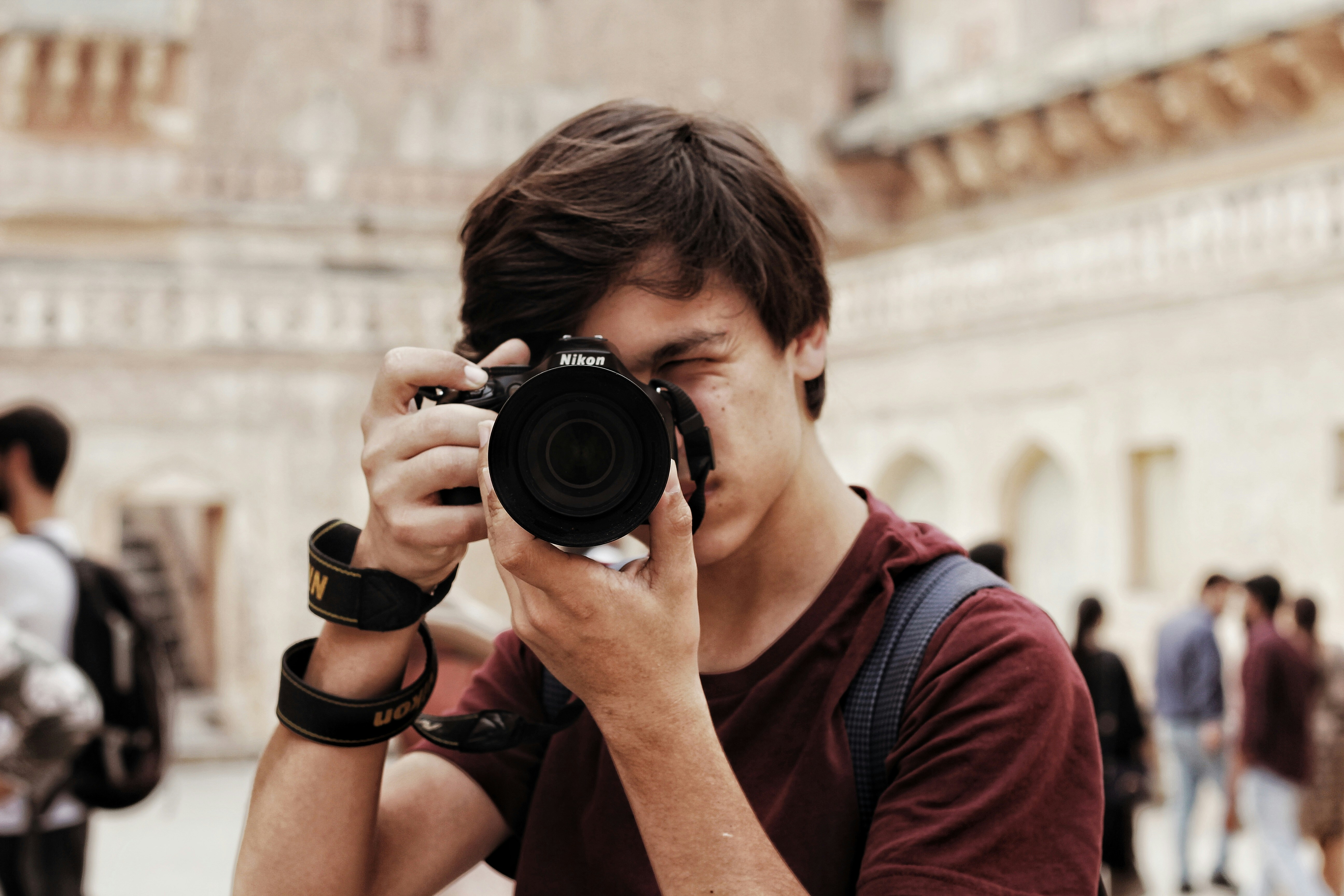
Teens want a camera that’s fun on day one and still has room to grow. We kept it simple: five “best-for” picks that cover most use cases—plus quick setup tips so great results happen fast.
The picks at a glance
| Pick | Why it fits | Standout features | Typical price |
|---|---|---|---|
| Best overall: Canon EOS R50 (or R50 V)** | Easy auto mode + legit APS-C quality; simple jump to manual later | 24.2MP APS-C, 6K oversampled 4K30, Dual Pixel AF II, flip screen | Body from ~$649 (R50 V announced at ~$649 body) (Canon U.S.A.) |
| Best budget: Kodak PIXPRO C1** | Under-$150 fun cam that beats a phone’s “feel,” super simple | 13MP compact, flip-up selfie screen, 1080p60 video | ~$99 (Tom’s Guide) |
| Best vlogging/social: Sony ZV-1F | Pocketable 1″ sensor, wide selfie lens, sticky face AF, vertical-friendly | 20mm-eq ultra-wide, 1″ sensor, 4K, quick smartphone transfer | ~$399–$499 (varies) (Sony Electronics) |
| Best rugged/waterproof: OM System Tough TG-7 | Teens can drop it, dunk it, snow-day it; macro is a bonus | Waterproof 15m, shock/freeze/crush proof, bright f/2.0 lens, macro modes | ~$549 (OM SYSTEM) |
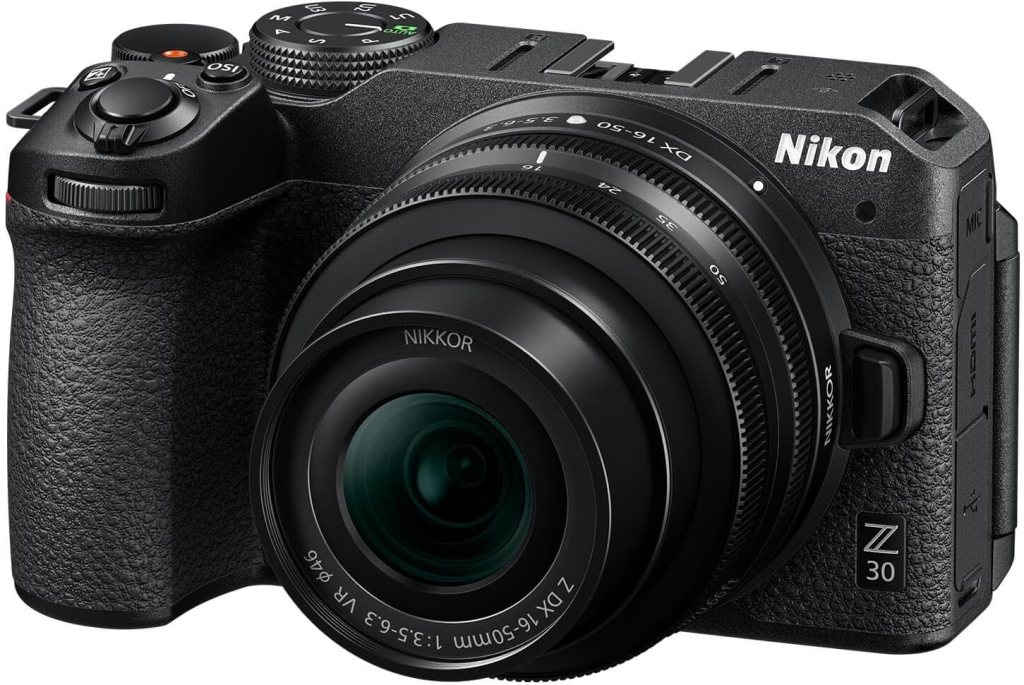
| Best beginner ILC path: Nikon Z30 | Mirrorless body that’s light, has great AF, and grows with lenses | 20.9MP APS-C, eye-detect AF, flip screen, SnapBridge app | Body from ~$709 |
R50 V is Canon’s video-leaning refresh of R50 with added 4K60 and creator tweaks; availability and pricing noted by Canon news reports.
Best Overall Camera for Teens
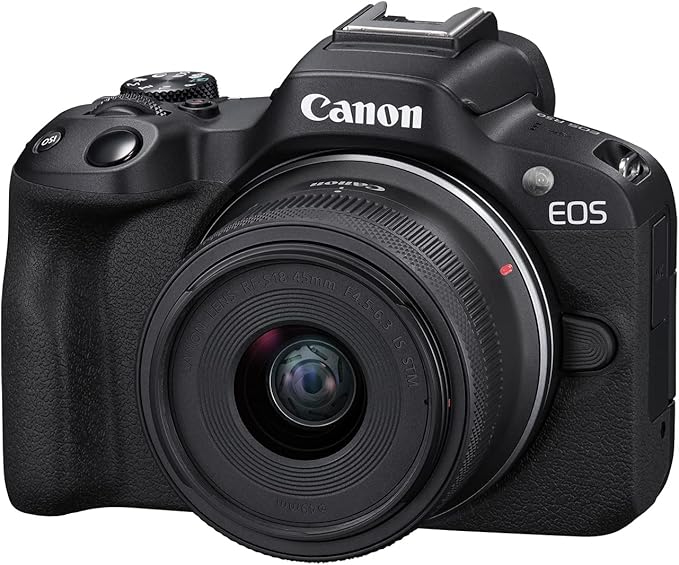
Canon EOS R50 (or R50 V)
Why it’s great
The R50 nails the “starter now, grow later” brief: auto modes that look good without fiddling, a flip screen for selfies and projects, and Canon’s Dual Pixel AF that locks on faces like a champ. When the teen wants more control, full PASM and RAW are sitting right there.
Quick start
- Video: 4K30, face/eye AF on, Auto ISO capped at 6400
- Photo: Aperture Priority at f/2.8–f/4, eye AF, exposure comp on the dial
- Sharing: install Canon app; enable auto transfer
Good to know
The R50 V version leans even harder into video (4K60, live-stream modes) if content is the priority.
Pros
- High image quality from an APS-C sensor
- Best-in-class face/eye AF for this tier
- Easy jump from “green box” to manual
Cons
- Body-only pricing means budgeting for a kit lens
- No in-body stabilization (use stabilized RF-S lenses)
Best Budget Teen Camera
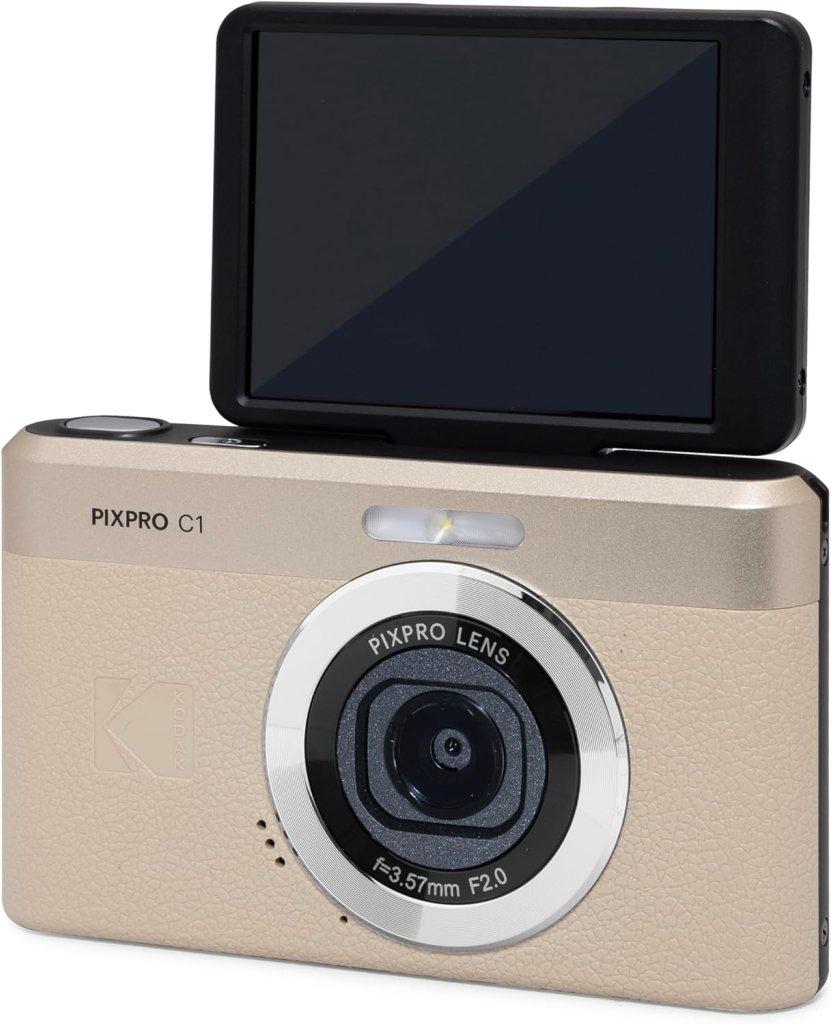
Kodak PIXPRO C1
Why it’s great
This isn’t about pixel-peeping—it’s about handing teens a tiny, no-stress camera that’s fun to use and makes “phone fatigue” disappear. The flip-up screen invites selfies and group shots; 1080p60 video is solid for price.
Quick start
- Set 1080p60 for smooth clips
- Use Scene modes (Sports/Night) instead of manual at first
- Keep the wrist strap on—this thing is featherlight
Pros
- Super cheap and cheerful
- Flip screen makes framing easy
- Battery life outlasts many ultra-budget rivals
Cons
- No stabilization; low-light gets noisy
- Build feels basic; treat it kindly
Best Vlogging & Social Camera
Sony ZV-1F

Why it’s great
The ZV-1F is designed for creators: a wide 20mm-equivalent lens to fit friends and backdrop, a 1-inch sensor for nicer depth/low-light than phones, and sticky face AF. It’s tuned for vertical content and quick phone handoff.
Quick start
- Turn on stabilization; hold at arm’s length or use a mini grip
- Set 4K30, face AF on, auto white balance; try Soft Skin Low
- Enable vertical metadata so socials read it correctly
Pros
- Pocket size, creator-first features
- Great skin tones and face tracking
- Dead-simple product-showcase focus mode
Cons
- Fixed wide lens (no zoom)
- Rolling shutter can show in fast pans
If you want more zoom and a newer stack, the ZV-1 II adds a wide zoom; it costs more and is still compact.
Best Action Camera
GoPro Hero12 Black
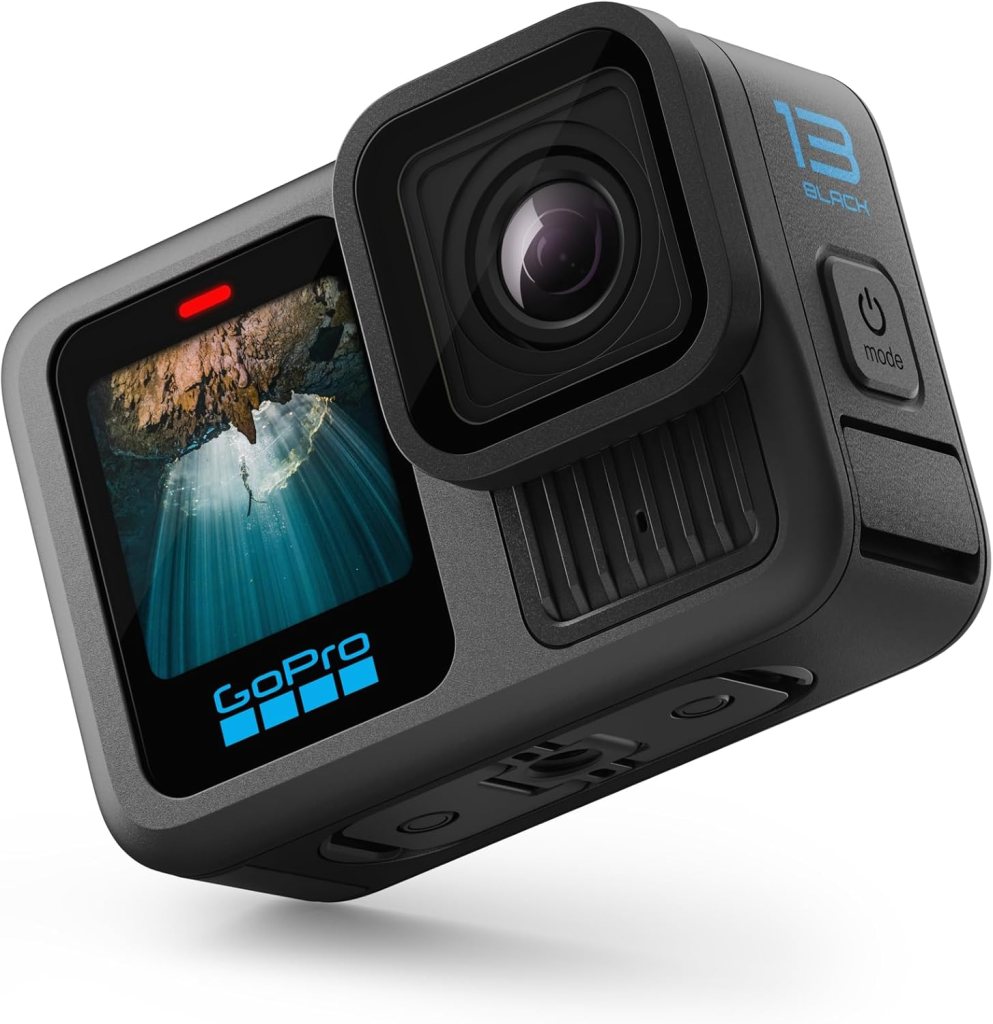
If you’re on two wheels, you want a GoPro. The Hero12 Black is waterproof, rugged, and mounts to just about anything. It shoots 5.3K video with GoPro’s HyperSmooth stabilization, which is shockingly good. Perfect for helmet or handlebar mounting.
Specs
- 27MP sensor
- 5.3K 60fps, 4K 120fps
- HyperSmooth 6.0 stabilization
- Waterproof to 33ft
- Price: $400–$450
Pros
- Nearly indestructible
- Amazing stabilization
- Wide-angle field of view captures everything
Cons
- Small sensor isn’t great in low light
- Battery life still not amazing
Best for: bikers, adventurers, anyone who needs a camera that won’t quit when it rains.
Best Rugged/Waterproof Camera
OM System Tough TG-7

Why it’s great
For pool parties, ski trips, and beach days, TG-7 is basically teen-proof: waterproof to 15 m, shock and freeze resistant, and it focuses crazy close for macro. The bright f/2.0 lens helps at dusk or underwater.
Lots of teens will prefer a GoPro, but this is a more rugged option.
Quick start
- Use Underwater modes for color correction
- Shoot bursts for jumps and dives
- Rinse in fresh water after the beach; check the door seals
Pros
- Survives teen life: water, sand, cold, drops
- Surprisingly good close-up/macro modes
- Fast lens for a rugged compact
Cons
- Not cheap for a “fun” cam
- Smaller sensor than mirrorless options
(If video-first in rough conditions, a GoPro HERO12 is a strong alt with excellent stabilization.)
Best Beginner Camera to Grow
Nikon Z30
Why it’s great
Light body, excellent eye-detect AF, and an ecosystem of affordable Z-mount lenses. It’s a friendly door into “real camera” land without overwhelming menus. Teens can add a fast 35/1.8 or 50/1.8 later for portraits.
Quick start
- Aperture Priority f/2.8–f/4 for portraits; Auto ISO max 6400
- Eye AF on; continuous AF for video
- SnapBridge app for smooth phone transfer
Pros
- Strong AF and image quality
- Flip screen and creator-friendly ergonomics
- Clear upgrade path with lenses
Cons
- Body price means lens planning
- No in-body stabilization (pick VR lenses or a small gimbal)
How to pick in 60 seconds
- Wants everything simple, everywhere: Canon R50
- Has $100 and wants a “real camera” feel: Kodak PIXPRO C1
- Lives on social and vlogs: Sony ZV-1F
- Destroys gear or loves the water/snow: OM System TG-7
- Wants to learn photography and upgrade lenses: Nikon Z30
Starter settings teens can copy/paste
- Walk-and-talk vlog: 4K30, stabilization on, 20–24mm-eq, auto exposure, face AF on
- Portraits of friends: Aperture Priority f/2.8–f/4, eye AF, Auto ISO max 6400, exposure comp +/- 0.3 as needed
- Sports/skate: 1080p60 or 4K60 if available; faster shutter 1/500–1/1000; burst on for photos
- Night hangouts: Auto ISO cap 6400–12800; use a small LED or pick brighter spots; avoid heavy digital zoom
FAQ: Best Digital Camera for Teens
Phone vs. camera: what’s the real advantage for a teen?
A dedicated camera gives you a bigger sensor, a real lens, faster autofocus, and physical controls. Translation: cleaner low-light pics at school dances, less motion blur during sports, smoother skin tones, and video that doesn’t fall apart when you edit or crop.
4K or 1080p—what should we choose?
If the camera and card can handle it, 4K30 looks crisper and future-proofs clips. 1080p60 is great for slow-motion and smaller files. A good rule: capture in 4K30 for sit-down and walk-and-talk, switch to 1080p60 for action.
Do teens need a microphone?
If they vlog or record performances, yes. A tiny on-camera mic with a foam windscreen is a big step up from built-in mics. If the camera has no mic jack, keep the camera close, avoid wind, or record audio on a phone/recorder and sync later.
What memory card should we buy?
Look for V30 (or faster) UHS-I SD cards for 4K30. For bursts and 4K60, V60 is safer. Get two mid-size cards (e.g., 128 GB) rather than one giant card; swap and back up.
How much storage do 4K videos use?
Roughly 5–10 GB per hour at 1080p, 20–40 GB per hour at 4K (varies by codec and bitrate). Teens making daily vlogs should dump to a computer or SSD every few days.
Is image stabilization a must?
It helps. If the body lacks IBIS, use a stabilized lens, a small grip, and proper stance (elbows in, brace the strap). For walking shots, a mini gimbal or an action-cam is more stable than brute-forcing IBIS.
Are flip screens necessary?
For vlogging and selfies, yes. Side-flip screens also keep the mic shoe free (top-flip can hit mics). For pure photography, tilt screens are fine.
What about vertical video?
Many creator-focused cameras now tag vertical metadata or even rotate the UI. If vertical is the main format, confirm: vertical tagging, easy app transfer, and a wide lens (20–28mm-eq) to fit friends in the frame.
Can we just use an action cam instead?
Action cams are excellent for rugged POV and stabilization, but their tiny sensors struggle at night and for portraits. Great second camera; rarely the only camera for all teen use.
Is the kit lens enough?
For learning: yes. Later, add a fast prime (e.g., 35mm or 50mm equivalent at f/1.8–f/2) for portrait blur and better low light. That one lens upgrade often outperforms a body upgrade.
Best cheap accessories to buy first?
- Spare battery, 2) two V30 SD cards, 3) mini tabletop tripod or grip, 4) microfiber cloth and blower, 5) small on-camera mic (if there’s a mic jack).
What settings should a beginner start with?
- Photo: Aperture Priority, f/2.8–f/4, Auto ISO max 6400, Eye AF on.
- Video: 4K30, Auto ISO capped at 6400, Face/Eye AF on, stabilization on.
- Exposure comp: keep it on a dial; teach “turn right for brighter, left for darker.”
Low light looks bad—what can we fix?
Add light first (move near a window, use a small LED), then open the aperture (lower f-number), then raise ISO. Grain is better than blur. For video, avoid underexposing and trying to fix later.
How do we transfer to a phone quickly?
Install the brand’s app (Canon/Sony/Nikon). Turn on background Bluetooth and Wi-Fi, enable auto-transfer of resized images for socials, and send originals only when needed.
Is weather-sealing important for teens?
Nice to have, not required. If it rains or snows a lot, a rain sleeve or rugged compact (like a Tough-series camera) removes the stress. Always dry gear and check for condensation before sealing it in a bag.
What about durability for school bags?
Use a padded sling or an insert inside a backpack. Keep the lens cap on, power off before packing, and don’t stack heavy textbooks on top. A wrist strap reduces drops.
Can teens bring cameras to school events?
Check school and venue rules. Some concerts ban interchangeable-lens cameras or “professional” gear. If rules are strict, a compact vlogging camera or rugged point-and-shoot is safer.
Should parents consider refurbished or used?
Absolutely. Manufacturer refurbished with warranty is a smart value. For used, check shutter count (for ILCs), test the ports, and verify the lens mount and stabilization work. Buy from sellers with return windows.
Is a smartphone still part of the workflow?
Yes. It’s the editing/posting hub. Teach a simple flow: shoot on camera → auto-transfer proxy JPEGs to phone → quick trim/caption → post → back up originals to a drive.
How do we back up photos and videos?
At minimum, 2-copy rule: one on the computer, one on an external SSD/HDD. Cloud is a bonus for highlights. Set a weekly “dump day” and stick to it.
Do teens need ND filters?
For bright-day video with wide apertures, a small variable ND helps keep shutter speed natural (around 1/50–1/60 at 24/30p). For photos, NDs are less critical unless doing long exposures.
What focal length is best for friends and everyday life?
A wide-normal range works: 20–28mm-eq for vlogging/group selfies; 35–50mm-eq for portraits and everyday. That’s why compact vlog cams with ~20mm-eq shine for teens.
How do we shoot sports or fast action?
Use 1080p60 or 4K60 if available, keep shutter faster (1/500–1/1000), track AF enabled, and burst for photos. Stand where faces are well lit; harsh backlight ruins keepers.
Can we color-grade without a laptop?
Yes. Mobile editors (CapCut, LumaFusion, Adobe Premiere Rush/Express, iMovie) handle trims, color, captions, and music. Start with built-in profiles (Standard/Portrait) to avoid heavy grading.
What if the camera overheats?
Common during long 4K takes in hot rooms. Workarounds: record shorter clips, lower to 1080p, keep screens flipped out for airflow, and avoid direct sun. For long events, a camera with better thermal design or an external recorder can help—but that’s usually beyond teen needs.
How do we teach safety and etiquette?
Ask before filming people, avoid bathrooms/locker rooms, respect “no recording” signs, and keep cables and tripods out of walkways. On social, disable location tags if privacy matters.
Any quick checklist before leaving home?
Battery 100%, spare battery, formatted card, lens cleaned, strap attached, app connected, and a tiny microfiber in the pocket.
When is it time to upgrade?
When the teen can explain what’s limiting them—“I need 4K60 for smooth skating,” or “I want more background blur indoors.” Upgrade the lens first, then body.
What’s a realistic budget path?
- Starter compact or entry mirrorless: $300–$800
- Add fast prime + mic + cards: $150–$350
- Later: gimbal or action cam as a second angle: $250–$400
Small, meaningful steps beat one giant splurge.
Can we lock settings so younger siblings don’t mess them up?
Many cameras offer “My Menu”, custom modes (C1/C2), or a reset shortcut. Save a reliable “teen preset” and teach how to recall it.
How should teens clean and care for lenses?
Use a blower first, then a microfiber—never dry-wipe grit. Cap the lens when not shooting. Don’t leave the camera in hot cars; batteries hate heat.
Quick starter recipes
- Portraits: f/2.8–f/4, eye AF, Auto ISO ≤ 6400, +0.3 EV if faces look dull.
- Walk-and-talk vlog: 20–24mm-eq, 4K30, stabilization on, arms bent, breathe and slow down.
- Night city: f/1.8–f/2, Auto ISO up to 12800, lean against a wall, shoot short bursts to reduce shake.
- Room tour/product: 4K30, lock exposure and white balance, move slowly; use a desk lamp or LED panel for clean color.
If you want, I can tailor this FAQ to specific models (R50, ZV-1F, TG-7, Z30, etc.) and include model-specific menu paths—for example, exactly where to enable Eye AF, vertical metadata, or Bluetooth auto-transfer.
The bottom line
Pick the camera that matches how the teen actually creates. If it’s mostly walk-and-talks and day-in-the-life, the Sony ZV-1F is the stress-free win.
If they want to learn “real photography” and grow into lenses, start with Canon R50 or Nikon Z30.
For pools, snow, and chaos, the TG-7 pays for itself the first time it survives a drop.
If you want, I can spin this into a printable one-pager or build a side-by-side table with accessories (memory cards, mini tripods, tiny mics) matched to each pick.
This post contains affiliate links. If you purchase through these links, I may earn a small commission at no extra cost to you. As an Amazon Associate, I earn from qualifying purchases and stand behind all of my recommendations.




Leave a Reply