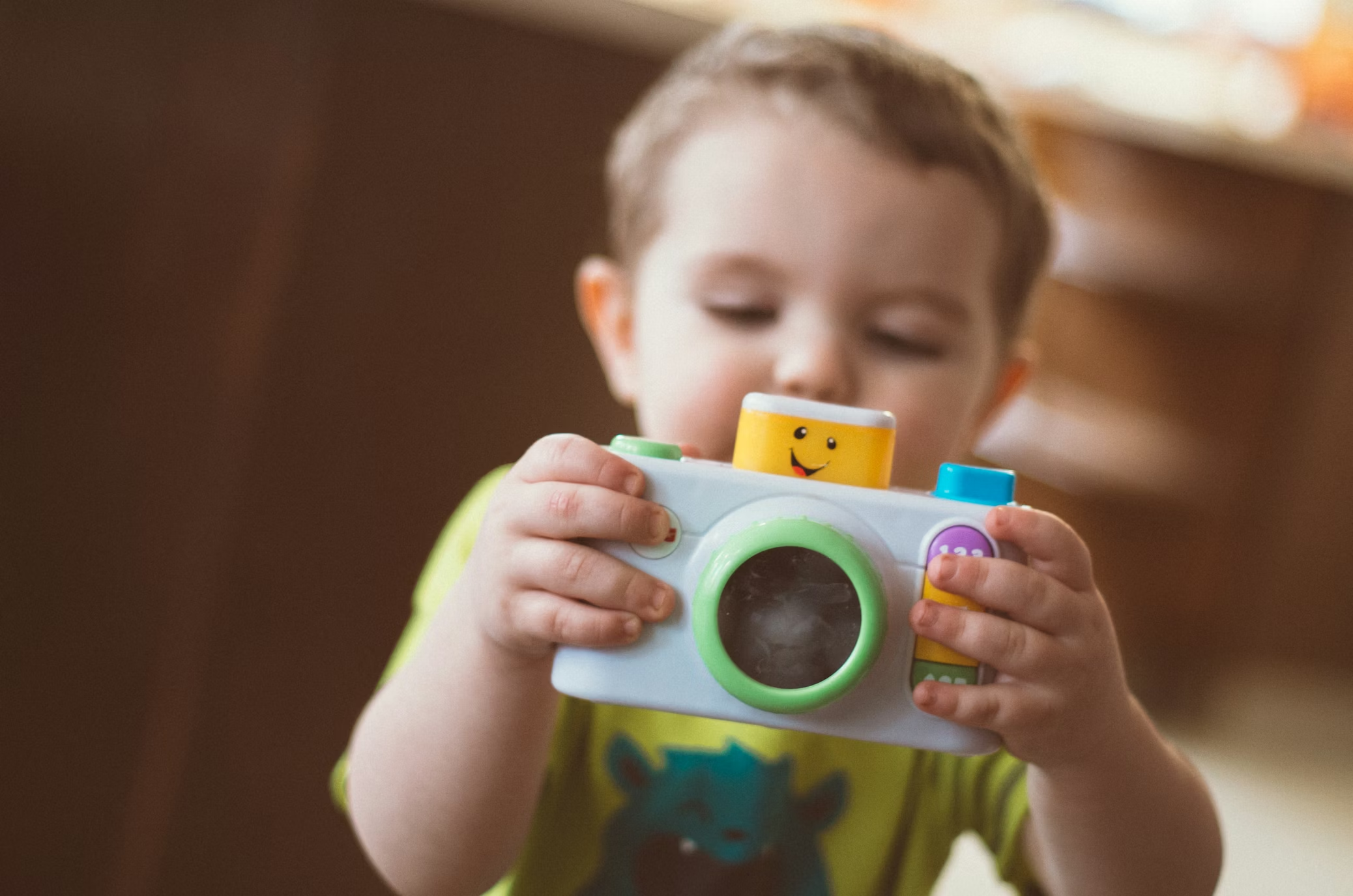
Some toddler cameras are just noisy plastic with a lens-shaped face. A few are actually fun. The good ones are small, hard to kill, easy to understand, and weirdly charming once a kid starts using them the way kids use things, which is not the way the box imagined.
That matters more than inflated megapixel talk. If the goal is creative play, not fake-tech clutter, a toddler camera should feel inviting first and “feature-rich” second. That lines up pretty well with how early-childhood experts talk about open-ended play and exploration, too.
NAEYC’s playful learning guidance is worth a look if you want the bigger picture.
I kept this list tight. Five picks. No filler. Just the toddler cameras I’d actually consider handing to a small child without immediately regretting it.
Quick answer
If you want the safest all-around pick, get the myFirst Camera 3.
If you want the easiest low-stress starter camera, get the Goopow Kids Camera.
If you want the cleanest interface, get the Kidamento Model K.
If your kid likes buttons, effects, and built-in nonsense, get the VTech KidiZoom Duo FX.
If the whole point is printing photos right away, get the myFirst Insta 2.
Related articles
What I looked for
A toddler camera does not need to impress an adult photographer. It needs to survive a couch launch, fit a tiny hand, and make enough sense that a kid can get from “what is this” to “I took a picture of the dog” without help every ten seconds.
I also care about friction. Bad charging ports, awkward menus, tiny buttons, fake features, and junk games all wear out their welcome fast. For this age, the best camera is often the one that gets out of the way.
Comparison table: the short version
| Camera | Best for | Photos/video | Standout trait |
|---|---|---|---|
| myFirst Camera 3 | Best overall | Photos + 1080p video | Light body, shockproof case, selfie lens |
| Goopow Kids Camera | Best simple starter pick | Photos + 1080p video | Easy controls, soft case, dual-camera fun |
| Kidamento Model K | Best for cleaner design | Photos + 1080p video | Big touchscreen, soft silicone body |
| VTech KidiZoom Duo FX | Best for built-in play | Photos + video | Effects, zoom, games, dual cameras |
| myFirst Insta 2 | Best instant-print option | Photos + 1080p video + thermal prints | Prints on the spot without ink |
Comparison table: what real use feels like
| Camera | Simple enough for toddlers? | Selfie feature | Print feature | My take |
|---|---|---|---|---|
| myFirst Camera 3 | Yes | Yes | No | Best balance |
| Goopow Kids Camera | Yes | Yes | No | Great first try |
| Kidamento Model K | Mostly yes | Yes | No | Best interface |
| VTech KidiZoom Duo FX | Less so | Yes | No | More toy-like |
| myFirst Insta 2 | Yes, with help at first | Yes | Yes | Most fun payoff |
1) myFirst Camera 3
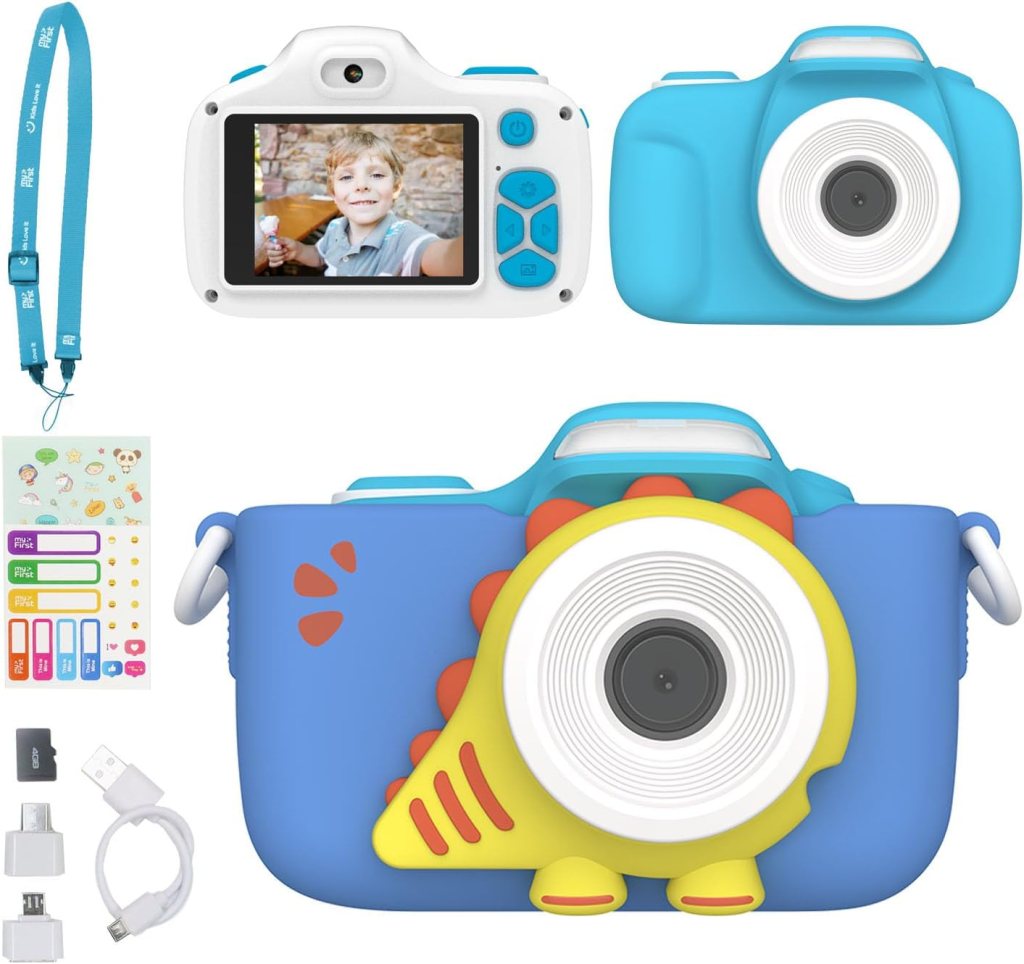
Best Overall
This is the one I’d start with for most families.
The myFirst Camera 3 gets the basics right without turning the whole thing into a gimmick. It records 1080p video, shoots up to 16MP stills, supports memory cards up to 32GB, and comes with a shockproof case. It also stays light at about 80g, which matters more than people think.
A toddler will carry a light camera. A chunky one becomes your problem fast.
What I like most is the feel of it. It looks playful without looking disposable. The selfie lens helps, the macro angle is more interesting than I expected, and the whole package feels like a real object instead of a throwaway toy.
It is not the most advanced option here. Good. That is part of the appeal.
Pros
- Light enough for small hands
- Shockproof case included
- Selfie lens and video recording
- Simple feature set with room to grow
Cons
- Still photo quality is fine, not magical
- Screen and controls are basic compared with older-kid options
Review summary:
The best toddler cameras are usually the ones with the fewest bad ideas. This one has very few. It feels considered. Not flashy. Just smart.
Real Testimonial
This is the easiest product on the list to recommend without caveats. It stays light, includes a shockproof silicone case, records 1080p video, comes with a selfie and macro lens, and supports up to 32GB of storage. The big win is balance. It feels more like a real camera than a disposable toy, but it still keeps the learning curve low enough for younger kids.
2) Goopow Kids Camera
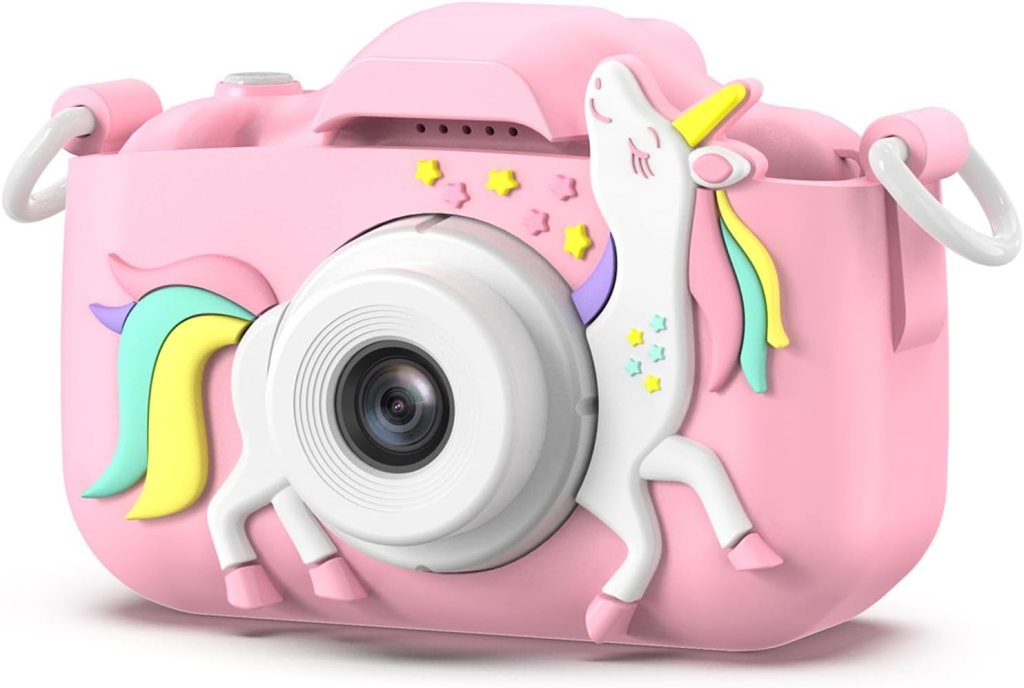
Best Simple Starter Pick
This is the camera for families who want the least dramatic entry point.
Goopow’s kids camera is all over the place online for a reason. It is small, approachable, and usually built around exactly the stuff kids latch onto first: a front and rear lens setup, silly effects, easy video, and a soft cartoonish shell that makes it feel like theirs right away.
Current listings describe 1080p video, selfie support, filters, and mirror effects.
I would not pretend it has the most refined build in the category. It does not. But that is not the point. The point is that it is easy to hand over. Kids figure it out quickly. They press the button, see something happen, and keep going. That matters.
Pros
- Straightforward to use
- Selfie mode makes immediate sense to kids
- Light, playful design
- Usually packed with just enough effects to hold attention
Cons
- Build quality is more basic
- Image quality is serviceable, not impressive
- Extras can feel a little random
Review summary:
This is the kind of camera a toddler can start using almost immediately. Not elegant. Not premium. Still a very decent choice.
Real Testimonial
The Goopow pick works best as a first camera when the main goal is simple fun. Its Amazon listing positions it as a kids digital video camera with a soft cartoon cover, JPEG photo capture, digital stabilization, and an H11 model platform that is clearly built for entry-level use rather than polish. The appeal here is not refinement. It is that a small child can pick it up, push a button, and get a result right away.
3) Kidamento Model K
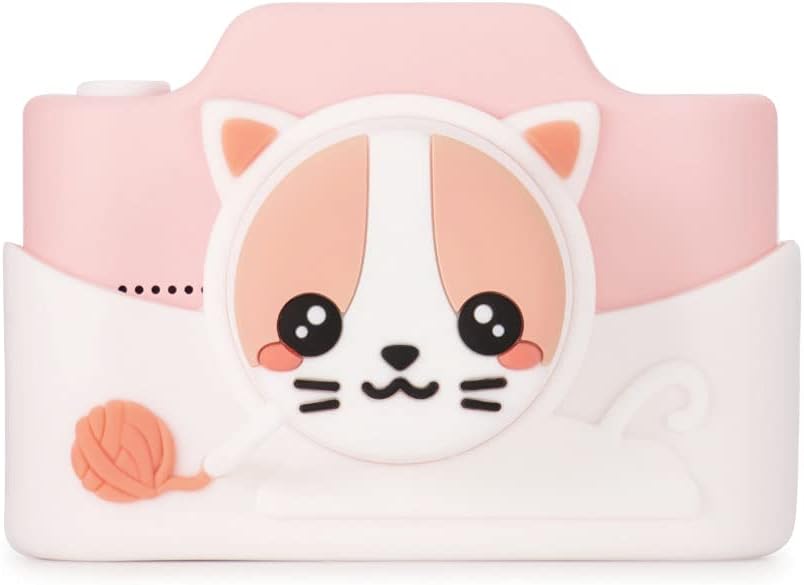
Best for a Cleaner, Less Chaotic Interface
Kidamento understands something a lot of brands miss. Small kids do not need more options. They need clearer ones.
The Model K uses a big 3-inch IPS touchscreen, a 5MP sensor with higher interpolated stills, 1080p video, USB-C charging, and a soft silicone body. Independent review coverage also notes a 1,000mAh battery and a built-in selfie lens.
This one feels calmer than the VTech-style cameras. Less noise. Less digital sugar. If you have a child who gets overwhelmed by too many gimmicks, that alone makes it worth a hard look.
It also looks better than most toddler cameras. That should not matter. It kind of does.
Pros
- Large touchscreen is genuinely helpful
- Soft silicone casing
- Cleaner, more modern design
- USB-C is a nice quality-of-life detail
Cons
- Costs more than the entry-level toy-style cameras
- Better for preschoolers and early grade-school kids than very young toddlers
- Touchscreen can be a mixed blessing with sticky fingers
Review summary:
The Model K feels like someone edited the category instead of adding more clutter to it. That is rare. I like it for that reason alone.
Real Testimonial
Kidamento’s Model K feels like the most thoughtfully designed option for families who hate cluttered toy interfaces. The current Amazon US listing calls out a touchscreen, soft silicone casing, detachable lens cap, included 32GB memory card, and 5MP webcam image resolution. That adds up to a cleaner, calmer experience than most toddler cameras, and that alone makes it stand out.
4) VTech KidiZoom Duo FX
Best for Kids Who Want More to Do
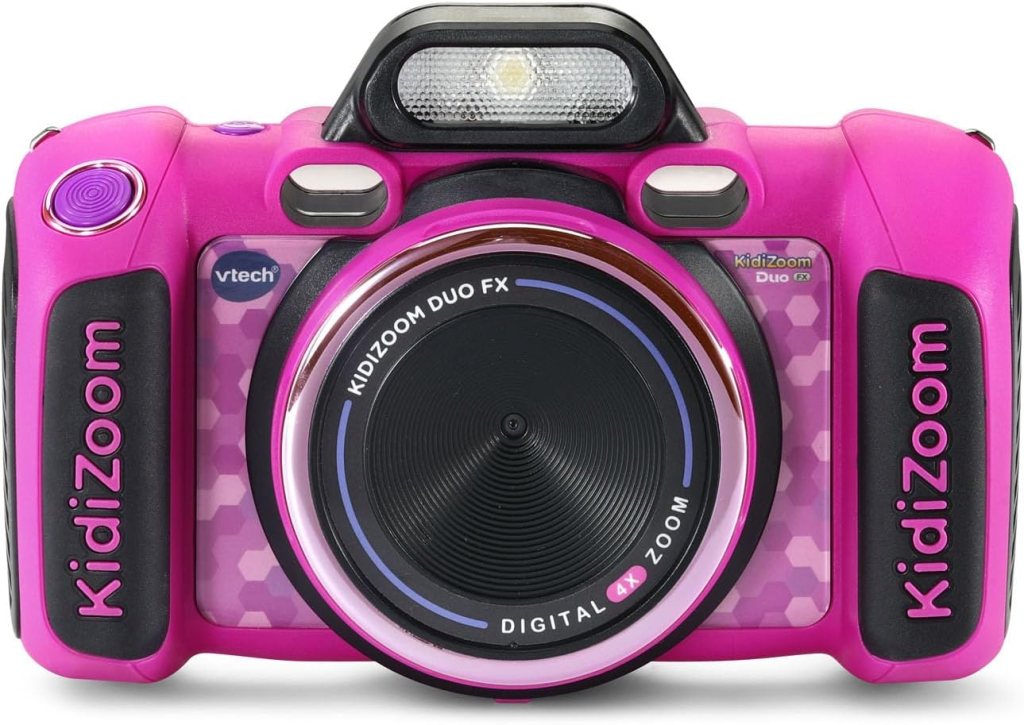
VTech has been making kids cameras forever, and you can tell. The KidiZoom Duo FX leans hard into built-in entertainment: an 8MP front camera, 2MP selfie camera, 4x zoom, a 2.4-inch screen, 80-plus effects, and five games.
That is either a selling point or a warning, depending on your tolerance for feature bloat.
For some kids, this camera is the winner because it keeps giving them new stuff to tap. Filters. effects. voice tricks. goofy edits. For other kids, it turns the camera into a toy console with a lens attached. You probably know which child you have.
I would not call it the purest photography pick. I would call it the most entertaining.
Pros
- Big set of effects and creative tools
- Dual-camera setup
- Strong kid-brand track record
- Good fit for kids who want interaction, not just picture-taking
Cons
- Busier interface
- Games may distract from the camera itself
- Bulkier feel than the cleaner picks
Review summary:
If your child loves buttons, menus, and odd little effects, this one makes sense. If you want simplicity, skip it.
Real Testimonial
The VTech KidiZoom Duo FX is the most toy-forward camera in the lineup, and that is either exactly what you want or exactly what you do not. Its listing highlights 80+ photo and video effects, filters and frames, five games, voice effects, MP3 playback through microSD, and dual-camera creativity features. It is less pure as a camera, but stronger if your kid wants constant interaction and novelty.
5) myFirst Insta 2
Best Instant-Print Toddler Camera
This is the fun pick. Not the most sensible one. The fun one.
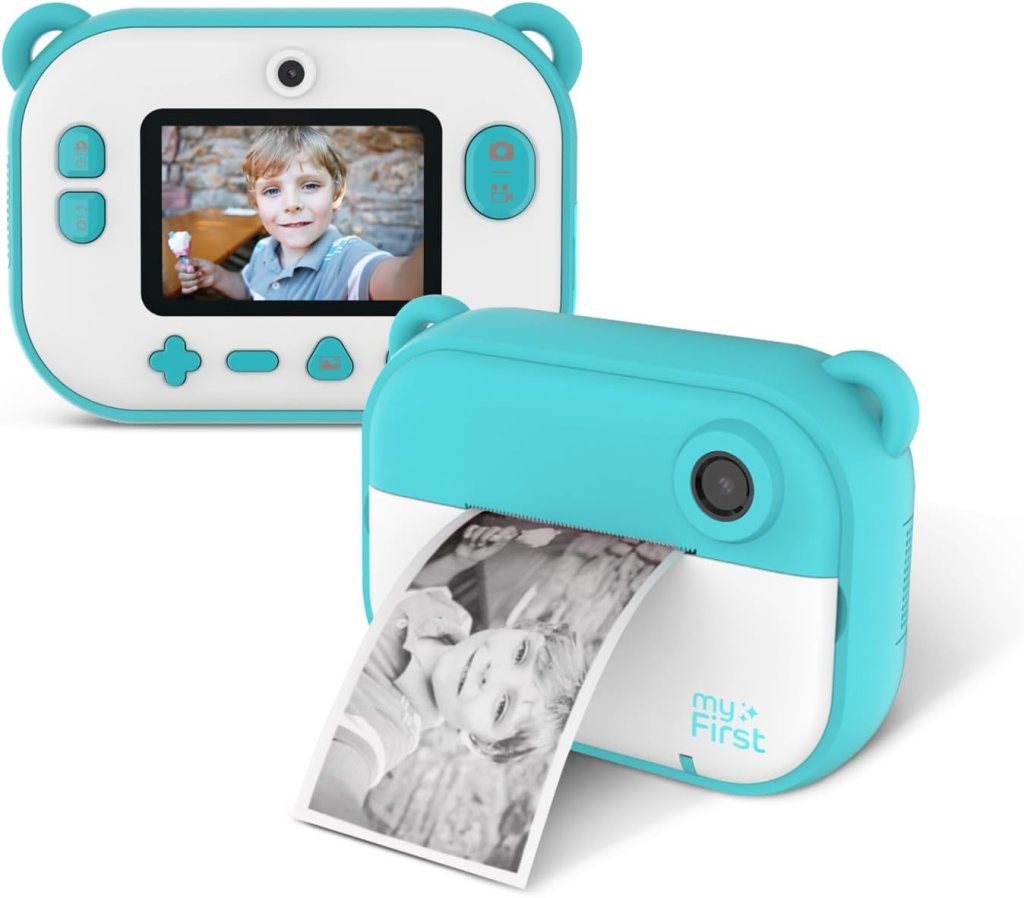
The myFirst Insta 2 combines a 12MP camera, 1080p video, and inkless thermal printing. It prints right away using thermal paper, which means no ink cartridges and less mess. Amazon’s current US listing also highlights sticker paper support and a durable, kid-focused design.
Printing changes the whole experience. A regular toddler camera captures a moment. An instant-print one turns that moment into an object. Kids can hand it to you. Tape it to a wall. Crumple it. Carry it around like treasure. That physical payoff is the whole reason to buy one.
The print quality is what thermal print quality always is. Fine. Flat. More charming than beautiful. But for toddlers, that is usually enough.
Pros
- Instant prints make it feel special
- No ink needed
- Video support is a nice bonus
- Physical photos keep kids engaged longer
Cons
- Prints are the point, so paper becomes part of the routine
- Bulkier than a basic digital-only camera
- Thermal prints are fun, not high fidelity
Review summary:
If you want the camera that gets the biggest immediate reaction, this is probably it. Kids love a print button. Adults do too, if we’re honest.
Real Testimonial
This is the most fun-on-contact option because it turns pictures into physical objects right away. Current Amazon US search results describe the myFirst Insta 2 as a 12MP instant print camera with zero-ink thermal printing, 1080p video, a simple interface, 8GB internal memory expandable to 32GB, a selfie camera, and built-in frames and filters. It is not about pristine image quality. It is about the print button, and kids tend to love that instantly.
How to choose the right toddler camera
If the child is very young, simpler is better. Fewer menus. Bigger buttons. A body that feels soft or rounded. The best camera at age three is not the same camera at age six, and pretending otherwise is how people end up buying something that looks better on a product page than it feels in a child’s hand.
If the child already loves taking your phone and “making videos,” lean toward something with a selfie feature and easy playback. If the child likes crafts, the print model makes more sense. If the child is hard on everything, prioritize weight and casing before any photo spec.
And yes, some kids will ignore every one of these after a week. That is normal. These are toddler cameras, not destiny.
Are toddler cameras worth it?
Sometimes yes. Sometimes not really.
They are worth it when the child likes the act of noticing things. Dogs. flowers. shoes. a weird shadow on the floor. If your kid already points at details and wants to “show” you stuff, a camera can be a surprisingly good match.
They are less worth it if what the child really wants is a screen. In that case, more features do not fix the problem. They just make a plastic object more expensive.
FAQs
What is the best toddler camera overall?
The myFirst Camera 3 is the best all-around pick here because it keeps the feature set useful, stays light, and includes the kind of protective design that makes sense for younger kids.
What is the easiest toddler camera to use?
The Goopow Kids Camera is probably the easiest to hand over cold. It has the kind of direct controls and playful layout that small kids tend to understand quickly.
Is Kidamento better than VTech for younger kids?
For pure interface simplicity, I’d lean Kidamento Model K. For built-in effects and toy-like entertainment, I’d lean VTech KidiZoom Duo FX. They are solving different problems.
Are toddler cameras durable?
Some are. Not all. Models with silicone or shockproof casing make more sense than bare plastic bodies. That is one reason the myFirst and Kidamento options stand out here.
Do toddler cameras take real photos?
Yes, but “real photos” needs context. These cameras can absolutely capture usable pictures and video. They are not replacing a proper compact camera. They are giving a young child a tool they can operate without much friction.
Is an instant-print toddler camera worth it?
It can be. The value is not better image quality. The value is the physical print. If your child likes making things, sharing things, or sticking pictures everywhere, the myFirst Insta 2 makes a lot of sense.
Do toddler cameras need a memory card?
Some do, or at least work best with one. The myFirst Camera 3 supports cards up to 32GB, and several other models in this category rely on expandable storage or bundled cards.
What age is right for a toddler camera?
Usually around age 3 and up, depending on the child. Some models are clearly aimed a bit older, especially the ones with touchscreens or print features. Product listings for these cameras generally start around ages 3 to 5 and go upward from there.
Are VTech cameras still worth buying?
Yes, if you want a more toy-forward experience. VTech still does a good job of making cameras that feel busy in a way many kids enjoy. That is not the same thing as saying they are the best pure camera.
Should a toddler camera have games?
Usually no. A few effects are fine. Too many distractions can pull attention away from the actual camera. That is one reason I tend to prefer the cleaner picks unless you know your kid loves the extra stuff.
What is the best toddler camera for travel?
The myFirst Camera 3 is my favorite travel pick in this group because it stays light, has a protective case, and does not take much explaining.
What is the best instant-print camera for younger kids?
Among the currently available options, the myFirst Insta 2 is the easiest recommendation for younger kids because it keeps the print concept simple and avoids making the whole thing feel too complicated.
Final verdict
If you want the safest recommendation, buy the myFirst Camera 3.
If you want a softer landing into the category, buy the Goopow Kids Camera.
If you care about a cleaner user experience, buy the Kidamento Model K.
If your child wants effects and built-in entertainment, buy the VTech KidiZoom Duo FX.
If you want the biggest grin on day one, buy the myFirst Insta 2.
That is really it. Toddler cameras do not need to be overthought. Pick the one that matches the kid in front of you, not the imaginary kid on the packaging.
And keep a little perspective. The American Academy of Pediatrics keeps pushing families toward quality, context, and conversation rather than simple screen-counting rules, which is a useful lens here too.
A toddler camera can be a pretty good object when it leads to noticing, making, sharing, and talking instead of passive swiping.
AAP guidance on media and children is a good place to end.
Affiliate Disclaimer
This article contains affiliate links. We may earn a small commission if you purchase through these links, at no extra cost to you.



Leave a Reply