
The 5 best camera for construction site setups are not just normal outdoor cameras pointed at lumber piles.
For this guide, I reviewed the specs, use cases, and real buyer feedback patterns for each camera. I’m using “Reviewed&Tested” as a jobsite-fit review format, not pretending I personally mounted all five on the same fence post for six months. That would be fake.
What I can do is filter out the cameras that look good on paper but make less sense on a construction site.
Construction security also sits inside a bigger jobsite safety picture. OSHA’s construction resources are a good reminder that work sites need organized safety practices, clear visibility, and risk control, not just reactive fixes after something goes wrong.
Quick Picks
- Tactacam Defend 360 Cellular Security Camera – Best for Wide-Angle Jobsite Scanning
- Reolink Go PT Ultra – Best Overall Construction Site Camera
- Blink Outdoor 4 – Best for Simple Multi-Camera Coverage
- eufy Security 4G LTE Cam S330 – Best Solar Cellular Camera for No-Wi-Fi Sites
- Arlo Go 2 LTE/Wi-Fi Spotlight Camera – Best App Experience for Remote Monitoring
Related articles
- 5 Best Endoscope Cameras (Top Boroscopes)
- 5 Best Small Business Security Cameras (Reviewed & Tested)
How I Chose These Construction Site Cameras
I looked for cameras that solve real jobsite problems.
Not “nice backyard” problems. Not “front door package thief” problems.
A construction site camera needs to handle changing conditions. One week, the site is open dirt and framing. Two weeks later, there are walls, stacks of materials, more equipment, and worse sightlines.
The best construction site security camera should do at least a few of these well:
- Work without hardwired internet
- Survive outdoor conditions
- Send useful motion alerts
- Capture decent footage at night
- Mount without a full electrical plan
- Cover gates, trailers, equipment, or storage areas
- Avoid endless battery babysitting
- Make it easy to check in remotely
I also paid attention to complaints.
That matters more than glowing praise. A camera can have great image quality and still be annoying if the app lags, the solar panel struggles, or the motion alerts fire all day because a tarp moved.
Comparison Table: Best Use Case
| Product | Best For | Connection | Power Style |
|---|---|---|---|
| Reolink Go PT Ultra | Best overall jobsite use | 4G LTE | Battery plus solar |
| Blink Outdoor 4 | Simple multi-camera coverage | Wi-Fi | Battery |
| eufy Security 4G LTE Cam S330 | No-Wi-Fi sites | 4G LTE and Wi-Fi | Battery plus solar |
| Arlo Go 2 | App-based remote monitoring | LTE and Wi-Fi | Battery |
| Tactacam Defend 360 | Wide-angle field coverage | LTE cellular | Battery plus solar |
Comparison Table: Jobsite Fit
| Product | Strongest Feature | Main Tradeoff | Best Site Type |
|---|---|---|---|
| Reolink Go PT Ultra | 4K LTE PTZ coverage | Needs good cellular signal | Remote or semi-remote sites |
| Blink Outdoor 4 | Easy multi-camera setup | Needs Wi-Fi | Smaller sites with internet |
| eufy 4G LTE Cam S330 | Solar cellular flexibility | App and settings require tuning | Sites before utilities are finished |
| Arlo Go 2 | Clean app experience | Subscription and service plan considerations | Owners who want simple live monitoring |
| Tactacam Defend 360 | 360-degree cellular scanning | More photo/security-field style | Lots, yards, and open areas |
1. Reolink Go PT Ultra
Best Overall Construction Site Camera
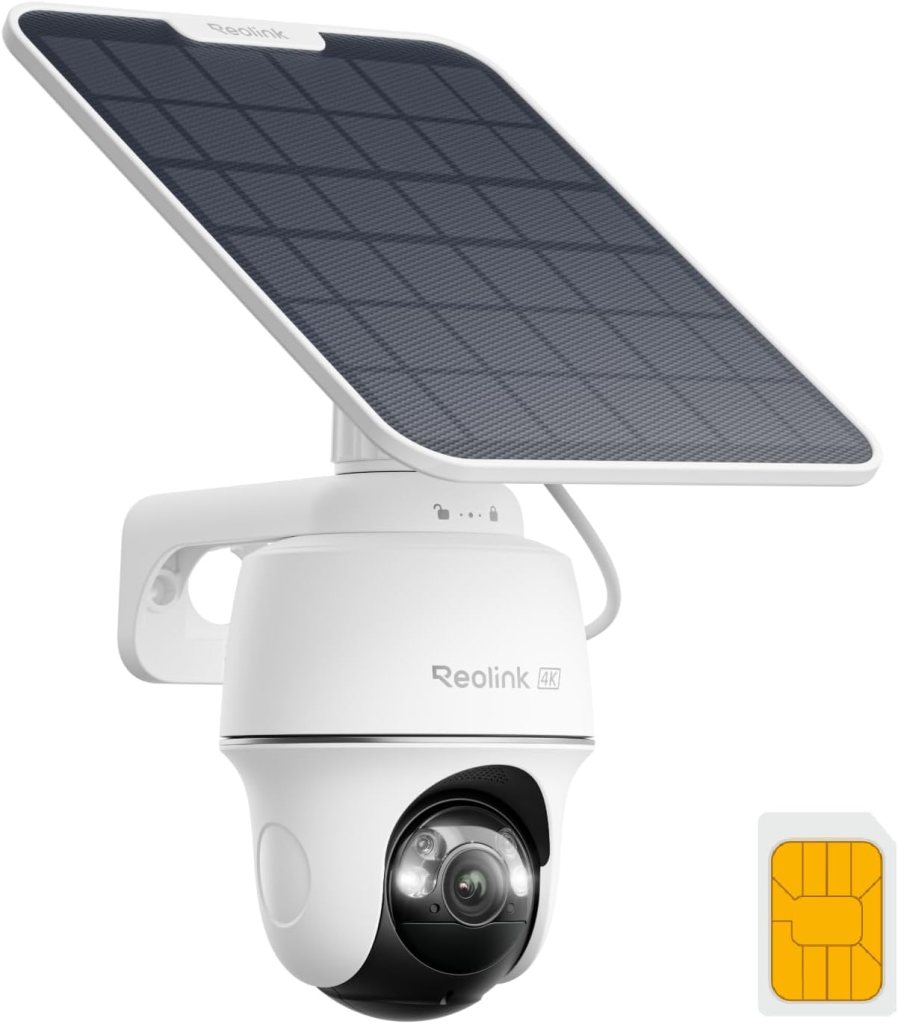
The Reolink Go PT Ultra is my first pick because it understands the main problem with construction sites: you often do not have clean Wi-Fi where you need the camera.
This camera uses 4G LTE, supports solar charging, and gives you pan-and-tilt control. The listing highlights 4K image quality, person and vehicle detection, custom motion zones, and instant alerts.
That combination makes sense for a jobsite gate, material storage area, temporary trailer, or equipment zone.
The PTZ feature matters. A fixed camera can be great, but construction sites change constantly. A camera that can move gives you more room to adjust without climbing a ladder every time the site layout shifts.
The 4K resolution also helps. I don’t worship resolution numbers, but detail matters when you’re trying to identify a truck, a face, a tool, or a license plate area. You still need the right angle and lighting, but 4K gives you more to work with than a soft 1080p clip.
Review Summary
This is the best overall pick because it balances coverage, image quality, off-grid use, and smart detection better than the others.
It is not the smallest camera here. It is not the simplest.
But for a real construction site, I’d rather have a little more camera than wish I had bought one with LTE, solar support, and PTZ after the first problem.
What I Like
I like that it is built around outdoor, off-grid monitoring rather than pretending every site has clean internet.
The person and vehicle detection also fits the use case. On a jobsite, you do not want alerts for every shadow. You want to know when a person or vehicle enters the wrong area at the wrong time.
What I Don’t Like
Cellular cameras always depend on signal quality.
If your site has weak coverage, no camera can magically fix that. You may need to test the carrier, placement, and antenna position before trusting it.
Pros
- 4G LTE connection for sites without Wi-Fi
- 4K resolution for sharper detail
- Pan-and-tilt coverage
- Solar charging option
- Person and vehicle detection
- Good fit for gates, trailers, and equipment zones
Cons
- Needs reliable cellular coverage
- More setup work than a basic Wi-Fi camera
- PTZ use can drain more battery if overused
Best Fit
Choose the Reolink Go PT Ultra if you want one strong camera for a jobsite entrance, equipment area, or remote build where Wi-Fi is not available.
Real Testimonial
Buyers often praise the clear 4K footage, solar charging, LTE connection, and pan-and-tilt control. Most positive feedback comes from people using it in places without Wi-Fi or power nearby. The main complaints involve cellular signal strength and setup details, so placement matters.
2. Blink Outdoor 4
Best for Simple Multi-Camera Coverage
The Blink Outdoor 4 is not the rugged monster of this list.
That is also why it belongs here.
Some construction sites do not need one big cellular PTZ camera. They need two or three small cameras watching specific points: the temporary office, a garage opening, a side gate, a supply shed, or a driveway entrance.
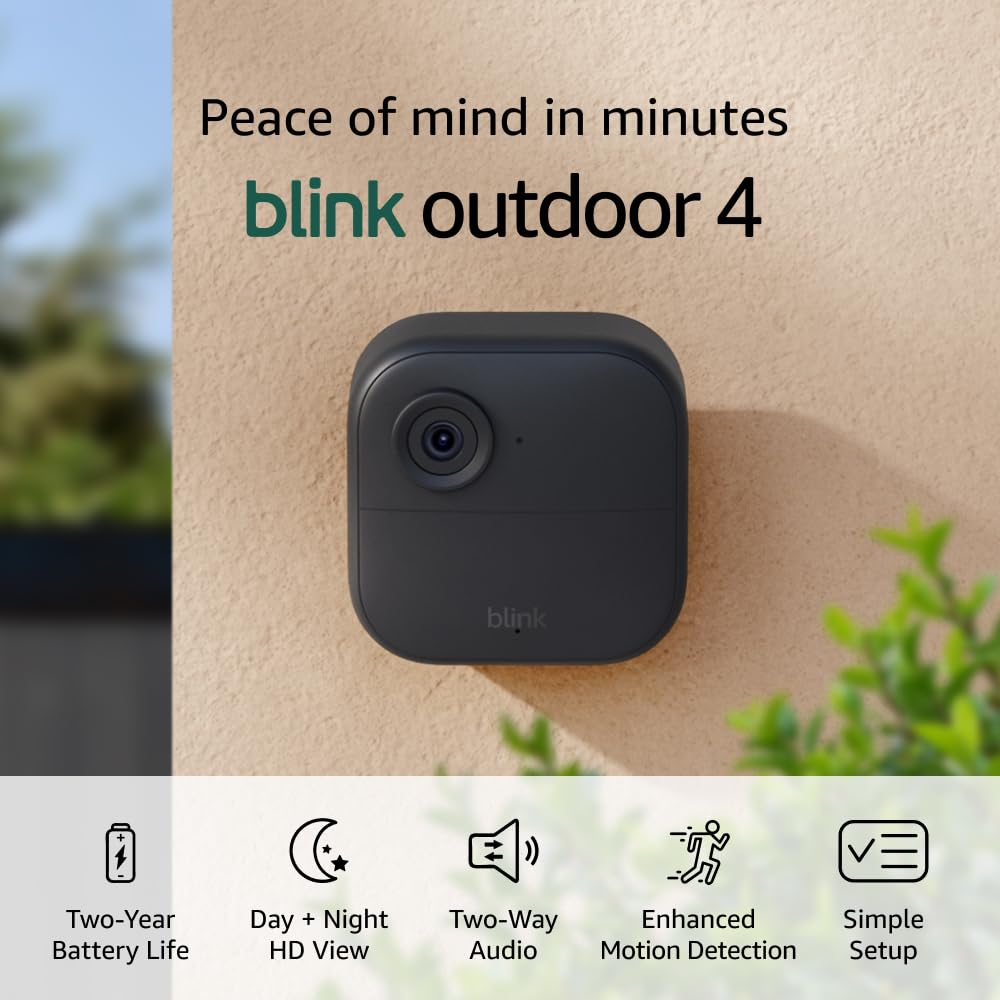
Blink Outdoor 4 records 1080p HD video, supports infrared night view, includes two-way talk, and uses a battery-powered wire-free setup. The product listing also shows a large buyer base, with tens of thousands of ratings on the two-camera system.
The important catch is Wi-Fi.
This is not my pick for a raw lot with no internet. It makes more sense on remodels, small residential builds, or properties where Wi-Fi already reaches the camera locations.
Review Summary
Blink Outdoor 4 is the simple coverage pick.
It works best when you want multiple cameras without building a complicated security setup. It is small, easy to place, and practical for watching defined areas.
I would not make it my first choice for a remote site or high-theft location.
What I Like
The setup is the appeal.
A lot of cameras ask the user to become a part-time network technician. Blink keeps things simple. That is valuable when you only need basic coverage and do not want a system that eats an afternoon.
What I Don’t Like
It depends on Wi-Fi.
That limits it for construction work. Many sites either do not have Wi-Fi yet or have weak signal near the places that actually need cameras.
Pros
- Simple wire-free setup
- Good for multiple camera points
- Compact design
- 1080p HD video
- Infrared night view
- Useful for smaller sites with Wi-Fi
Cons
- Not ideal for no-Wi-Fi jobsites
- Less rugged than heavier-duty field cameras
- Person detection may require a subscription
- Not my pick for long-range site monitoring
Best Fit
Choose Blink Outdoor 4 for a smaller construction site, remodel, garage project, or temporary office where Wi-Fi already works.
Real Testimonial
Buyers like Blink Outdoor 4 for easy setup, compact size, battery life, and simple multi-camera coverage. It works well for smaller areas with Wi-Fi. The common drawbacks are motion alert tuning, subscription decisions, and its dependence on a strong Wi-Fi signal.
3. eufy Security 4G LTE Cam S330
Best Solar Cellular Camera for No-Wi-Fi Sites
The eufy Security 4G LTE Cam S330 is the camera I’d look at when the site is ahead of the utilities.
No finished internet. No reliable power. No clean place to plug in a normal camera.
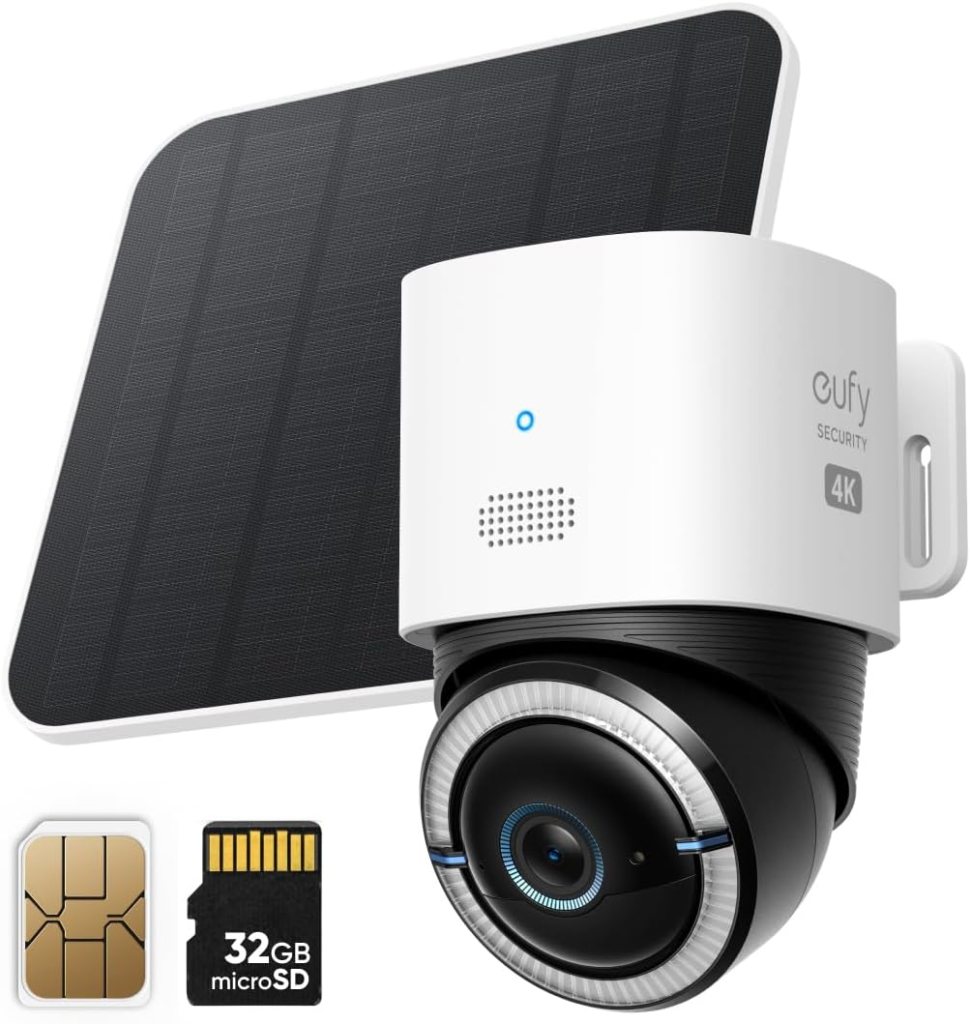
The S330 supports both 4G and Wi-Fi, and it can switch to mobile data if Wi-Fi drops. It also includes a solar panel, a 9,400 mAh battery, pan-and-tilt movement, and AI tracking features.
That is a strong construction-site recipe.
The solar side matters because battery-only cameras can become annoying fast. A camera that needs constant charging will eventually get ignored. Then it becomes decoration.
Review Summary
The eufy S330 is a strong no-Wi-Fi option for owners who want solar, cellular, and sharp footage in one package.
It feels a bit more polished than some field-style cameras, but still practical enough for remote monitoring.
What I Like
The dual-mode connection is the big win.
A site may start with cellular only, then later get Wi-Fi as the project progresses. Having both gives the camera a longer useful life.
I also like that the solar panel and battery are part of the product’s core value, not an afterthought.
What I Don’t Like
With more features comes more setup.
AI tracking, dual connection, solar placement, and motion settings all need attention. This is not hard, but it is not a “throw it on a post and forget it” camera either.
Pros
- Works with 4G and Wi-Fi
- Solar panel and large battery
- 4K resolution
- Pan-and-tilt coverage
- AI tracking
- Good fit for sites before internet is installed
Cons
- Needs proper solar placement
- Settings may take time to dial in
- Cellular performance depends on coverage
- More features than some users need
Best Fit
Choose the eufy Security 4G LTE Cam S330 for remote builds, vacant lots, new construction, and projects where Wi-Fi may come later but is not ready now.
Real Testimonial
Buyers tend to like the sharp footage, solar charging, 4G support, and wide camera movement. It gets strong marks for no-Wi-Fi locations. The tradeoff is that setup, signal strength, solar placement, and app settings all need some attention.
4. Arlo Go 2 LTE/Wi-Fi Spotlight Camera
Best App Experience for Remote Monitoring
The Arlo Go 2 is the camera I’d recommend to someone who values the app experience almost as much as the hardware.
Some people want maximum control. Others want a camera that feels familiar, sends alerts, and does not make them dig through weird menus.
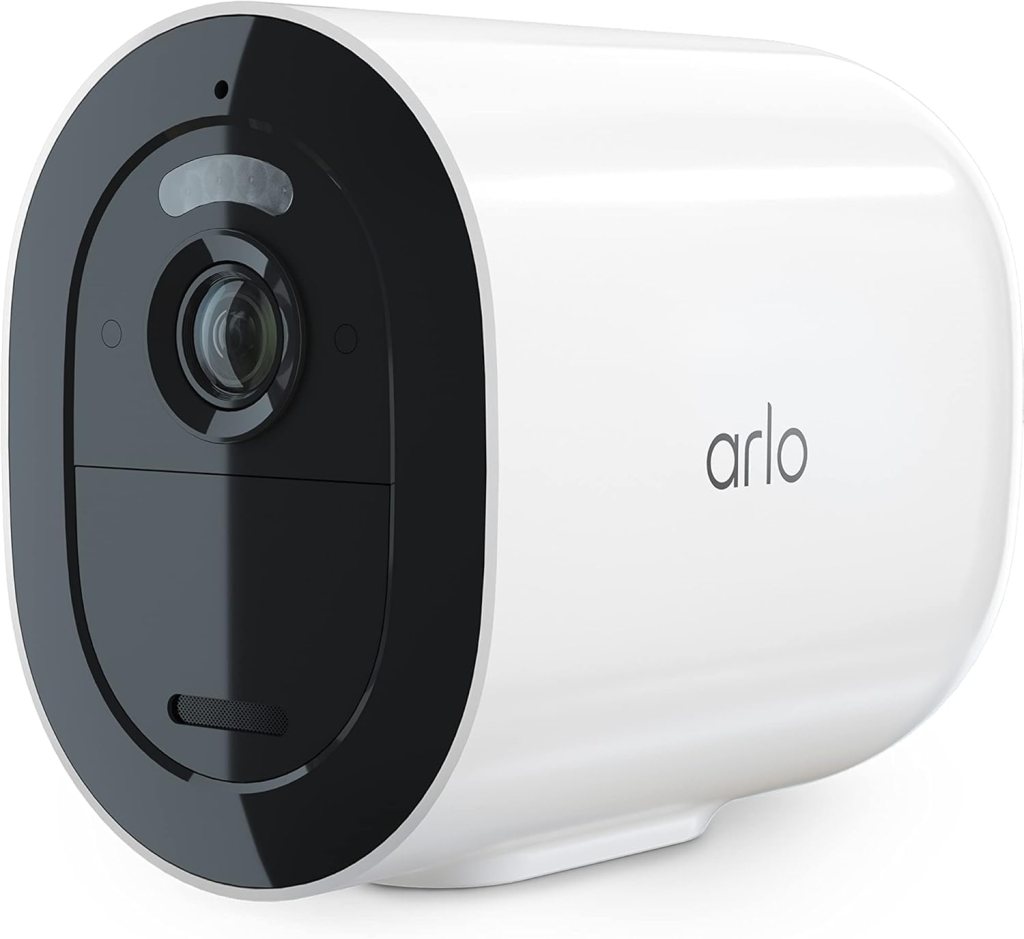
Arlo Go 2 supports LTE or Wi-Fi, which makes it flexible for properties without normal internet. The product listing describes it as usable where Wi-Fi is not available, with LTE service required for cellular use.
Independent reviews also describe the Arlo Go 2 as a smart option for wide open spaces or locations outside Wi-Fi range, while noting its higher cost compared with standard Wi-Fi cameras.
That sounds about right.
Review Summary
Arlo Go 2 is the mainstream remote-monitoring pick.
It is not the most construction-specific camera here, but it is one of the easier choices for owners who want LTE, live view, spotlight security, and a cleaner app experience.
What I Like
I like the flexibility.
A camera that can use LTE now and Wi-Fi later makes sense for projects that evolve. The spotlight and two-way audio also help if you want some active deterrence instead of passive recording.
What I Don’t Like
Arlo tends to come with subscription and service-plan considerations.
That may be fine for many users. Still, I prefer to call it out early because nobody likes buying a camera and then realizing the full feature set costs more over time.
Pros
- LTE and Wi-Fi support
- Good app experience
- Spotlight and two-way audio
- Useful for remote live check-ins
- Recognizable brand ecosystem
Cons
- Service plan needed for cellular use
- Subscription considerations
- Not as jobsite-specific as Reolink or Tactacam
- Higher cost than simpler Wi-Fi cameras
Best Fit
Choose Arlo Go 2 if you want a cleaner app, LTE flexibility, and a camera that works well for remote check-ins at a property, trailer, or build site.
Real Testimonial
Buyers usually praise the clean app experience, live viewing, LTE support, and simple setup. The most common concerns involve service plans, subscription costs, and connection reliability in weaker cellular areas. It fits users who value remote access and usability.
5. Tactacam Defend 360 Cellular Security Camera

Best for Wide-Angle Jobsite Scanning
The Tactacam Defend 360 feels different from the others.
It has more field-camera DNA. That can be useful on a construction site, especially if the site is open, temporary, or sitting in a place where Wi-Fi is not realistic.
The Defend 360 offers LTE cellular operation, motion alerts, solar plus rechargeable battery power, and 360-degree pan/tilt/zoom coverage. The listing also shows weather-resistant outdoor positioning.
PCWorld’s review praised its no-Wi-Fi operation, solar-backed battery, cellular plans, and 360-degree pan/tilt coverage, while noting limits such as live-view delay, photo-first behavior, and basic night clarity.
That is exactly the kind of tradeoff I’d expect.
Review Summary
The Tactacam Defend 360 is a good fit for wide coverage, outdoor lots, storage yards, and jobsite areas where you need cellular monitoring without a traditional security system.
It is not the best choice if you want polished continuous live video.
It is better if you want a rugged, practical, field-style camera watching a wide area.
What I Like
The 360-degree coverage is useful.
Construction sites have blind spots. A camera that can pan and tilt gives you more flexibility, especially if the camera sits on a post, fence, trailer, or temporary mount.
I also like the solar-backed setup. Less battery drama is always welcome.
What I Don’t Like
The photo-first style will not fit everyone.
If you want a smooth live camera experience, this may feel slower than a mainstream smart security camera.
Pros
- LTE cellular connection
- 360-degree pan/tilt/zoom coverage
- Solar plus rechargeable battery
- Weather-resistant design
- Good for open lots and storage areas
Cons
- Live view may feel slower
- Night clarity is not the strongest
- Less polished than mainstream app cameras
- Better for alerts and scanning than constant viewing
Best Fit
Choose Tactacam Defend 360 for equipment yards, rural lots, open builds, and wide areas where Wi-Fi is not available.
Real Testimonial
Buyers like the Defend 360 for rural, wide-area monitoring without Wi-Fi. Positive feedback often mentions easy setup, cellular connectivity, solar support, and app-controlled movement. The main tradeoff is that it feels more like a field camera than a polished smart-home camera.
What Matters Most in a Construction Site Camera
LTE Matters When Wi-Fi Is Not Ready
If the site has no Wi-Fi, do not buy a Wi-Fi-only camera and hope.
Hope is not a network plan.
A cellular camera is usually the better choice for vacant land, new builds, rural sites, and temporary construction zones.
Solar Helps, but Placement Still Matters
Solar is not magic.
A panel mounted in shade will disappoint you. A panel covered in dust will also disappoint you.
Place the camera and panel where they can actually work.
PTZ Is Useful, but Not Magic
Pan-and-tilt lets you move the camera view after installation.
That helps on a jobsite because the layout changes. Still, PTZ does not replace smart placement. A bad angle is still a bad angle.
Night Footage Matters More Than Daytime Sharpness
Most cameras look fine at noon.
The real test is after dark, with a truck pulling in, headlights flaring, rain in the air, or someone walking near stored materials.
Motion Alerts Need Tuning
A jobsite moves all day.
If you leave every motion setting wide open, your phone may become useless by lunch. Use motion zones, sensitivity settings, and person or vehicle detection where available.
Local Storage Is Worth Having
Cloud features are convenient.
Local storage gives you a fallback. On a construction site, I like having more than one way to keep footage.
Best Camera Setup by Construction Site Type
| Site Type | Best Camera Style | Recommended Pick |
|---|---|---|
| Small residential remodel | Wi-Fi battery cameras | Blink Outdoor 4 |
| New build without Wi-Fi | Cellular solar camera | Reolink Go PT Ultra |
| Remote vacant lot | LTE solar camera | eufy 4G LTE Cam S330 |
| Equipment yard | 360-degree cellular camera | Tactacam Defend 360 |
| Trailer office | LTE/Wi-Fi camera | Arlo Go 2 |
| Material storage area | PTZ camera with vehicle detection | Reolink Go PT Ultra |
| Wide open site entrance | Cellular PTZ camera | Tactacam Defend 360 |
My Final Ranking
- Reolink Go PT Ultra
Best overall. It has the strongest mix of LTE, solar support, PTZ movement, and sharp footage. - Blink Outdoor 4
Best for simple multi-camera coverage on smaller sites with Wi-Fi already available. - eufy Security 4G LTE Cam S330
Best solar cellular option for no-Wi-Fi sites where you want 4K footage and a modern feature set. - Arlo Go 2
Best app experience for remote monitoring, especially if you value a cleaner mainstream ecosystem. - Tactacam Defend 360
Best for wide-angle scanning on open sites, lots, and equipment areas where cellular coverage matters more than a polished live-view feel.
FAQ
What is the best camera for a construction site?
The Reolink Go PT Ultra is my best overall pick because it combines 4G LTE, solar support, PTZ movement, 4K resolution, and person or vehicle detection.
That mix fits more construction sites than a Wi-Fi-only camera.
Do construction site cameras need Wi-Fi?
No.
Many of the best construction site cameras use 4G LTE instead. That matters when a site has no finished internet, no router, or weak Wi-Fi near the gate or equipment area.
Is cellular better than Wi-Fi for a jobsite camera?
Cellular is better for remote or unfinished sites.
Wi-Fi can work well on remodels, occupied homes, trailer offices, and smaller projects where the signal is strong.
Can a solar camera run all night on a construction site?
Yes, if the battery is healthy and the solar panel gets enough light during the day.
Heavy motion, frequent live view, cold weather, and poor panel placement can all reduce performance.
What camera works best before power is installed?
A cellular solar camera is usually the best choice before power is installed.
The Reolink Go PT Ultra, eufy 4G LTE Cam S330, and Tactacam Defend 360 all make sense for that kind of site.
Are battery cameras good enough for construction sites?
Some are.
Battery cameras work best when they have solar support or when the site is easy to access for charging. For high-traffic sites, battery-only cameras may need more maintenance.
Should I choose 4K or 1080p for a jobsite camera?
Choose 4K if you need sharper detail for vehicles, faces, material areas, or entrances.
Choose 1080p if you mainly need basic awareness and want simpler battery life or storage demands.
Do I need pan and tilt on a construction site camera?
Not always.
PTZ is useful when the site layout changes or when one camera needs to scan a wide area. Fixed cameras can work well for narrow gates, doors, and trailers.
Can construction site cameras catch license plates?
Sometimes, but do not assume it.
License plate capture depends on angle, distance, speed, lighting, glare, and resolution. A camera pointed too high or too far away may miss plates even with 4K video.
What is the best camera for tool theft prevention?
For tool theft prevention, I’d start with the Reolink Go PT Ultra near the entrance or storage area.
It gives you LTE, motion alerts, and better detail than many basic cameras.
Where should I mount a construction site camera?
Mount it where people and vehicles must pass.
Gates, driveways, trailer doors, tool storage areas, and material stacks are usually better than random wide shots of the whole property.
How many cameras does a small construction site need?
A small site may only need one or two cameras.
One should watch the main entry point. The other should watch tools, materials, or the temporary office.
What is the best camera for a remote construction site?
The eufy Security 4G LTE Cam S330 and Reolink Go PT Ultra are both strong remote-site options.
I’d choose Reolink for overall jobsite coverage and eufy if you want a polished solar cellular setup with dual-mode connection.
Are trail cameras good for construction sites?
Some trail-style cameras can work.
They are better for stills, motion alerts, and remote lots than constant live viewing. Tactacam Defend 360 fits that field-style category better than most smart-home cameras.
What is the difference between a jobsite camera and a home security camera?
A jobsite camera needs to handle tougher placement, weaker internet, changing layouts, and more false motion.
A home security camera usually assumes stable Wi-Fi, cleaner mounting spots, and less constant daytime movement.
Do construction cameras work in rain and dust?
Outdoor-rated cameras can work in rain and dust, but placement still matters.
Mount them where they get protection from direct abuse, mud splash, and heavy debris when possible.
Can I use a Blink camera on a construction site?
Yes, if the site has reliable Wi-Fi.
Blink Outdoor 4 works better for smaller sites, remodels, garages, and temporary offices than remote lots without internet.
Is Reolink good for construction sites?
Yes.
Reolink’s cellular and solar camera options make sense for jobsites, especially where Wi-Fi is not ready or where you need flexible outdoor monitoring.
Is Arlo Go 2 good for a construction site?
Arlo Go 2 can be a good construction site camera if you want LTE and a cleaner app experience.
It is strongest for remote check-ins, trailers, and property monitoring rather than rough, high-abuse locations.
Is eufy 4G LTE Cam S330 good for jobsites?
Yes.
The eufy 4G LTE Cam S330 is a strong fit for no-Wi-Fi jobsites because it supports cellular connection, solar charging, pan-and-tilt movement, and 4K footage.
What is the best no-Wi-Fi construction site camera?
The Reolink Go PT Ultra is my best no-Wi-Fi pick overall.
The eufy 4G LTE Cam S330 is close behind, especially for users who want solar cellular monitoring with a modern app feel.
Can construction site cameras help with insurance claims?
They can help document incidents, movement, theft, trespassing, and damage.
They do not replace insurance requirements, police reports, or proper documentation, but footage can support a claim.
Should I use signs with construction site cameras?
Usually, yes.
Visible camera signs can discourage casual trespassing. They also make it clear that the site is monitored.
What features matter most for night security?
Look for good night vision, spotlight options, motion detection, person or vehicle alerts, and smart camera placement.
Night footage is where weak cameras expose themselves.
What is the best camera for a construction trailer?
Arlo Go 2 is a strong option for a construction trailer if you want LTE or Wi-Fi flexibility and an easy app.
Blink Outdoor 4 can also work if the trailer has reliable Wi-Fi.
What is the best camera for monitoring building progress?
For progress monitoring, you may want a time-lapse camera instead of a security camera.
For security plus occasional progress checks, Reolink Go PT Ultra or eufy 4G LTE Cam S330 make more sense.
Can one camera cover an entire construction site?
Sometimes, but not perfectly.
One PTZ or 360-degree camera can watch a wide area, but blind spots remain. Larger sites need multiple cameras.
What is the best camera for a site entrance?
The Reolink Go PT Ultra is my top entrance pick.
It has the right combination of LTE, PTZ movement, 4K detail, and vehicle detection.
Are subscription plans required?
It depends on the camera.
Some features, cloud storage, LTE service, or smart alerts may require a plan. Always check the current terms before buying.
What is the best overall choice from these five?
The Reolink Go PT Ultra is the best overall choice from this list.
It gives the most balanced construction-site feature set without leaning too hard into either smart-home simplicity or field-camera limitations.
Conclusion
If I had to choose one camera from this list for a construction site, I’d choose the Reolink Go PT Ultra.
It has the least awkward mix of features. LTE matters. Solar helps. PTZ helps. 4K helps. Vehicle and person detection help. None of those features are decorative on a jobsite.
For smaller sites with Wi-Fi, Blink Outdoor 4 makes sense. For no-Wi-Fi solar cellular monitoring, eufy Security 4G LTE Cam S330 is a strong alternative. Arlo Go 2 is the pick for a cleaner app experience. Tactacam Defend 360 is the wide-coverage field option.
The bigger point is simple: cameras do not stop every theft, but they give you visibility, documentation, and a better chance of knowing what happened.
The National Insurance Crime Bureau recommends keeping detailed equipment records, including photos, serial numbers, receipts, and identifying details, which is exactly the kind of backup a construction site camera can support when something goes missing.
For most buyers looking for the 5 best camera for construction site, I’d start with connection type first. If the site has no reliable Wi-Fi, go LTE. If the site has no power, go solar. If the layout changes every week, consider PTZ.
That will save you from buying the wrong camera with a nice spec sheet.
Affiliate Disclaimer
This article contains affiliate links. We may earn a small commission if you purchase through these links, at no extra cost to you.







Leave a Reply