
Basketball punishes bad cameras fast. The light in most gyms is ugly. The action flips ends before your autofocus settles down. And a camera that looks fine on a spec sheet can turn into a blur machine the second a guard pushes the break.
That is why the best cameras to record basketball games are not just the ones with 4K on the box. They need decent autofocus, enough frame rate to smooth out motion, and either real zoom or a shooting style that makes sense from the stands.
Synergy Sports, which works with game video every day, recommends a high, half-court tripod position and a stable wide view instead of constant zooming, which tells you a lot about what actually matters here.
I did not build this list around fantasy use cases. I built it around real ones. Parents filming from the bleachers. Coaches wanting cleaner full-game footage. Content people clipping highlights for Instagram or YouTube.
That changes the recommendations. A camcorder still makes a ton of sense here. So does one good mirrorless body. An action camera can help, but only if you know what job you are giving it.
Related articles
What Actually Matters When Recording Basketball
Frame rate matters. More than brand loyalty, more than megapixels, more than whatever flashy phrase is printed on the product page.
For basketball, 60 fps is the practical floor if you want motion to look clean, and a common rule for sports video is to set shutter speed at roughly double the frame rate, so 1/120 at 60 fps is the usual starting point.
Placement matters too. Mid-court is the smart angle. High enough to see both ends. Stable enough that you are not yanking the frame around every possession.
Synergy Sports says to position the tripod as close to half-court as possible and avoid zooming in and out during the game. That is not glamorous advice. It is correct advice.
Sensor size matters in gyms because gyms are rarely kind. Bigger sensors usually hold up better under weak indoor lighting, which is why the mirrorless picks here have an edge in pure image quality.
But zoom matters too, which is where a real camcorder can embarrass a fancier camera with the wrong lens on it. That is the tradeoff running through this whole article.
Quick Comparison
Table 1
| Camera | Best for | Main strength | Main drawback |
|---|---|---|---|
| Sony ZV-E10 II | Best overall | Big APS-C sensor, fast autofocus, serious video features | Needs the right lens setup |
| Canon EOS R100 | Best value pick | Clean entry into interchangeable-lens video | 4K is limited, stronger in Full HD |
| Panasonic HC-VX3 | Best for full-game coverage | 24x optical zoom and camcorder ease | Less flexible image style than mirrorless |
| DJI Osmo Pocket 3 | Best for highlights and sideline clips | Tiny, stable, fast to use | Not the ideal only camera for full games |
| DJI Osmo Action 5 Pro | Best for mounted second angles | Rugged, wide, easy to place anywhere | Wide view is limiting from the stands |
Table 2
| Camera | Video spec worth knowing | Why it works for basketball | Best user |
|---|---|---|---|
| Sony ZV-E10 II | 4K up to 120 fps | Handles action and dim gyms better than small-sensor options | Serious parent, creator, small media team |
| Canon EOS R100 | Full HD up to 60 fps, 4K at 24 fps | Strong simple pick if you mostly want clear game footage | Budget-conscious buyer who wants a real camera |
| Panasonic HC-VX3 | 4K camcorder, 24x optical zoom | Easy full-court coverage from the bleachers | Parent or coach filming complete games |
| DJI Osmo Pocket 3 | 1-inch sensor, 4K/120, 3-axis stabilization | Great for warmups, bench clips, and highlights | Content-first shooter |
| DJI Osmo Action 5 Pro | 4K/120, 1/1.3-inch sensor | Useful for training, mounted angles, and creative cuts | Second-camera user |
1) Sony ZV-E10 II
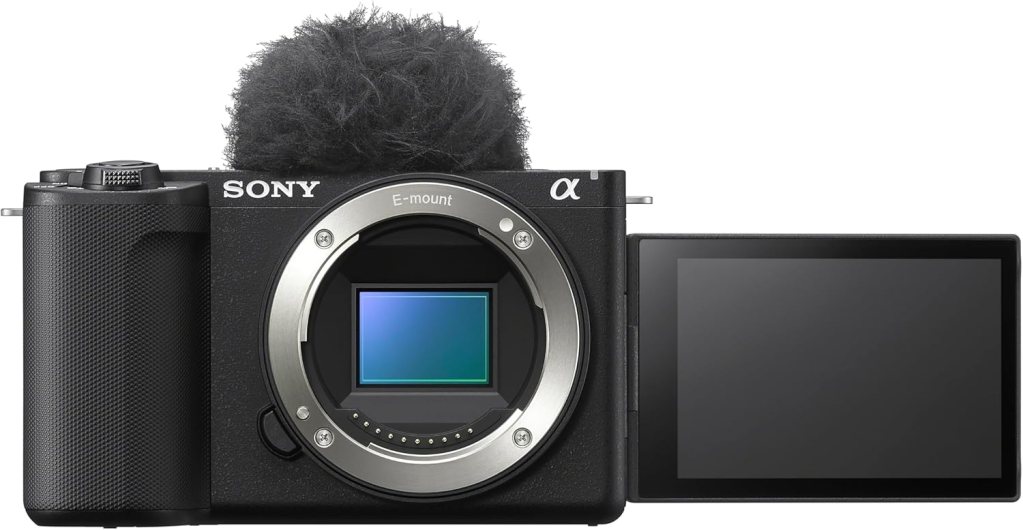
Best Overall for Basketball Video
This is the one I would hand to most people who actually care about how the footage looks. Not hobbyist-care. Real care. The Sony ZV-E10 II gives you an APS-C sensor, interchangeable lenses, and 4K recording up to 120 fps. Sony also lists a 26.0 MP APS-C sensor and the BIONZ XR processor, which is a serious enough combo for this kind of work.
What I like here is not just the headline spec. It is the ceiling. A basketball setup grows strange little needs over time. Maybe you start with full-game recording, then you want tighter highlight clips, then better low-light performance, then a cleaner lens path. This camera can grow with that. It does not trap you.
The catch is obvious. A mirrorless camera is only as good as the lens strategy. If you buy this body and toss on the wrong lens for a far-back gym seat, you can still end up frustrated.
But as a platform, this is the strongest pick in the group. It has the best blend of image quality, autofocus potential, and long-term usefulness.
Review summary: Best image quality in the bunch for most people, best upgrade path, and the least likely to feel limiting six months from now.
Pros
- APS-C sensor helps in darker gyms
- 4K up to 120 fps
- Interchangeable lens system
- Strong all-around pick for games and highlight work
Cons
- Lens choice matters a lot
- Less grab-and-go than a camcorder
- Can get expensive once you build a kit
Real Testimonial
The Sony ZV-E10 II is the strongest all-around pick here because it gives you real video quality without making basketball recording feel complicated. The bigger APS-C sensor helps in dim gyms, the autofocus is quick enough for fast transitions, and the footage has more polish than what you get from smaller fixed-lens options. It is not the simplest camera on this list, and lens choice matters more than some buyers expect, but if you want the best blend of image quality, flexibility, and long-term value, this is the one that stands out.
2) Canon EOS R100
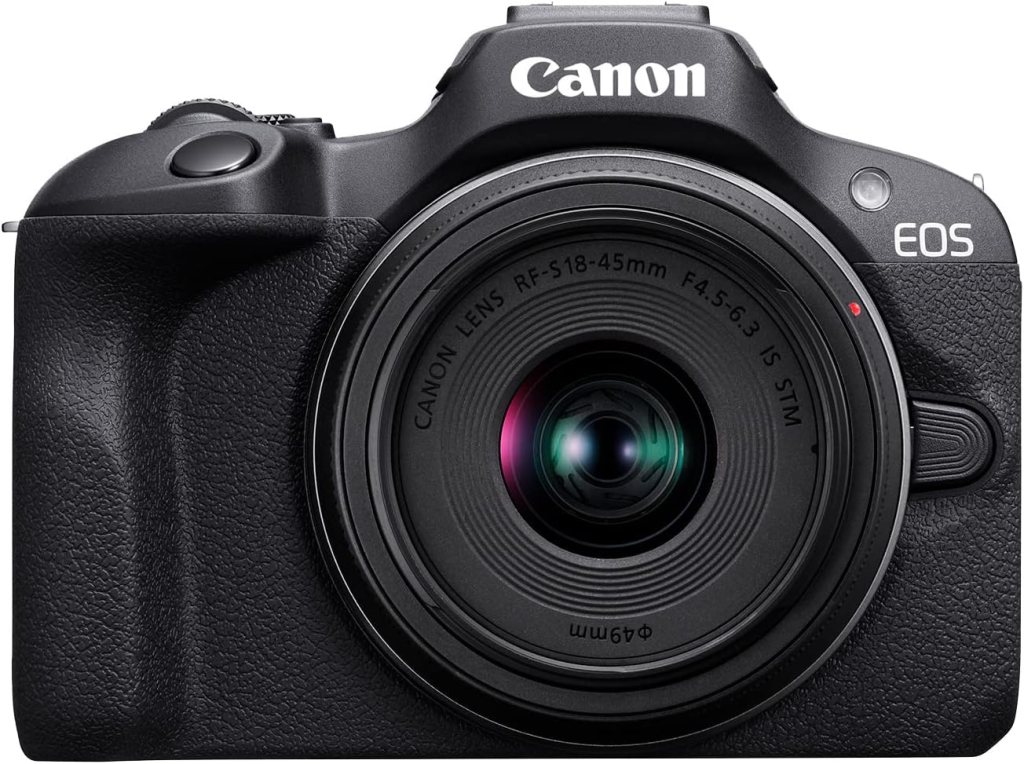
Best Value Pick for Clean, Simple Game Footage
This is the pick for the person who wants a real camera without turning the purchase into a personality. The EOS R100 uses a 24.1 MP APS-C sensor, records Full HD up to 60 fps, and offers 4K at 24 fps from a cropped central area of the sensor. That last part matters. I would not oversell this as a 4K sports monster. I would not call it that over coffee, and I will not call it that here.
What it does well is straightforward basketball video when you keep your expectations sane. Full HD at 60 fps is still a very usable format for parents, school media people, and anyone posting to social platforms where clean footage matters more than cinema talk. The APS-C sensor still gives it a meaningful edge over tiny-sensor options in rough gym light.
I like this one because it is honest. It is not pretending to be a pro sports body. It is a solid first real camera. For many readers, that is enough. More than enough, actually.
Review summary: A clean, sensible step up from phones and bargain camcorders, with enough quality to make youth and school game footage look a lot better.
Pros
- APS-C sensor
- Full HD up to 60 fps
- Light and simple
- Good first interchangeable-lens camera
Cons
- 4K is limited
- Less headroom than the Sony
- Not the strongest choice for heavy cropping in post
Real Testimonial
The Canon EOS R100 works well for buyers who want a real camera and cleaner basketball footage without overspending on features they may never use. It is easy to carry, easy to learn, and strong enough in Full HD to handle youth games, school events, and highlight clips with more clarity than a phone or bargain camcorder. Its 4K limitations keep it from ranking higher, but as a practical entry point into better sports video, it makes a lot of sense.
3) Panasonic HC-VX3

Best Camcorder for Full-Game Recording
This is the practical adult in the room. The Panasonic HC-VX3 has a bright F1.8 lens, 24x optical zoom, 25 mm wide-angle coverage, 4K recording, high-precision autofocus, and 5-axis Hybrid O.I.S+.
Those are exactly the sort of camcorder specs that matter for basketball from the stands. No lens swaps. No guessing. No wondering whether your focal length will work from row twelve.
I would take this over a fancier camera in plenty of real gyms. That is the part camera people sometimes hate admitting. Camcorders are still useful. Very useful. A 24x optical zoom range is a real basketball tool.
You can frame the floor properly without leaning on digital nonsense, and the body is built for longer continuous shooting.
If your main goal is full-game coverage and not stylized content, this is probably the easiest recommendation in the article. It is the least romantic pick. It may also be the smartest pick for a lot of readers.
Review summary: The easiest camera here for complete game recording. Less sexy than mirrorless. More useful than mirrorless for a lot of people.
Pros
- 24x optical zoom
- Camcorder ergonomics make sense for long games
- 4K recording
- Stabilization and autofocus built around video use
Cons
- Image style is less flexible than mirrorless
- Not the best pick for mixed photo and video use
- Smaller sensor than the mirrorless options
Real Testimonial
The Panasonic HC-VX3 is the most straightforward camera here for recording full basketball games from the stands. The big selling point is simple: real optical zoom paired with camcorder handling. That combination still matters more than many people want to admit. You can frame the court properly, record for long stretches without fuss, and avoid the lens headaches that come with mirrorless cameras. It is not the most cinematic option, but it may be the most useful one for parents and coaches who care about getting the whole game cleanly.
4) DJI Osmo Pocket 3
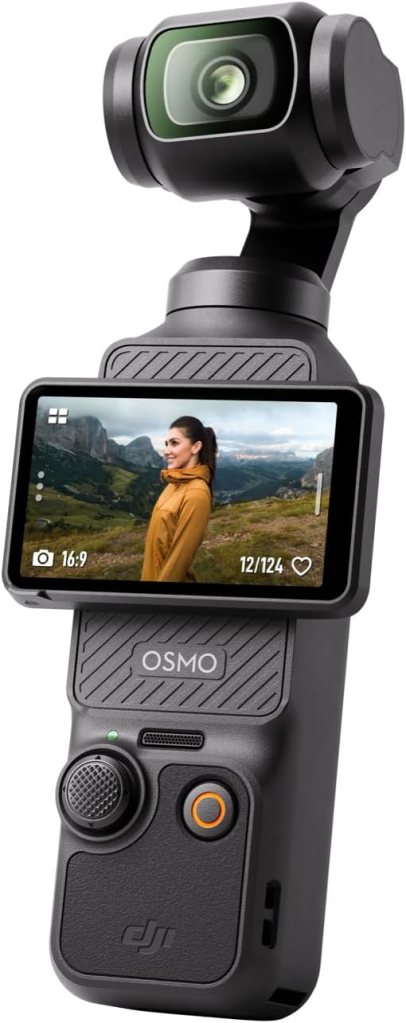
Best for Highlights, Warmups, and Sideline Clips
I like the Pocket 3 a lot. I just would not pretend it is the perfect one-camera answer for every basketball parent in a high school gym. It has a 1-inch CMOS sensor, a 2-inch rotatable touchscreen, 4K up to 120 fps, and DJI’s built-in gimbal stabilization.
That makes it unusually good at quick, polished-looking clips without much setup.
This is the camera I would use for pregame tunnel shots, layup-line footage, bench reactions, postgame moments, and social-first highlight work. It is fast, small, and stable. The footage tends to look more expensive than the size suggests.
In lower light, the 1-inch sensor helps too. DJI explicitly pitches its low-light strength on the product page, and that is relevant in gyms.
But full-game recording from far away is not where this thing shines. The lack of real optical reach changes the job. Used the right way, it is excellent. Used as a fake camcorder replacement, less so.
Review summary: Great little video tool for people who care about highlights, mood, and movement more than classic full-court game coverage.
Pros
- 1-inch sensor
- 4K/120
- Built-in gimbal stabilization
- Very fast to set up and use
Cons
- Limited for far-back full-game coverage
- Better as a clip camera than a true all-game camera
- Less flexible framing than a zoom-based setup
Real Testimonial
The DJI Osmo Pocket 3 is a smart pick for people who care more about highlights, pregame clips, bench reactions, and social-ready footage than classic full-game recording. It is tiny, fast, and unusually polished for something this small. The built-in stabilization makes footage look smooth right away, and the 1-inch sensor helps more than expected in bad indoor light. It is not the ideal only camera for filming an entire game from far back, but for short-form basketball content, it is one of the most fun and capable options in the group.
5) DJI Osmo Action 5 Pro
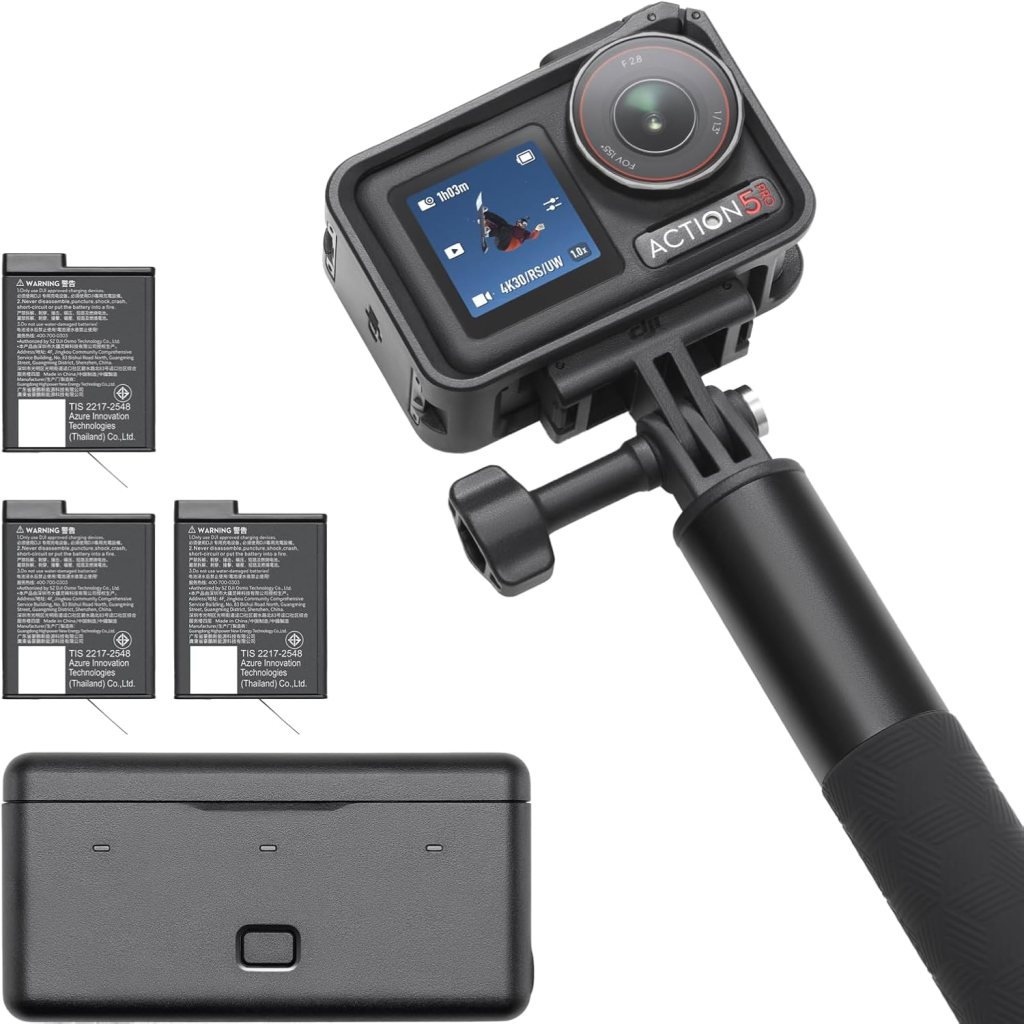
Best Action Camera for Mounted Angles and Second-Camera Coverage
Action cameras are usually oversold for sports coverage. Here is the honest version.
The Osmo Action 5 Pro is very useful, but mostly when you stop asking it to be something it is not. DJI lists 4K up to 120 fps, a next-gen 1/1.3-inch sensor, and high-dynamic low-light imaging up to 4K/60 fps. Those are strong specs for an action camera.
Where it works is training footage, creative angles, baseline mounting, backboard-area practice clips, bench perspective, or as a second body cutting in alongside a main camera. That is where the size and ruggedness become actual advantages instead of marketing phrases.
From the bleachers, though, a super-wide action camera can feel frustrating. Basketball courts are bigger than action-camera promo videos want you to believe. I still like this pick, but I like it as a specialist tool. Not as the only tool.
Review summary: Best used as a creative second angle or training camera, not your only device for filming every possession from far away.
Pros
- 4K/120
- Tough, compact body
- Strong second-camera option
- Useful in awkward mounting positions
Cons
- Wide view can be limiting for full-court footage
- Less natural as a primary game camera
- Not built around optical reach
Real Testimonial
The DJI Osmo Action 5 Pro is best treated as a specialist camera, not a one-camera answer for every basketball situation. It works best as a second angle, a training camera, or a mounted setup that captures perspective shots a normal camera cannot. The rugged build, high frame rates, and compact size make it genuinely useful, especially for workouts, drills, and creative coverage. Its wide view limits it for full-court recording from the bleachers, but used the right way, it adds a lot of value to a basketball setup.
Which Type of Camera Makes the Most Sense?
If you care most about image quality, buy the Sony ZV-E10 II.
If you care most about recording an entire game without messing around, buy the Panasonic HC-VX3.
If you want the most reasonable entry point into real camera footage, buy the Canon EOS R100.
If you care about highlights, player intros, social clips, and sideline atmosphere, buy the Pocket 3.
If you want a second angle or a training tool you can mount almost anywhere, buy the Osmo Action 5 Pro.
That is the clean version. I do not think every reader needs the same answer, and articles that pretend otherwise usually feel written by people who have never tried filming basketball in a dim gym with bad seating.
My Take
The best overall camera here is still the Sony ZV-E10 II. It has the highest ceiling and the fewest long-term regrets.
The best pure utility pick is the Panasonic HC-VX3. Some buyers will end up happier with it than with the Sony, because zoom and ease of use count for a lot.
The R100 is the pick I would recommend to someone who wants to get better footage without turning this into a research project.
The Pocket 3 is the fun one. The Action 5 Pro is the useful sidekick.
That is the hierarchy.
FAQs
What is the best camera to record basketball games?
For most buyers, the Sony ZV-E10 II is the best overall pick because it combines an APS-C sensor with high-frame-rate video and a stronger long-term lens path than the smaller fixed-lens options. If your main goal is full-game recording from the stands, the Panasonic HC-VX3 is the simpler answer.
Is a camcorder or mirrorless camera better for basketball?
A camcorder is often better for full-game coverage because optical zoom and video-first ergonomics matter in real gyms. A mirrorless camera is better if you want stronger image quality, lens flexibility, and more polished highlight footage.
Do I need 4K to record basketball games?
No. Clean Full HD at 60 fps is still very usable for basketball. Good framing, stable placement, and decent shutter speed matter more than chasing 4K just to say you have it. The Canon EOS R100 is a good example of a camera that still makes sense even though its strongest sports use is in Full HD rather than 4K.
Is 60 fps enough for basketball video?
Yes. For most people, 60 fps is the sweet spot. It looks smoother than 30 fps and handles fast movement better. BoxCast recommends the usual sports rule of doubling shutter speed relative to frame rate, which means 1/120 is a practical place to start when shooting at 60 fps.
What camera works best in dark school gyms?
A larger sensor usually helps. That makes the Sony ZV-E10 II and Canon EOS R100 safer picks than tiny-sensor alternatives if gym lighting is consistently rough. The Pocket 3 also gets some help from its 1-inch sensor.
Can I record an entire basketball game with an action camera?
You can, but that does not mean you should. Action cameras are better used for secondary angles, training footage, or creative placements. Their wide view can make full-court footage from the stands feel distant and flat.
What lens is best for filming basketball games?
It depends on where you sit. From high mid-court, you want enough width to cover the floor cleanly without turning every player into a speck. From farther away, some reach helps. That is exactly why camcorders remain useful here. With mirrorless, lens choice becomes part of the job.
Where should I place my camera to record a basketball game?
Near half-court and elevated if possible. Synergy Sports recommends placing the tripod as close to half-court as possible and avoiding constant zooming during the game. Hoopsalytics also points to a high vantage point near mid-court as the ideal view.
Should I use autofocus or manual focus for basketball?
For most readers, autofocus is the better call. Basketball moves too fast for casual manual focus work unless you really know what you are doing and your framing is fixed. Better autofocus is one reason the Sony makes this list at number one.
Do I need a tripod to record basketball games?
Yes, if you care about full-game footage. Stable mounting matters. Both Synergy Sports and Hoopsalytics emphasize stable, unobstructed recording positions, and that advice is worth following.
Can I livestream basketball games with these cameras?
Some of them can fit into livestream setups more easily than others, especially if you are using capture hardware or a broader streaming rig. The cameras in this list are better thought of first as recording tools. Livestream performance depends on the rest of your setup too.
What is the best camera for youth basketball games?
The Panasonic HC-VX3 is a very strong youth basketball pick because it is easy to run, has real zoom, and suits long uninterrupted recording. The Canon EOS R100 also makes sense if you want better footage without jumping into a more expensive system.
What is the best camera for high school basketball highlights?
The Sony ZV-E10 II is the best all-around answer. The DJI Osmo Pocket 3 is also excellent if you care more about quick highlight clips, player intros, and social-ready footage than classic full-game coverage.
How much zoom do I need to film from the bleachers?
More than most people think. That is why a 24x optical zoom camcorder is still a real solution for basketball. From the stands, optical reach is not a luxury. It is part of getting usable framing.
Why does my basketball footage look blurry indoors?
Usually some combination of weak lighting, low frame rate, slow shutter speed, or bad autofocus performance. Indoor basketball exposes all of that quickly. Moving to 60 fps and using the rough double-shutter rule helps.
Can I use a phone instead of a dedicated camera?
Yes, but the tradeoffs show up fast in gyms. Phones can work for casual clips. Dedicated cameras pull ahead when you need better low-light performance, steadier long-form recording, and real zoom. [Inference]
What settings should I use to record basketball games?
Start with 1080p or 4K at 60 fps if your camera handles it well. Use a shutter speed near 1/120. Lock in a stable half-court setup. Avoid wild zooming during play. That simple setup beats a lot of overcomplicated ones.
Conclusion
The right basketball camera is not the one with the flashiest product page. It is the one that fits the way you actually shoot. If you want the best all-around answer, get the Sony ZV-E10 II. If you want the easiest way to record full games cleanly, get the Panasonic HC-VX3.
If you want something lighter and more casual without falling into junk territory, the Canon EOS R100 is the sane move. And if your real goal is highlights, energy, and short-form footage, the Pocket 3 has a case.
BoxCast’s sports video guide is worth a look for frame-rate and shutter basics before your first game, because bad settings can waste a good camera in a hurry.
Affiliate Disclaimer
This article contains affiliate links. We may earn a small commission if you purchase through these links, at no extra cost to you.



Leave a Reply