
Choosing the best camera for elderly monitoring is less about flashy specs and more about trust. You want a camera that loads fast, sees clearly at night, lets you speak through it without weird lag, and does not turn a simple check-in into a tech-support session.
That matters even more in homes built around aging in place, where safety and independence need to live in the same room.
The National Institute on Aging recommends home setups that support safer, more independent living for older adults, and a well-placed indoor camera can fit that goal when families use it thoughtfully.
Some cameras look good on a product page and then annoy you every day after that. Slow app. Muddy night vision. Motion alerts that fire every time a curtain moves. I did not want that kind of list.
This one is built around actual elderly monitoring use. Checking whether Mom is up and moving. Seeing if Dad made it back to the recliner. Talking through a missed phone call. Looking in on a hallway at night. Quiet, practical stuff.
Related articles
Quick picks
- Best overall: TP-Link Tapo C220
- Best for simple setup: Blink Mini
- Best for privacy-focused homes: eufy Indoor Cam 2K Pan & Tilt
- Best for sharper detail: Reolink E1 Pro
- Best for Google Home households: Google Nest Cam Indoor (Wired)
Comparison table: core features
| Camera | Best for | Resolution | Pan/Tilt | Two-way audio |
|---|---|---|---|---|
| Tapo C220 | Best overall | 2K 4MP | Yes | Yes |
| Blink Mini | Simple setup | 1080p | No | Yes |
| eufy Indoor Cam 2K Pan & Tilt | Privacy-focused homes | 2K | Yes | Yes |
| Reolink E1 Pro | Sharper detail | 5MP / 3K | Yes | Yes |
| Google Nest Cam Indoor (Wired) | Google Home users | 1080p HDR | No | Yes |
Comparison table: recording and monitoring fit
| Camera | Night vision | Local storage | Notable detection features | Best fit |
|---|---|---|---|---|
| Tapo C220 | IR night vision up to 40 ft | Yes | Person, pet, vehicle, crying, sounds | One-camera households |
| Blink Mini | Infrared night vision | Not emphasized in core model support pages | Motion alerts | Straightforward room check-ins |
| eufy Indoor Cam 2K Pan & Tilt | Infrared night vision | Yes | Human, pet, crying, audio | Families who care about local recording |
| Reolink E1 Pro | Night vision, auto tracking | Yes | Person, pet, crying | Larger rooms and detail-heavy use |
| Google Nest Cam Indoor (Wired) | Night vision, HDR | No local storage | Smart alerts in Google ecosystem | Homes already using Google Home |
What actually matters in a camera for elderly monitoring
Fast live view matters more than brochure language. If the feed opens slowly, you stop using it.
Two-way audio matters too. Not as a gimmick. As a real feature. A lot of check-ins are not emergencies. They are just, “Hey, did you take your phone with you?” or “Can you hear me from the kitchen?”
Pan and tilt can be useful, but only when the app makes sense. If an older parent tends to move between one chair, one hallway, and one doorway, a pan/tilt camera can cover that better than a fixed lens. In a smaller room, a good fixed camera is often enough.
Privacy should not be an afterthought.
The FTC recommends securing home security cameras with strong passwords, software updates, and the camera’s built-in security features, while NIST recommends using unique passwords, enabling two-factor authentication, and reviewing privacy settings on smart home devices. Those are not optional nice-to-haves. They are part of the purchase.
1) TP-Link Tapo C220
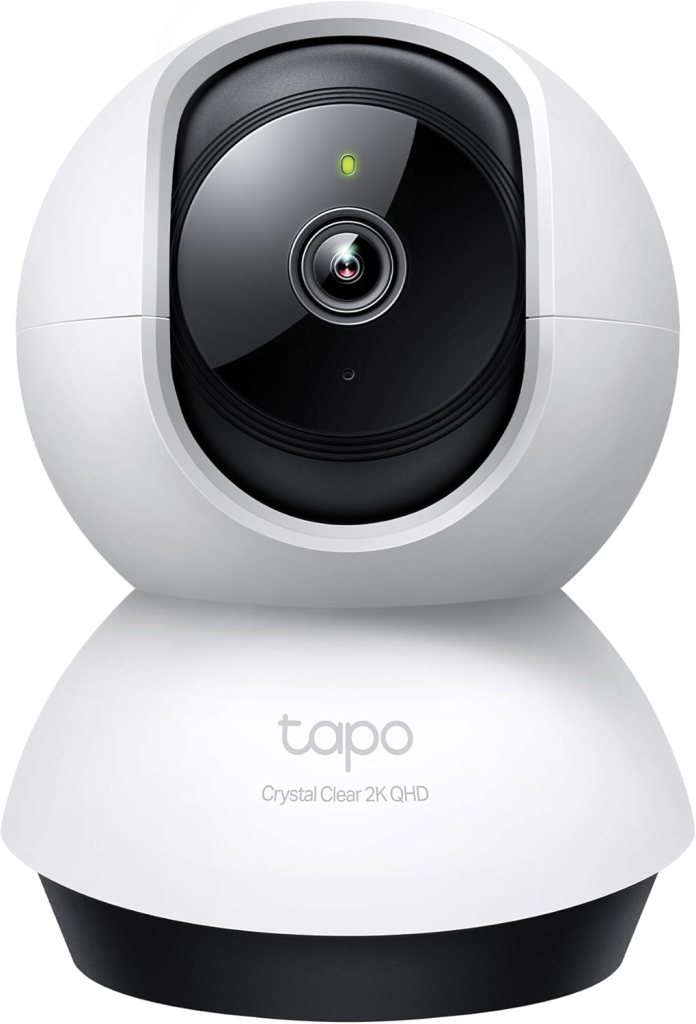
Best overall
The Tapo C220 is the one I would start with for most families. It gives you the right mix of clarity, coverage, and useful detection without asking you to commit to a fussy ecosystem.
It records in 2K 4MP, pans 360 degrees horizontally and 114 degrees vertically, and supports smart AI detection for people, pets, vehicles, and crying or other sounds. It also offers IR night vision and two-way audio.
Review summary: This is the all-rounder. Not glamorous. Just strong where it counts. The appeal is simple: broad room coverage, crisp enough detail for real check-ins, and a feature set that feels more expensive than it acts.
What stands out in real use is range. One camera can watch a living room, hallway opening, and favorite chair without feeling blind. For elderly monitoring, that matters. You are not trying to build a command center. You are trying to cover the space where routines actually happen.
Pros
- 2K 4MP video
- Full pan/tilt coverage
- Two-way audio
- Smart detection goes beyond basic motion
- Strong fit for single-room or open-plan monitoring
Cons
- 2.4GHz Wi-Fi focus may bother some setups
- Pan/tilt is helpful, but only if you spend a minute setting camera presets
Bottom line: This is the best first pick for most people looking for 5 best cameras for elderly monitoring because it covers the whole job without making you overthink the purchase.
Real Testimonial
The Tapo C220 is the best-balanced pick in this group. It feels like the camera most people should buy first because it covers the basics well and adds the kind of features that actually help in elderly monitoring, especially room coverage and clearer detail. The pan and tilt function gives it more practical range than a fixed camera, which matters when you are checking one main living area instead of building a whole-camera setup. It is the one that makes the fewest compromises.
2) Blink Mini

Best for simple setup
The Blink Mini earns its place because it does not try to be clever. It is a plug-in HD indoor camera with 1080p video, motion detection, infrared night vision, and two-way talk through the Blink app.
Blink’s support pages also lean hard into easy setup, which is exactly why this camera makes sense for families who want a low-friction option.
Review summary: The Blink Mini is not the most feature-packed camera here. It is one of the easiest to live with. That counts for a lot when the goal is quick room checks, not endless tinkering.
This is the pick for the person who knows they will not be using advanced tracking or moving the camera angle around all day. Plug it in. Point it well. Leave it alone. For a bedroom doorway, kitchen corner, or a spot facing a favorite sitting area, that simplicity is a strength, not a compromise.
Pros
- Very easy to set up
- 1080p video is enough for routine check-ins
- Two-way talk
- Compact and unobtrusive
Cons
- No pan/tilt
- Less flexible for covering larger rooms
Bottom line: If your priority is a camera that behaves itself and does not become another household project, Blink Mini is a smart second pick.
Real Testimonial
The Blink Mini is the simplest option here, and that is the whole point. It is small, easy to place, and better suited to straightforward check-ins than to full-room tracking. I would not call it the most flexible camera on the list, but it is one of the easiest to live with. For buyers who want something that works without adding much friction, this one earns its spot.
3) eufy Indoor Cam 2K Pan & Tilt
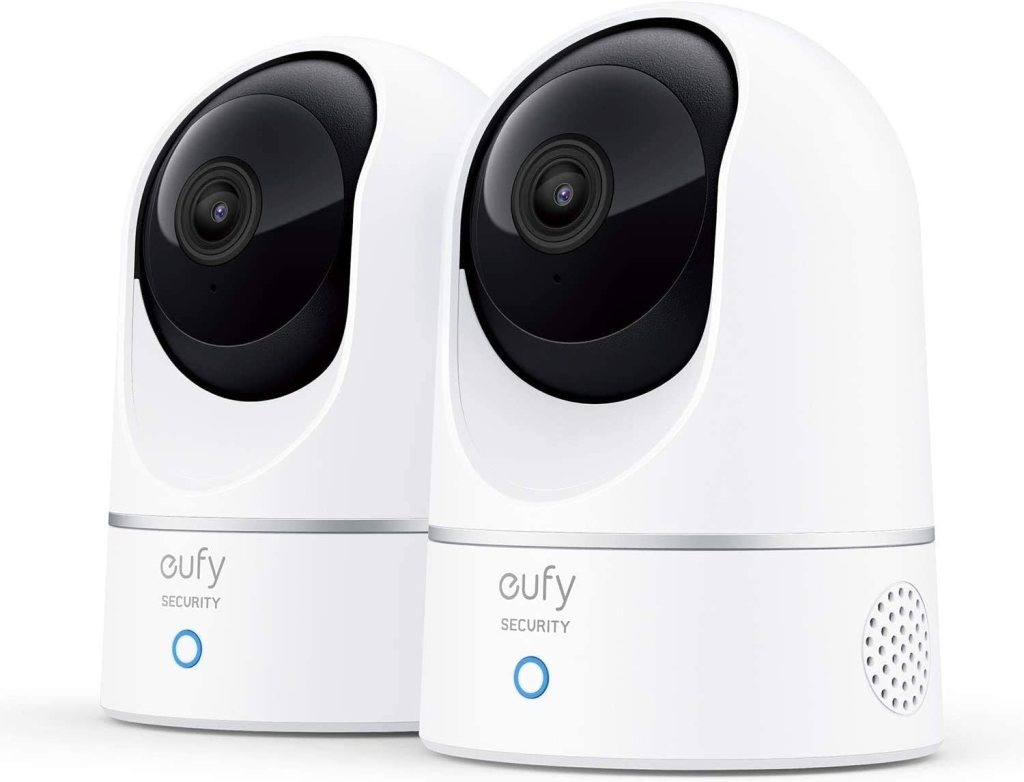
Best for privacy-focused monitoring
The eufy Indoor Cam 2K Pan & Tilt is a strong choice for families who care about local storage and privacy controls as much as picture quality.
eufy says this model offers 2K resolution, human, pet, and crying detection, pan and tilt movement, local storage via microSD, continuous recording with a microSD card, two-way audio, and instant mobile alerts.
Review summary: This camera makes a persuasive case for itself if cloud dependence bugs you. It has the features people actually use and a more self-contained feel than some rivals.
I like this one for households where the family conversation starts with, “How much of this footage has to leave the house?” It also helps that the core camera is not stripped down just because it offers local recording.
You still get pan/tilt coverage and the right detection features for an older adult’s living space.
Pros
- 2K video
- Pan/tilt coverage
- Local storage support
- Human, pet, crying, motion, and audio detection
- Continuous recording option
Cons
- Local recording still requires managing a microSD card
- App preferences can be a little personal from one user to the next
Bottom line: For people who want a capable indoor monitoring camera with a stronger local-storage angle, this is one of the better-balanced options available right now.
Real Testimonial
The eufy E220 has a nice middle ground feel. It gives you broader coverage, useful monitoring features, and a setup that feels more considered than bare-bones. This is the kind of camera that appeals to people who care about control and do not want the experience to feel stripped down. It is a strong fit for common areas where movement is less predictable and one fixed angle may not be enough.
4) Reolink E1 Pro
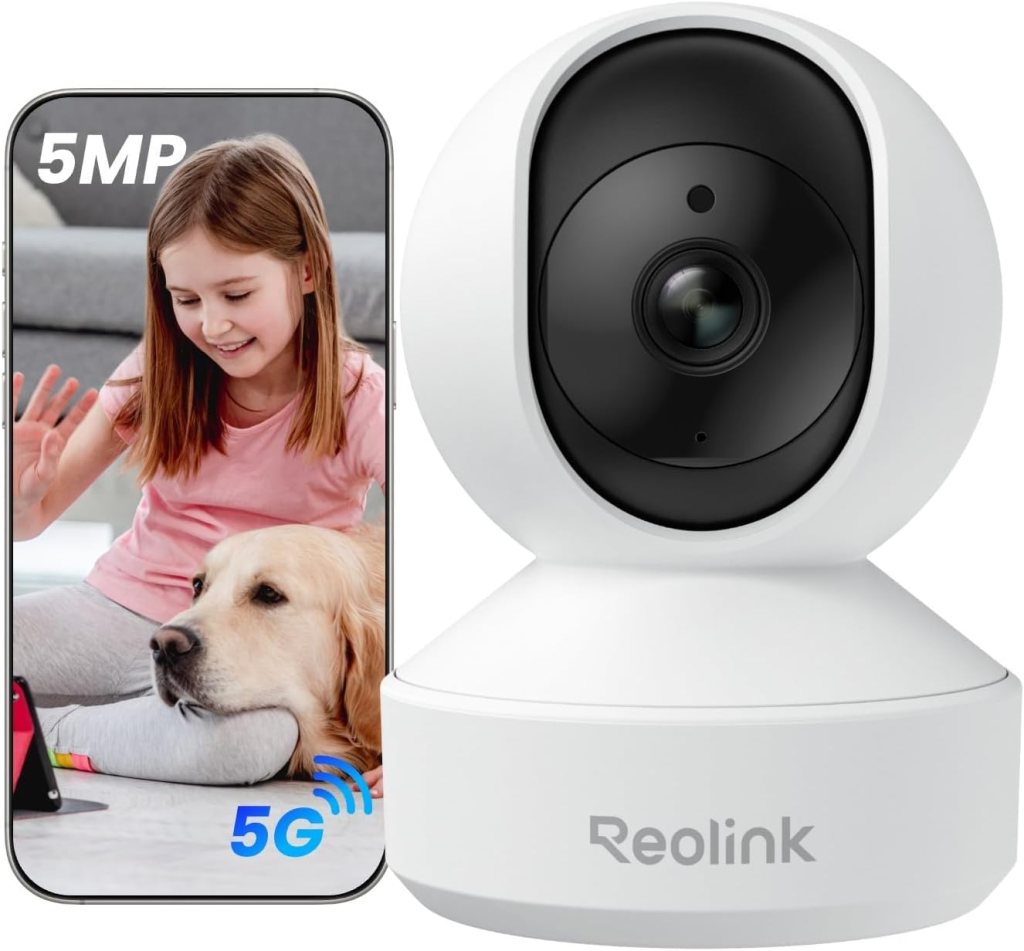
Best for sharper detail
The Reolink E1 Pro is the detail-first option in this group. Reolink lists it as a 5MP Wi-Fi pan/tilt indoor camera with smart detection, auto tracking, baby crying alerts, and two-way audio. Reolink also says it supports 360-degree coverage, 2880×1616 resolution, and both 2.4GHz and 5GHz Wi-Fi.
Review summary: The E1 Pro feels like a good match for bigger rooms, longer sight lines, and people who care more than average about fine detail. It is a camera for seeing a little more, not just checking a little faster.
That extra sharpness can matter in elderly monitoring. Not always. But sometimes it is the difference between “I think he’s got the walker” and “Yes, he has it.” In a wide room or a space with deeper corners, the Reolink makes more sense than a fixed 1080p camera.
Pros
- Higher-detail 5MP / 3K-class image
- Pan/tilt and auto tracking
- Dual-band Wi-Fi support
- Useful detection features for indoor care monitoring
Cons
- More camera than some small rooms really need
- Slightly less appealing if you want a dead-simple beginner option
Bottom line: Pick this one when you need extra visual detail or broader room coverage and do not mind a slightly more feature-heavy setup.
Real Testimonial
The Nest Cam Indoor is the polished ecosystem option. It is not the most versatile camera in this lineup, but it makes sense for households already using Google Home products because the experience feels more unified. The appeal here is not raw feature count. It is convenience, cleaner integration, and an app experience that tends to feel less clunky than a lot of budget-first alternatives.
5) Google Nest Cam Indoor (Wired)

Best for Google Home households
Google’s wired Nest Cam stays on this list because the ecosystem is good and the app experience tends to be clean. Google lists up to 1080p video at 30 fps, HDR, night vision, a 135-degree diagonal field of view, and full-duplex two-way audio with noise cancellation for Nest cameras.
Current Nest Cam indoor product pages also highlight Google Home integration and a wired indoor form factor.
Review summary: This is the polished ecosystem pick. Not the most flexible. Not the most self-contained. But if the home already runs on Google Home, it fits naturally.
I would not put this first for everyone because it lacks the pan/tilt flexibility of the Tapo, eufy, or Reolink options above. Still, for a family already using Google Home screens or speakers, the convenience argument is real. Sometimes that convenience is what keeps a camera from being ignored.
Pros
- Good app and ecosystem fit
- 1080p HDR video
- Two-way audio with noise cancellation
- Wide field of view
Cons
- No local storage
- No pan/tilt
- Best value shows up when you already use Google Home
Bottom line: This is the right choice for households already living inside Google’s smart-home setup and wanting a camera that feels native there.
Real Testimonial
The Blink Mini Pan-Tilt Camera takes the easy appeal of the standard Blink Mini and gives it more room coverage. That makes it a smarter choice for elderly monitoring than the base Mini if the person you are checking on moves around a living room, bedroom, or hallway instead of staying in one fixed spot. It still feels approachable, which matters, but it solves one of the biggest limitations of the standard Mini by letting you see more without installing a second camera.
Which one should you actually buy?
Buy the Tapo C220 if you want the safest all-around recommendation.
Buy the Blink Mini if you want less fuss and a simpler room check-in camera.
Buy the eufy if local storage and privacy are part of the buying decision, not an afterthought.
Buy the Reolink E1 Pro if room size and image detail matter more than simplicity.
Buy the Nest Cam if your home already revolves around Google Home and you want the most natural fit there.
Setup tips that make these cameras more useful
Aim the camera at routines, not just square footage. The favorite chair. The hallway between bed and bathroom. The kitchen entrance. Those are the places where a monitoring camera earns its keep.
Do not put a camera everywhere just because you can. One well-placed camera usually beats three random ones.
Talk about privacy before you install anything. Seriously. Smart-home privacy is not abstract. NIST recommends checking device privacy settings, turning on two-factor authentication, and keeping devices updated. The FTC also recommends using each camera’s security features and securing remote viewing. That should be part of setup day, not something you promise to handle later.
FAQ
What is the best camera for elderly monitoring?
The best overall option here is the TP-Link Tapo C220 because it combines 2K 4MP video, pan/tilt coverage, two-way audio, and broader smart detection features in one indoor camera.
Can a camera detect if an elderly parent falls?
These cameras can send motion or smart alerts and help you visually check in, but they are not medical alert devices and should not be treated like dedicated fall-detection systems.
Is two-way audio important for elderly monitoring?
Yes. It is one of the most useful features in this category because it lets you speak to someone immediately without making a phone call or walking them through another device. All five picks here support two-way audio.
Should you choose pan/tilt or a fixed camera?
Pan/tilt is better for larger rooms, open living spaces, and homes where one camera needs to cover multiple zones. A fixed camera works well when the room is small and the placement is obvious.
Do these cameras work at night?
Yes. Every model on this list includes night vision, though the quality and overall coverage vary by camera.
Can you monitor an elderly parent from your phone?
Yes. These cameras are app-based products designed for remote live viewing and alerts.
Do indoor cameras for elderly monitoring need Wi-Fi?
For the full remote-view and alert experience, yes. These cameras depend on Wi-Fi for app access and notifications.
What is the most privacy-conscious option on this list?
The eufy Indoor Cam 2K Pan & Tilt stands out because eufy lists local storage, continuous recording with microSD, and AES-128 data encryption among its core features.
Is local storage worth caring about?
Usually, yes. Local storage gives families another option besides cloud dependence, and for some buyers that is the deciding factor. The eufy, Tapo, and Reolink models here all support local recording in some form.
Where should you place a camera for elderly monitoring?
Best placement is usually in a living room, hallway, kitchen entrance, or another common area tied to daily movement. Bedrooms and bathrooms raise obvious privacy issues and should be handled carefully, if at all. The NIA’s aging-in-place guidance is also a good reminder that cameras work best as one part of a larger home safety setup.
Are these cameras hard to install?
No. Blink Mini is the easiest of the group, while the others are still straightforward plug-in indoor cameras for most households.
Final verdict
If I had to recommend just one camera for this job, it would be the Tapo C220. It does the practical stuff right. Clear image. Full-room coverage. Two-way audio. Better-than-basic alerts. No strange identity crisis about what it wants to be.
The Blink Mini is the better call for people who want less setup friction.
The eufy is the smart choice for buyers who care about local storage and a more self-contained feel.
Reolink makes the most sense when detail and room coverage matter more than simplicity.
Nest is good, but mostly for people already living inside Google Home.
One last point. Cameras help, but they should be used with the same care you would give any other smart-home device in a private home. The FTC recommends strong passwords, software updates, and secure remote viewing for home security cameras, and that advice is especially worth following when the camera is pointed at someone you care about.
Affiliate Disclaimer
This article contains affiliate links. We may earn a small commission if you purchase through these links, at no extra cost to you.




Leave a Reply